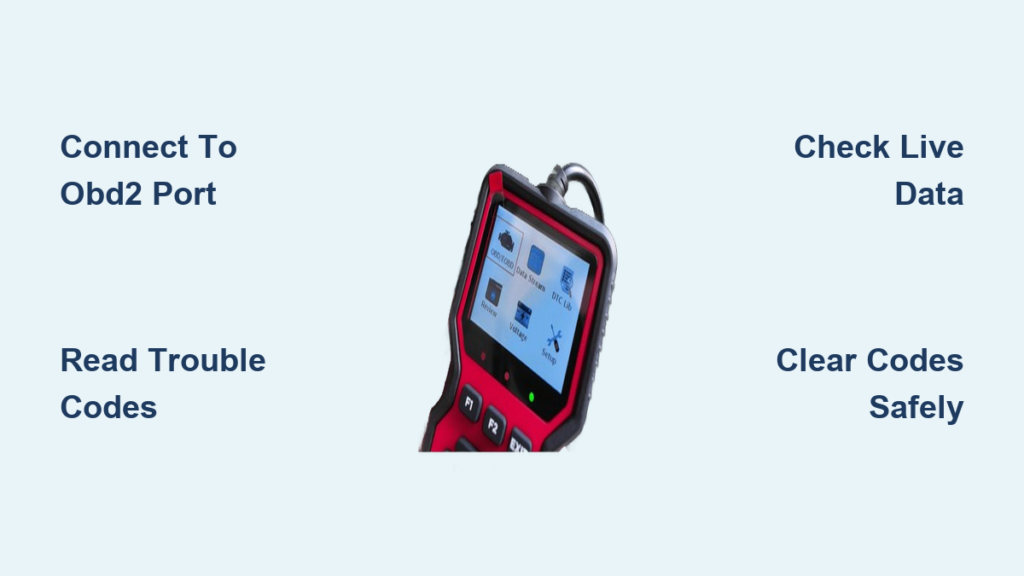
Your Check Engine Light just came on. You are not sure what is wrong, but you do not want to pay $100 just to hear “it is a sensor.” That is where an auto scanner comes in. Whether you are a DIYer or just want to understand your car better, learning how to use an auto scanner puts you in control. These tools connect to your vehicle’s onboard computer, read diagnostic trouble codes, and let you monitor real-time data without a mechanic.
Using an OBD2 scanner is simple once you know the steps: plug it in, turn on the ignition, retrieve codes, interpret results, and take action. This guide walks you through every stage from finding the OBD2 port to clearing codes and diagnosing complex issues. You will learn how to avoid common mistakes, save money on repairs, and prepare your car for emissions testing.
Connect to the OBD2 Port
The first step in using an auto scanner is physical connection. Every vehicle made after 1996 in the U.S. has a standardized OBD2 port, also known as the Diagnostic Link Connector. It is a 16-pin trapezoidal socket required by federal law, so you will always find it in the same general area.
Locate the Port Under the Dashboard
Look beneath the driver side dashboard, within arm reach of the steering column. Most commonly, the port is just below the steering wheel shroud, near the left knee when seated, or above the brake or clutch pedal. In rare cases, it may be hidden inside the center console or under the passenger side. If you cannot spot it, check your owner manual or search online using your make, model, and year for exact placement.
Plug in the Scanner Correctly
The OBD2 connector is keyed, meaning it only fits one way. Align the scanner’s male plug with the port and insert it firmly. A secure connection ensures reliable communication with your car’s Engine Control Module. Some scanners beep when properly connected. If it does not power on, check that the ignition is in the “on” position, test the cigarette lighter to see if the DLC fuse is blown, and inspect the port for bent or corroded pins in older vehicles.
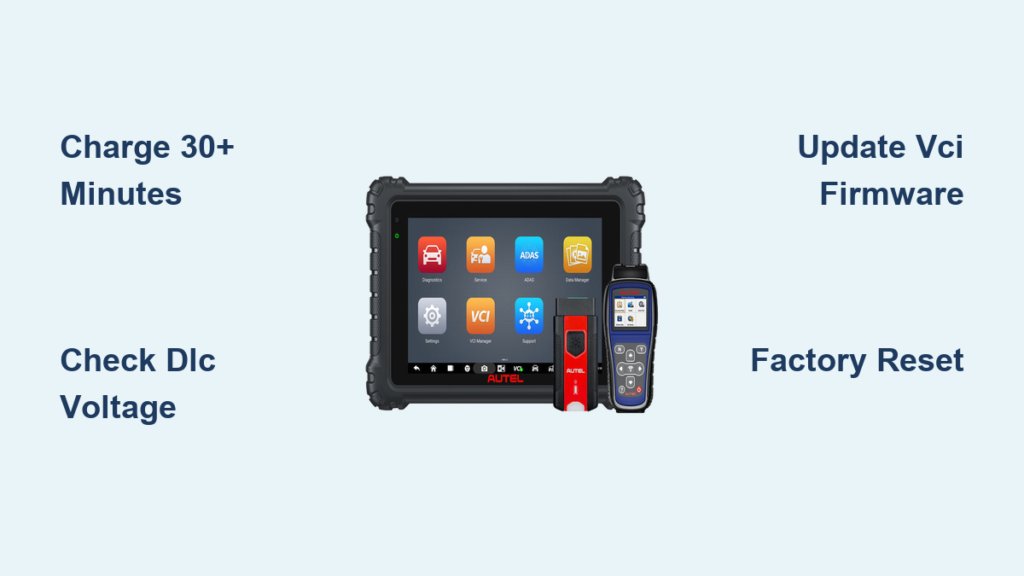
Pair Wireless Scanners via App
Not all auto scanners use a wired connection. Many modern tools use Bluetooth or Wi-Fi to link to your smartphone or tablet, offering a larger screen and advanced features.
Insert the VCI into the DLC
Start by plugging the Vehicle Communication Interface, the small OBD2 dongle, into the port. This device acts as a bridge between your car and mobile device.
Connect Through Diagnostic Apps
Turn on Bluetooth or Wi-Fi on your phone. Open a compatible app such as Torque Pro for Android with full features and custom gauges, OBD Auto Doctor with clear code explanations, or DashCommand for professional data visualization. Follow the app is pairing instructions. Most will auto-detect the VCI within seconds.
Pro Tip: A loose gas cap often triggers P0440 (EVAP system leak). With a wireless scanner, you can clear the code after tightening the cap without a shop visit.
Enter Vehicle Information
After connecting, some scanners prompt for vehicle details. This step ensures accurate diagnostics, especially for manufacturer-specific systems.
Input Make, Model, and Year
Budget scanners may require you to manually select your vehicle make, model, year, and engine size. Higher-end models auto-detect this from the ECM, but manual entry is still common on entry-level tools.
Why VIN Matters
If prompted, enter your Vehicle Identification Number. This allows the scanner to access calibration data, retrieve precise module information, and interpret brand-specific DTCs correctly. Skipping this step may result in incomplete readings, especially on European or luxury vehicles.
Navigate the Scanner Menu
Once powered, the scanner displays a menu system. Interface design varies by model, but core functions remain consistent across devices.
Access Main Diagnostics Options
Typical menu items include Read Codes to pull stored and pending DTCs, Erase Codes to clear the Check Engine Light, Live Data for real-time sensor values, Freeze Frame to see conditions when the CEL triggered, I/M Readiness to check emissions test status, and Actuation Test to control components like lights or relays.
Select the Right Control Module
Modern cars have multiple computers. Your scanner may let you test the ECM/PCM for engine and transmission, ABS for anti-lock brakes, SRS for airbag system, and BCM for body electronics. If the Check Engine Light is on, start with the Engine/Powertrain module.
Read and Decode Trouble Codes
Diagnostic Trouble Codes are your car is way of telling you what is wrong. Learning how to read and interpret them is the core of using an auto scanner.
Retrieve Stored and Pending Codes
Go to Diagnostics then Read Codes. The scanner returns two types. Stored codes are active faults that triggered the CEL. Pending codes are detected but unconfirmed issues, often intermittent. Always write down codes before clearing them.
Understand DTC Structure
Codes follow a standard format: one letter plus four digits. The first letter indicates the system affected, with P for Powertrain, B for Body, C for Chassis, and U for Network. The second digit shows whether it is generic (0) or manufacturer-specific (1). The third digit represents the subsystem, and the last two digits indicate the specific fault.
Example: P0301
Breaking down P0301 shows P for Powertrain, 0 for Generic, 3 for Misfire, and 01 for Cylinder #1. This means the code indicates a misfire in Cylinder #1.
Note: Some scanners show plain-English descriptions. Others require lookup. Always cross-reference with your vehicle is make and model.
Analyze Freeze Frame Data
When a Check Engine Light activates, your car saves a snapshot of operating conditions called Freeze Frame Data. This is critical for diagnosing intermittent issues.
Access the Snapshot
Go to Diagnostics then Freeze Frame. You will see key parameters recorded when the DTC was set, including engine RPM, vehicle speed, coolant temperature, fuel trim, load value, and throttle position.
Use It to Diagnose Intermittent Faults
Suppose you have a P0300 (random misfire) code, but the engine runs fine now. Check freeze frame to see if the misfire was happening at idle, under acceleration, or whether the engine was cold or hot. This context helps narrow down causes like vacuum leaks, fuel delivery issues, or failing coils.
Monitor Live Sensor Data

One of the most powerful features of an auto scanner is real-time data streaming. Instead of guessing, you can watch sensors respond as you drive.
Pull Up the Data Stream
Navigate to Live Data, Real-Time Data, or Data Stream. The display shows constantly updating values from dozens of sensors.
Track Key Parameters
Critical live data includes engine RPM, vehicle speed, coolant temperature, Mass Air Flow rate, throttle position, O2 sensor voltages, fuel trims, and ignition timing. Watch how values change during acceleration, idle, and deceleration.
Use Graphing to Spot Issues
Advanced scanners let you graph up to six parameters at once. For example, plot RPM versus input shaft speed to detect torque converter shudder, or overlay O2 sensor voltages to compare bank performance.
Real-World Case: Diagnosing Shudder
A 2019 Honda Pilot had rough shift above 30 mph with no DTCs present. Graphing showed a sawtooth pattern between engine RPM and transmission input speed. This indicated torque converter clutch slipping. The fix was a simple transmission fluid flush.
Pro Tip: Graphing turns invisible problems into visible patterns, making complex diagnostics easier.
Check Emissions Readiness Status
Before a smog test, your car must complete self-checks called I/M Readiness Monitors. If they are not ready, you will fail even if everything works fine.
Run the I/M Readiness Test
Go to Inspection and Maintenance Readiness or Onboard Monitor Test. The scanner displays status for up to 13 monitors, including catalyst efficiency, evaporative system, oxygen sensor, EGR flow, misfire detection, and secondary air injection.
Interpret Monitor States
Ready means the monitor has completed its test. Not Ready means the test has not completed, which is common after battery disconnect or code clearing. Not Applicable means the monitor is not used on your model.
Warning: In states like California or New York, having too many Not Ready monitors causes automatic emissions test failure.
Complete a Drive Cycle
If monitors are incomplete, drive through a full drive cycle. Start cold (engine below 50°F), idle for 2-3 minutes, accelerate to 55 mph and cruise for 3+ minutes, decelerate without braking, and repeat under different conditions.
Perform Advanced Diagnostic Tests
High-end scanners go beyond reading codes. They let you command systems, test components, and verify repairs through bidirectional diagnostics.
Run Power Balance Tests
To find a weak cylinder, go to Special Functions then Power Balance Monitoring, start the engine, and watch graphed output per cylinder. A healthy engine shows even contribution. If Cylinder 3 shows near-zero power, it is misfiring.
Test Fuel Injectors
Mechanical Check (Screwdriver Method)
Place a long screwdriver on each injector and put your ear to the handle. Listen for a rhythmic tap-tap as injectors fire. A missing sound indicates a likely faulty injector.
Electrical Check (NOID Light)
Disconnect the injector connector, insert a NOID light between the harness and injector, and crank the engine. If the light flashes, the PCM and wiring are OK and the injector is bad. If there is no flash, the problem lies in wiring or the PCM.
Use Actuation Tests for Lights and Relays
Diagnose lighting issues without removing panels. Go to Body Control Module then Actuation Test, select the component, command a duty cycle, and observe whether it works. No light after command likely means a blown bulb.
Benefit: Bidirectional control lets you test components independently, saving time and avoiding unnecessary part swaps.
Clear Codes and Reset Systems
After a repair, you will want to turn off the Check Engine Light by clearing DTCs, but there are important caveats.
Erase DTCs Safely
From the main menu, select Clear Codes or Erase DTCs, confirm the action, and wait for the scanner to send the reset command. The Check Engine Light should turn off immediately.
Warning: Clearing codes does not fix the problem. If the fault persists, the code will return within a few drive cycles.
Understand I/M Monitor Reset
Clearing codes also resets emissions readiness monitors to Not Ready. This means you cannot pass a smog test until monitors complete. Drive through a full drive cycle to re-enable them.
Avoid Common Scanner Mistakes
Even experienced users make errors. Knowing what not to do is as important as knowing the steps.
Do Not Replace Parts Blindly
Example: P0135 (O2 sensor heater circuit malfunction) does not always mean a bad sensor. It could be a blown fuse, damaged wiring, or a poor ground connection. Always test voltage, continuity, and resistance before replacing parts.
Check for Multiple Codes
One root cause can trigger several DTCs. A vacuum leak can cause P0171 (lean mixture) and P0300 (misfire). Fix the underlying issue first rather than chasing individual codes.
Verify Repairs Before Finalizing
After fixing a problem, re-scan to ensure no new codes appear, monitor live data for normal readings, and complete a drive cycle to confirm monitor completion. Keep a repair log with dates, codes, and actions taken.
Know Scanner Limits and Compatibility
Not all scanners are equal. Choosing the right one and knowing its limits makes all the difference.
Match Scanner to Your Vehicle
All U.S. vehicles from 1996 onward support OBD2. But ensure your scanner handles all protocols (CAN, ISO 9141-2, KWP2000, SAE J1850) and manufacturer-specific codes. Check product specs before buying.
Understand Tool Tiers
Basic scanners ($20-$50) read and clear generic codes only. Mid-range tools ($80-$150) offer live data, freeze frame, and some actuation. Professional scanners ($200+) provide full bidirectional control, health reports, and module programming.
Smart Alternative: Many auto parts stores rent scanners free with a deposit, ideal for one-time use.
Consider Smartphone Solutions
A $15 Bluetooth OBD2 dongle plus Torque Pro app gives you full data logging, GPS-linked trip history, voice alerts for new codes, and a larger screen than most handhelds.
When to Use Your Scanner
Use your auto scanner when the Check Engine Light is on, during poor performance like hesitation or rough idle, after battery replacement, before a smog test, during routine maintenance, and for pre-purchase inspections to spot hidden issues.
Yes, you can use the scanner while the engine is running for live data and actuation tests. Just keep cables clear of moving parts.
Frequently Asked Questions About Using an Auto Scanner
Can I use an auto scanner while the engine is running?
Yes. Live data streaming, graphing, power balance testing, and actuation tests all require a running engine. Just ensure the scanner and cables are clear of moving parts.
Do I need to start the car to read codes?
For basic code reading, turning the ignition to “on” is sufficient. However, starting the engine is required for advanced diagnostics like live data monitoring and component testing.
What does it mean if my scanner shows “no communication”?
This usually indicates a connection problem. Check that the OBD2 port is clean and undamaged, verify the ignition is on, test the cigarette lighter to confirm the DLC fuse is not blown, and try reseating the scanner connection.
Why did my Check Engine Light come back after clearing the code?
Clearing codes does not fix the underlying problem. If the fault persists, the code will return within a few drive cycles. You must repair the actual issue before clearing codes permanently.
Can I use any scanner on any car?
All U.S. vehicles from 1996 onward support standard OBD2 protocols, but some European and Asian manufacturers use proprietary codes. Ensure your scanner supports both generic and manufacturer-specific codes for your vehicle.
How do I prepare my car for a smog test using a scanner?
Run the I/M Readiness test to check monitor status. All monitors should show “Ready” before testing. If monitors show “Not Ready,” complete a full drive cycle to allow the vehicle is onboard diagnostics to finish testing.
Key Takeaways for Using an Auto Scanner Effectively
Using an auto scanner is about understanding your vehicle is language. From locating the OBD2 port to interpreting live data and clearing codes, each step builds confidence and saves money. The most important actions are recording codes before clearing them, using freeze frame and live data to diagnose intermittent problems, and completing drive cycles before emissions tests. With the right tool and knowledge, you can diagnose most common issues, verify repairs, and avoid unnecessary shop visits. Start simple, learn the workflow, and soon you will be troubleshooting like a pro.