You’re drowning in paper, receipts, contracts, and old photo albums. Choosing the right scanner feels overwhelming with dozens of specs and features to consider. The wrong choice means wasted money, poor scan quality, or missing features you needed. This guide breaks down everything that matters: speed, resolution, sensor type, connectivity, and software so you can pick with confidence.
Match Scanner to Your Use Case
The first step is knowing what you will scan most. Different scanners excel at different tasks, and matching type to task saves frustration.
Document Scanners for Paper Workflows
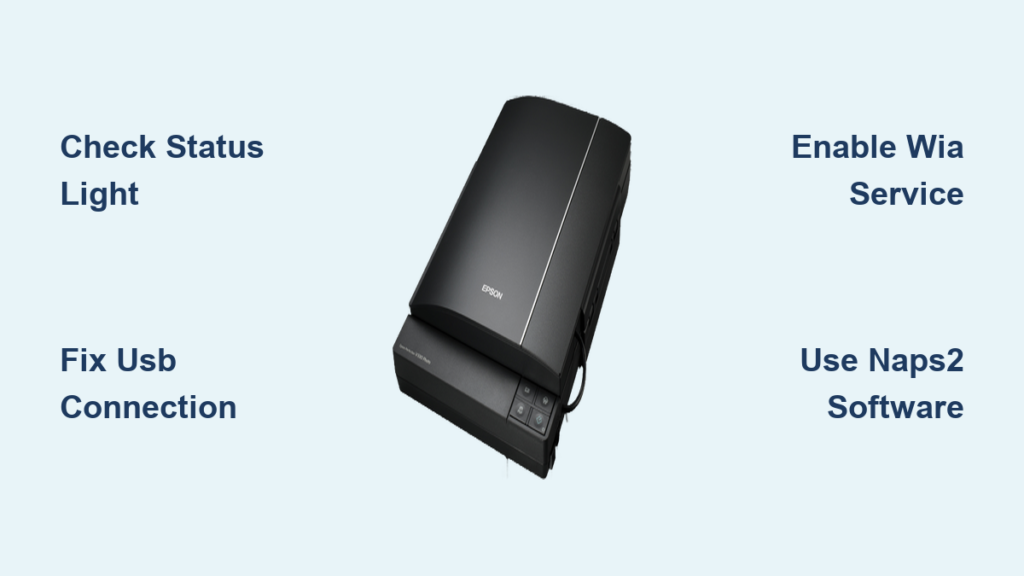
If you need to digitize bills, contracts, forms, or employee records, a document scanner handles volume and speed. Sheet-fed scanners with Automatic Document Feeder process stacks automatically. Flatbed scanners work better for fragile, thick, or bound materials. Hybrid models like the Epson DS-1660W combine both for maximum flexibility.
Top picks include the Epson DS-790 WN for small offices with 45 ppm and network capability, the Epson DS-870 for Mac users handling large backlogs at 65 ppm, and the compact DS-C490 for front desks handling IDs and receipts.
Photo Scanners for Preserving Memories
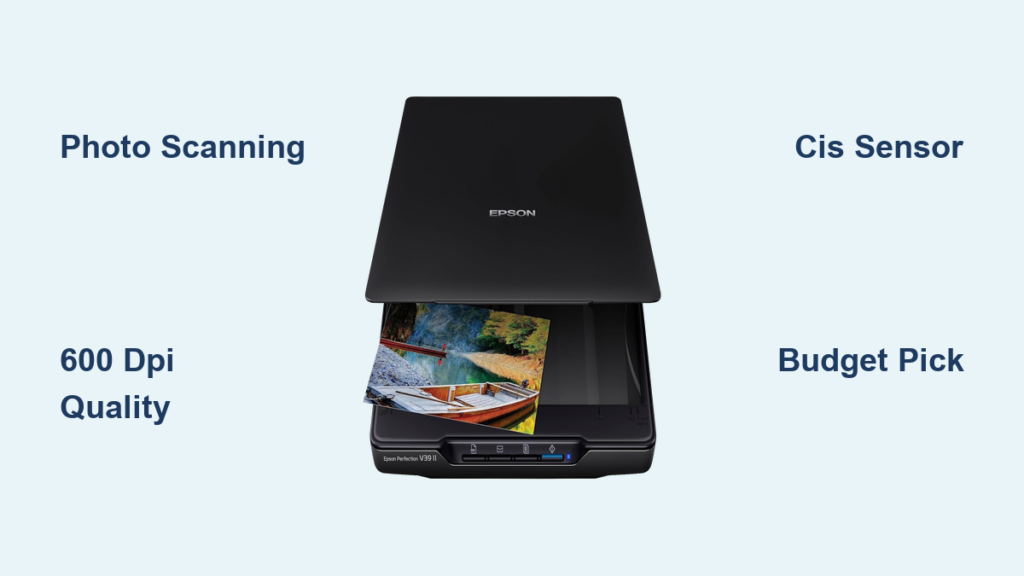
Standard document scanners ruin photos. Photo scanners need 6400 DPI optical resolution, 48-bit color depth, and dust removal technology like ICE. The market shifted dramatically: the beloved Epson V600 is discontinued, leaving only Plustek offering consumer CCD scanners at $649. CIS technology caught up, and the Epson V39 II at $100 delivers near-professional results.
Real-world tests show the V39 II matches the V600 on shadow detail and even outperforms it in dark foliage. For slides, use a DIY lightbox method with an LED pad on the lid.
3D Scanners for Engineers and Designers
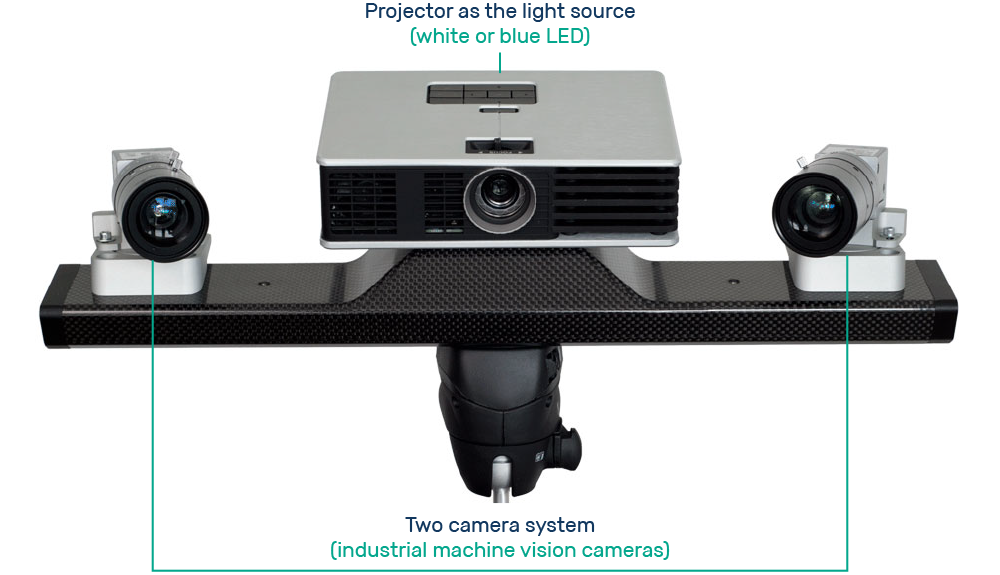
Converting physical objects into digital models requires 3D scanners. Structured light works best for textured objects. Laser scanning handles shiny or reflective surfaces. Photogrammetry suits large or simple shapes.
Key specs are accuracy between 0.02-0.1 mm for metrology, resolution for detail level, speed in frames per second, and object size range from 10 mm to 6 m. The Revopoint MetroX handles industrial reverse engineering, while the INSPIRE suits classrooms.
Speed: How Fast Do You Need to Scan?

Pages per minute determines throughput. Low volume under 20 ppm works for home users and light admin. Medium volume 20-50 ppm fits small businesses and hybrid workers. High volume 50-90+ ppm serves legal, healthcare, and enterprise digitization.
Single-pass duplex scans both sides in one pass, doubling effective speed. Manufacturers often quote speeds at 200 DPI in landscape mode under ideal conditions. Higher DPI like 300-600 reduces speed and increases file size, so verify real-world performance.
ADF Capacity: How Many Pages at Once?
The Automatic Document Feeder determines unattended scanning volume. Ten to 30 pages suits light home office use but requires frequent reloading. Fifty to 100 pages handles small to mid-sized offices, like the Epson DS-870 with 80-page ADF. One hundred plus pages serve high-volume environments like the DS-32000 with 120-page ADF.
Left-side feeding in production scanners allows paper joggers for alignment, reducing jams and improving throughput.
Resolution: What DPI Do You Really Need?
DPI determines image clarity. Three hundred DPI works for text documents, PDFs, emails, and cloud storage with small, fast files. Six hundred DPI is required for photos and detailed graphics, ideal for printing or enlarging, balancing quality and size. Twelve hundred to 6400 DPI serves archival scanning for negatives, slides, and artwork, with huge files and slower scans.
Testing shows the V39 II and V600 produce nearly identical results on family photos at 600 DPI after basic post-processing.
Sensor Tech: CCD vs CIS Explained
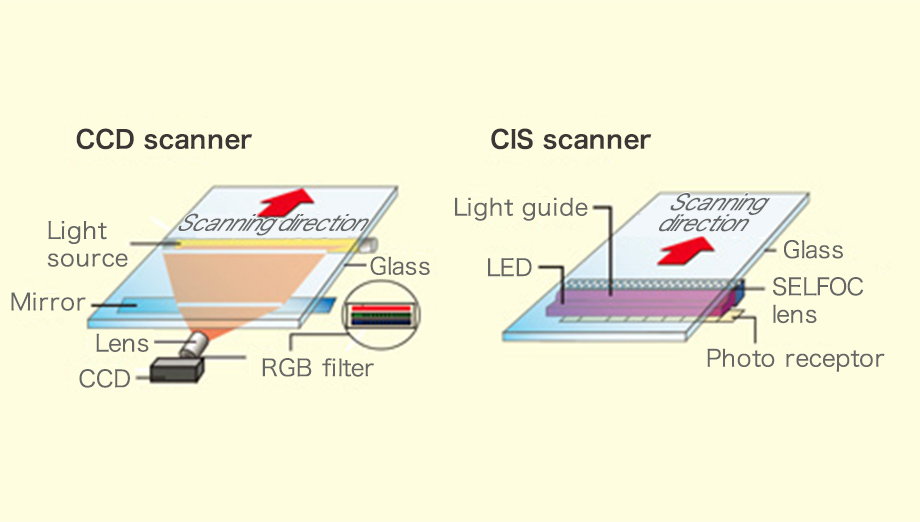
The sensor is the scanner’s eye. CCD sensors offer superior color accuracy and dynamic range but are bulky, power-hungry, and expensive. The Epson V600 is discontinued, and only Plustek offers consumer CCD scanners at $649.
CIS sensors are compact, affordable, and low-power. The V39 II uses CIS but matches or exceeds the V600 in real-world tests. For most users, CIS is now the smart choice.
Connectivity: Wired, Wireless, or Standalone?
Connection type affects workflow flexibility. USB offers universal plug-and-play for desktop use with no power brick needed on models like DS-70. Wi-Fi enables wireless scanning to phones, tablets, or PCs, ideal for remote work with the DS-8W. Ethernet provides network integration for shared office scanners. Direct-to-USB drive scans without a computer, perfect for front desks and field workers.
Software: Beyond Scanning
Smart software automates workflow. One-touch scanning provides predefined profiles for scan-to-PDF, email, and cloud. OCR converts scanned text into searchable, editable content with multi-language support. Batch scanning handles mixed documents in one job. Data extraction reads MRZ for passports and auto-indexes to CSV. Cloud integration uploads directly to Google Drive, Dropbox, and OneDrive.
Portability: Scan on the Go
For remote or field work, portability matters. Look for lightweight design, battery power, Wi-Fi or direct-to-device scanning, and compact footprint. The Epson DS-70 fits in a bag with USB power. The DS-8W with battery and Wi-Fi suits traveling professionals and mobile clinics.
All-in-One Scanners: Convenience vs Performance
All-in-ones save space and cost but trade off speed, ADF size, and durability. They work for light home use but lack the speed, OCR, network, and duplex features of dedicated scanners. For serious digitization, invest in a dedicated scanner.
Advanced Features That Save Time
High-end scanners offer automation features. Multi-stream scanning captures multiple versions in one pass: high-res color, bi-tonal for OCR, and color-dropout. Image enhancement tools handle auto-crop, deskew, background smoothing, and speckle removal. Color dropout removes highlighter colors while keeping text legible.
Imprinters print scan dates or batch numbers on documents. Imprint checking rejects already-scanned documents to prevent duplicates. Multiple output trays sort documents by type using patch codes or separator sheets.
Durability and Long-Term Value
A scanner should last years. Duty cycle indicates daily maximum pages, and exceeding it risks jams or voided warranty. Metal rollers and reinforced feed paths indicate build quality. Clean glass and rollers regularly, use compressed air for dust, and replace rollers every 100,000 scans.
Standard warranty is one year, extendable to three to five years for enterprise. Choose reputable resellers over cheap internet sellers. Check for on-site service, loaner units, or rapid replacement. Modular designs allow add-on feeders and network cards, while firmware updates add features.
Choose by Environment
Your workspace determines the ideal scanner. Home offices need easy setup and affordability, so compact sheet-fed or hybrid models work. Small businesses require 30-50 ppm with OCR and cloud sync, using mid-range network scanners. Enterprise environments need 50+ ppm, duplex, large ADF, and security, so high-speed networked ADF models fit.
Education and libraries handle books and thick media with hybrid flatbed plus ADF and V-cradle. Field and mobile workers need battery, Wi-Fi, and lightweight options. Creative studios need color accuracy and large format with high-res flatbed or overhead scanners. Industrial settings need accuracy and CAD integration with 3D scanners.
Final Scanner Selection Checklist
Use this 10-point checklist for your decision. First, determine volume needs: how many pages per day. Second, identify document types: paper, photos, 3D, or thick media. Third, establish speed: what ppm is acceptable. Fourth, consider space: desktop, shared, or mobile. Fifth, choose connectivity: USB, Wi-Fi, Ethernet, or cloud.
Sixth, list software needs: OCR, auto-naming, data extraction. Seventh, verify OS compatibility: Windows, Mac, or Linux. Eighth, set budget: under $200, $200-600, or $600 plus. Ninth, list special features: duplex, MRZ, standalone, color accuracy. Tenth, consider long-term use: warranty, support, durability.
Key Takeaways for Choosing Your Scanner

Choosing a scanner comes down to matching the tool to your workflow. Start with your primary use case: documents, photos, art, or 3D objects. Then assess volume, speed, and document types. Prioritize connectivity and software that fit your environment, Wi-Fi for remote work, network scanning for offices, OCR for searchable archives.
For photos, the Epson V39 II is the 2026 benchmark, delivering near-CCD quality at one-sixth the price. For high-volume offices, the Epson DS-870 or DS-32000 offer unmatched throughput. For 3D work, Revopoint’s ecosystem ensures seamless workflow from scan to CAD. Avoid cheap all-in-ones for serious scanning, invest in dedicated durable models, and consider total cost of ownership including warranty and support.
Frequently Asked Questions About Choosing a Scanner
What is the best scanner for home use in 2026?
The Epson Perfection V39 II offers the best value at around $100. It uses CIS technology but matches or exceeds the discontinued V600 in real-world photo tests. It handles documents and photos well for home users.
How important is scanning speed for occasional use?
For occasional home use under 20 pages daily, speed matters less than convenience and scan quality. Basic portable or compact scanners handle light workloads adequately. Focus on resolution and software features over ppm ratings.
Do I need a flatbed or sheet-fed scanner?
Choose flatbed for fragile, thick, or bound materials like books and photos. Choose sheet-fed with ADF for high-volume document scanning. Choose hybrid if you need both capabilities.
What resolution do I need for photos?
Six hundred DPI works for most photo printing and enlarging. Use 1200-6400 DPI only for archival quality or scanning negatives and slides. Higher DPI creates larger files and slower scans.
Are CCD scanners still worth buying?
Consumer CCD scanners are nearly extinct, with only Plustek offering them at $649. CIS technology now matches CCD quality in most cases at a fraction of the cost. For most users, CIS is the better choice.