Wrinkled pouches, jammed film, and misaligned documents are common frustrations when learning how to use a GBC laminator. The popular GBC Ultima 65 model simplifies the process with its color-coded EZLoad system, but proper setup still makes the difference between professional results and wasted supplies. Whether you’re laminating classroom posters, office signage, or ID badges, mastering a few key steps saves time and money.
This guide walks you through every stage of operating a GBC laminator. You’ll learn how to install film rolls correctly, preheat the machine, feed documents without jams, troubleshoot common issues, and keep your laminator running smoothly for years.
Install Film Rolls the Right Way on Your GBC Laminator
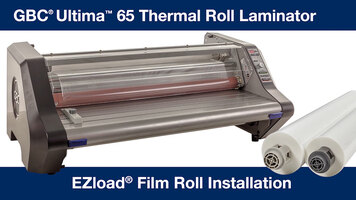
Correct film installation prevents jams, ensures smooth feeding, and produces clean lamination. The Ultima 65 uses an EZLoad system with color-coded guides to make setup nearly foolproof.
Power Down Before Loading Film
Always switch off and unplug the laminator before installing new film. This protects you from accidental activation and shields the machine’s internal components during handling.
Open the Front Film Access Door
Find the film access door on the front panel. Press the release latch and swing the door open to reveal the spool chamber where the film roll mounts.
Remove the Empty Film Core
Slide the used roll off the spool and discard the empty core. Leaving debris inside the chamber can interfere with film tracking and roller performance.
Mount the New Film Roll
Place the new roll onto the spool with the film unwinding from the top. The shiny side must face outward so it makes proper contact with the heating elements during operation.
Thread Film Through the Color-Coded Guides
Pull the leading edge of the film through the guide slots using the EZLoad color system:
– Route the leading edge through the red guide
– Feed the trailing edge through the blue guide
These color-coded paths keep the film flat and aligned as it enters the roller assembly.
Close and Lock the Film Door
Shut the access door firmly until it clicks into place. A loose door triggers the safety switch and prevents the machine from operating.
Preheat Your GBC Laminator for Optimal Performance
Once the film is loaded, prepare the machine for use by powering up and confirming it has reached the correct temperature.
Allow 5 to 7 Minutes of Preheat Time
Plug in the laminator and press the power button. Wait five to seven minutes for the machine to reach operating temperature. A green ready light signals that you can begin laminating.
Run a Test Sheet Before Laminating Important Documents
Feed a scrap piece of paper through the machine before working on real projects. This confirms film alignment and helps you catch wrinkles, bubbles, or misfeeds early.
Feed Documents Correctly Through the Laminator
How you insert your pouch directly affects the quality of the finished product. Follow these best practices for consistent, bubble-free results.
Select the Correct Pouch Size
Match the laminating pouch to your document dimensions. Leave roughly 1/8 inch of border around all edges to ensure complete sealing. For the Ultima 65, never exceed 3 mil thickness per side.
Insert the Pouch Print-Side Down
Place the document inside the pouch with the printed side facing down. When you insert the pouch into the feed slot, the print should face the roller first. This prevents air bubbles and promotes even heat distribution.
Feed the Pouch Straight and Steady
Slide the pouch into the feed slot without angling it. Apply gentle, even pressure without forcing the machine. Once engaged, the rollers will pull the pouch through automatically.
Never Interrupt a Pouch Mid-Feed
Resist the urge to pull back on a pouch once it enters the machine. If a jam occurs, wait for the laminator to stop completely before opening any panels or removing material.
Troubleshoot Common GBC Laminator Problems
Even careful operators encounter issues. Here’s how to quickly diagnose and fix the most frequent problems.
Clear a Pouch Jam Safely
If the laminator stops mid-cycle, follow these steps:
1. Turn off and unplug the machine.
2. Wait ten minutes for the rollers to cool.
3. Open the film access door and gently pull the pouch straight back.
4. Re-thread the film if needed and restart.
Warning: Avoid using sharp tools to remove jammed film. Knives and screwdrivers can scar the internal rollers and cause permanent damage.
Fix Wrinkles and Bubbles in Laminated Output
Common causes include incorrect film orientation, a damaged or crimped film roll, or inserting the pouch too slowly or at an angle. Recheck the film alignment and confirm the document sits centered inside the pouch.
Diagnose a Laminator That Won’t Heat or Start
Run through this checklist:
– Is the laminator plugged in and powered on?
– Did you allow the full preheat time?
– Is the film access door fully closed and latched?
If the green ready light still fails to appear after ten minutes, contact the manufacturer’s support line for service.
Maximize Lamination Speed and Efficiency
The Ultima 65 runs at a fixed speed optimized for 3 mil film. To keep your workflow moving, prepare documents in advance and feed them in quick succession.
Batch Your Documents Before Starting
Assemble multiple pouches ahead of time and keep them in order. Feed each new pouch immediately after the previous one exits the machine.
Avoid Stacking Pouches in the Feed Slot
Wait until the laminator is clear before inserting the next pouch. Stacking causes misfeeds and increases the risk of jams.
Maintain Your GBC Laminator for Long-Term Reliability
Routine care extends the life of your machine and prevents unexpected downtime in busy offices or classrooms.
Clean the Rollers Weekly
Use a lint-free cloth lightly dampened with water or isopropyl alcohol. Wipe the exposed roller surface while the machine is cool and unplugged.
Remove Dust and Debris From the Exterior
Wipe down the housing and feed slot with a dry microfiber cloth. Empty the waste tray regularly if your model includes one.
Store Unused Film Properly
Keep spare laminating pouches in a cool, dry location away from direct sunlight. Heat and humidity can cause premature sealing or static buildup that interferes with feeding.
Choose Compatible Supplies for Your GBC Laminator
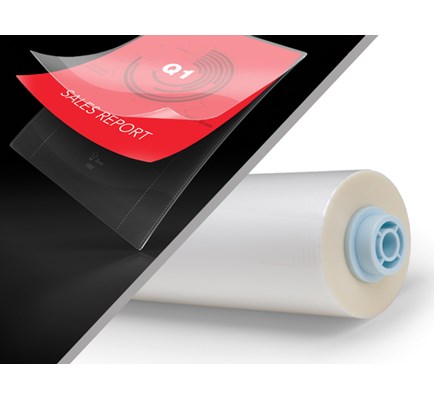
Using the right materials protects your machine and ensures consistent quality.
Use Only 3 Mil Thermal Film
The Ultima 65 is rated for up to 3 mil per side, which equals 6 mil total. Thicker films can overload the motor, cause jams, or trigger overheating.
Stick With GBC or Certified Compatible Brands
Third-party pouches may cost less, but quality varies widely. For best results, choose GBC-branded film or products specifically recommended by the manufacturer.
Match Pouch Finish to Your Document’s Purpose
Different finishes serve different needs:
– Glossy pouches enhance colors and work well for posters and presentations
– Matte pouches reduce glare and suit reading materials and signage
– Self-adhesive pouches require no machine and handle light-duty applications
Avoid Costly Lamination Mistakes
A few simple habits prevent wasted film and equipment damage.
Always Trim Oversized Documents First
Papers that extend beyond the pouch edges can catch inside the machine. Trim documents to fit within the pouch borders before inserting.
Double-Check Film Orientation
Confirm the film feeds with the shiny side out and unwinds from the top. Reversed film causes poor adhesion and frequent jams.
Never Skip the Test Run
Always laminate a test sheet before running your only copy. A single test sheet saves time, film, and frustration.
Know When to Replace the Film Roll
Watch for these warning signs that indicate a film change is due:
– The roll spins freely but no film advances
– Visible tangles or kinks appear in the film
– Output shows inconsistent sealing along the edges
Replace rolls promptly to avoid workflow interruptions.
Frequently Asked Questions About Using a GBC Laminator
How long does a GBC laminator take to warm up?
The GBC Ultima 65 typically requires five to seven minutes to reach operating temperature. Wait until the green ready light illuminates before feeding any pouches.
What thickness film can I use in a GBC Ultima 65 laminator?
The Ultima 65 supports up to 3 mil film per side, which equals 6 mil total thickness. Using thicker film can cause jams, overheating, or motor strain.
Why is my laminated document coming out wrinkled?
Wrinkles usually result from incorrect film orientation, a damaged or crimped film roll, or inserting the pouch too slowly or at an angle. Recheck the film alignment and ensure the document sits centered inside the pouch.
Can I use third-party laminating pouches in a GBC laminator?
Yes, but quality varies significantly. GBC-branded or manufacturer-certified pouches deliver the most consistent results and reduce the risk of jams or poor sealing.
How do I remove a jammed pouch from my laminator?
Turn off and unplug the machine, wait ten minutes for cooling, then open the film access door and gently pull the pouch straight back. Avoid sharp tools that can damage the rollers.
How often should I clean my GBC laminator?
Wipe down the rollers weekly with a lint-free cloth dampened with water or isopropyl alcohol. Clean the exterior and feed slot as needed to prevent dust buildup.
Key Takeaways for Mastering Your GBC Laminator
Learning how to use a GBC laminator comes down to three essentials: correct film installation, proper preheating, and careful document feeding. Always power off before loading film, follow the color-coded EZLoad guides, and wait for the green ready light before laminating. Use only 3 mil film, run a test sheet before important projects, and clean the rollers weekly for reliable performance.
Your next step is simple: gather a test document, a compatible pouch, and run through the steps in this guide. With a little practice, your GBC laminator will deliver clean, professional results on every project.