Your phone gallery holds thousands of images, yet most digital memories never leave the screen to become tangible keepsakes. The HP Sprocket printer solves this by instantly converting photos into durable, adhesive-backed stickers using Zero Ink technology.
This guide explores practical HP Sprocket printer ideas ranging from travel journaling to classroom rewards. You will learn how to maximize print quality, avoid common overheating issues, and turn your digital library into a physical collection of memories.
Transform Travel Documentation with Instant Prints
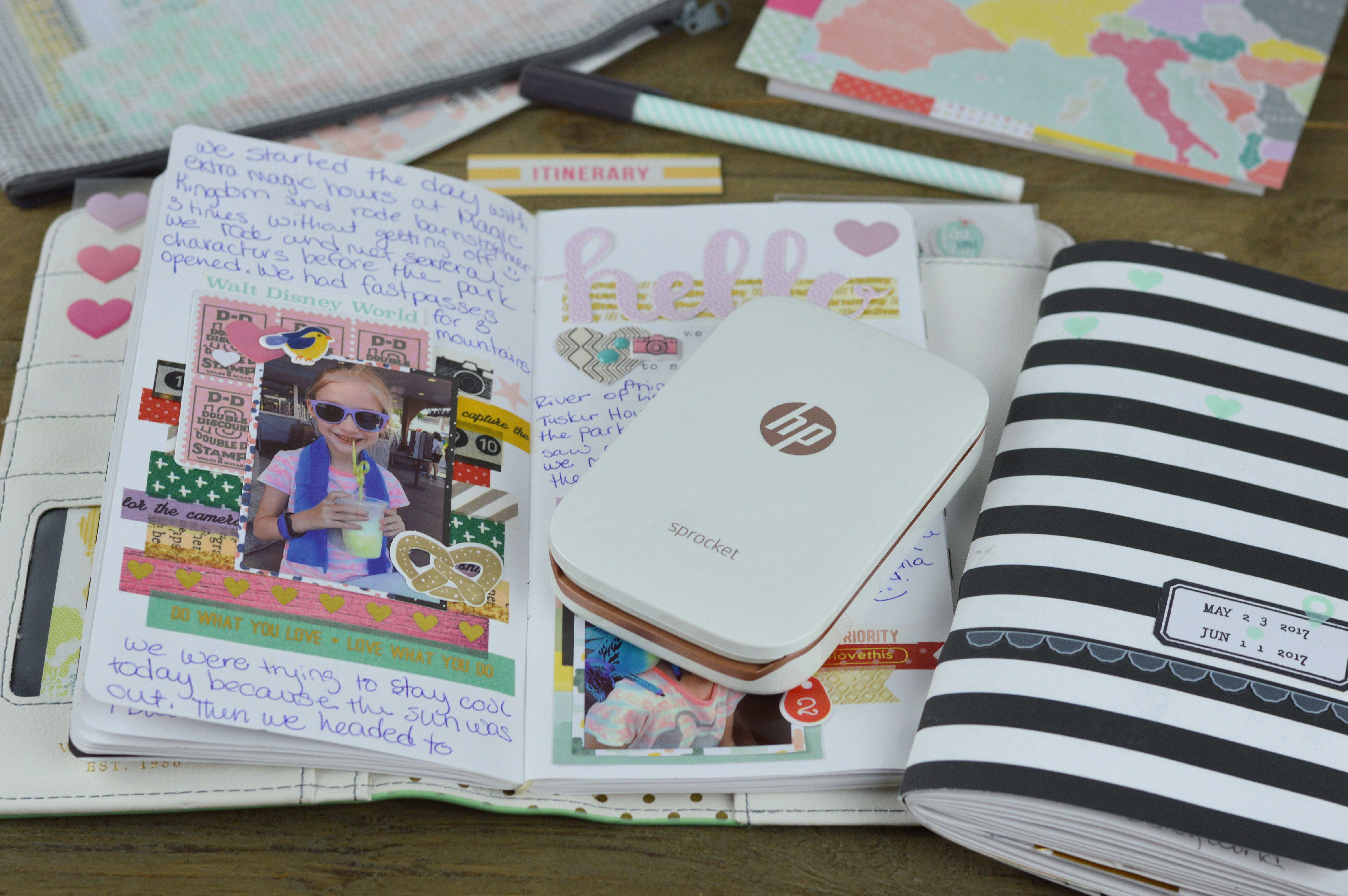
Travelers often struggle to organize photos after returning home, leaving memories trapped in cloud storage. Printing highlights daily creates a tactile record of your journey while the details are still fresh.
Create Real-Time Travel Journals
Print key moments like landmarks or local food immediately after capturing them. Paste these prints into a notebook each evening to build a dynamic scrapbook.
* Print scenic views or street scenes daily.
* Add handwritten dates and locations next to each image.
* Use the app collage feature to split panoramic shots across multiple prints.
Design Unique Luggage Identifiers
Standard luggage tags often fall off or look generic compared to a custom photo sticker. Print a bright selfie or distinct graphic to place on your suitcase handle for easy identification at baggage claim.
* Select a high-contrast image for visibility.
* Rely on water-resistant ZINK paper to withstand rain.
* Create matching tags for family members to prevent mix-ups.
Build Passport Pocket Albums
Utilize blank visa pages in your passport to archive tiny destination photos alongside entry stamps. This method turns your travel document into an interactive album of your global adventures.
Enhance Bullet Journals and Mixed Media Art

Artists and planners use the HP Sprocket to add personal photography to their layouts without needing glue sticks or scissors. The adhesive backing simplifies the creative process significantly.
Add Visual Depth to Bullet Journals
Transform standard planners into visual diaries by sticking photos of meals, workouts, or milestones directly onto daily logs. This adds emotional context to your scheduling.
* Stick a coffee shop photo next to your morning routine.
* Attach a gym selfie to track fitness progress.
* Celebrate follower milestones with a printed screenshot.
Generate Ephemera for Junk Journals
Junk journalists value the authentic look of instant prints layered with fabric and washi tape. The tear-resistant nature of ZINK paper makes it ideal for heavily textured pages.
* Apply sepia filters in the app for a vintage aesthetic.
* Layer prints with tickets and receipts for depth.
* Seal pages with Mod Podge for extra durability in high-use journals.
Construct Wall Mosaics and Collages
Use the tiling feature in the HP Sprocket app to divide one large image into multiple small prints. Arrange these tiles on a wall or poster board to create a custom mural.
* Ideal for decorating dorm rooms or office spaces.
* Create vision boards with goal-oriented imagery.
* Assemble memory walls for special events or anniversaries.
Preserve Culinary Experiences with Photo Logs
Food enthusiasts can move beyond typed recipes by creating visual archives of their favorite dishes and dining experiences.
Craft Visual Recipe Cards
Print a photo of a finished dish and attach it to cardstock with handwritten ingredients and instructions. This visual cue makes cooking familiar recipes more intuitive and enjoyable.
* Capture the final plating of homemade meals.
* Hand-write secret family tips next to the image.
* Store cards in a binder for easy kitchen access.
Maintain a Physical Food Diary
Document restaurant visits by printing a photo of the dish and noting the price, location, and taste profile. This creates a searchable physical log of your culinary history.
* Record specific details like spice levels or service quality.
* Note the cost and date of the visit.
* Organize entries by city or cuisine type.
Engage Students with Interactive Classroom Tools
Educators utilize the portability of the HP Sprocket to make learning materials more interactive and rewarding for students of all ages.
Teach Photography with Immediate Feedback
Allow students to take photos on tablets and print them instantly for critique sessions. The physical print helps students analyze composition and lighting more effectively than a screen.
* Display “Photo of the Week” on a classroom board.
* Discuss lighting and framing based on tangible examples.
* Encourage students to keep a portfolio of their best prints.
Enhance Project Displays with Visuals
Upgrade science fairs and history timelines by adding printed images to poster boards. The Sprocket Plus model offers larger prints that remain visible from a distance.
* Add context to historical timelines with period photos.
* Illustrate science experiment results visually.
* Decorate book report displays with character images.
Reward Achievement with Personalized Badges
Print custom awards featuring the student’s name and photo as a unique incentive. These personalized tokens hold more sentimental value than standard stickers.
* Create “Great Job” badges with student faces.
* Use for perfect attendance or academic milestones.
* Allow students to stick rewards directly onto notebooks.
Elevate Events with Custom Photo Favors
Event hosts can replace generic party favors with interactive experiences that guests remember long after the celebration ends.
Build Interactive Guest Books
Set up a station where guests take a selfie, add a digital border, and stick the print into a guest book with a handwritten message. This creates a vibrant visual record of attendance.
* Provide props or digital frames for themed photos.
* Encourage guests to write notes next to their portraits.
* Keep the book as a lasting memory of the event.
Distribute Personalized Party Favors
Let guests create their own keepsakes by printing photos with custom dates or slogans. This activity serves as both entertainment and a meaningful takeaway.
* Offer app filters matching the event theme.
* Print “Class of 2024” or “Best Aunt Ever” frames.
* Allow guests to take multiple prints for friends.
Organize Photo-Based Scavenger Hunts
Design a game where teams must find specific items, photograph them, and print the image as proof of completion. The first team to collect a full set of printed clues wins.
* List specific items like “a red bicycle” or “a striped shirt.”
* Require a physical print for each completed task.
* Add a time limit to increase excitement and urgency.
Boost Small Business Branding with Stickers
Small business owners can leverage the low cost of ZINK paper to create high-impact marketing materials and customer engagement opportunities.
Produce Branded Sticker Giveaways
Design your logo or a catchy slogan and print batches to include with purchases. Customers often display these on laptops and water bottles, providing free mobile advertising.
* Run “tag us” campaigns to distribute custom prints.
* Use bold colors to ensure brand visibility.
* Hand out stickers at local markets or pop-up shops.
Drive Social Engagement with Instant Prints
Invite customers to take photos with your products or storefront murals and print them on the spot. Encourage sharing these images online to generate organic content.
* Create a dedicated photo spot in your store.
* Offer a free print in exchange for a social media tag.
* Build community connection through shared visual experiences.
Organize Home Storage with Photo Labels
The adhesive and durable nature of ZINK prints makes them perfect for labeling systems that need to withstand daily handling.
Label Storage Boxes with Content Photos
Take a photo of box contents before sealing them, then stick the print on the exterior. This eliminates the need to open multiple containers when searching for items.
* Photograph seasonal decorations or holiday supplies.
* Label garage bins with images of tools or sports gear.
* Use colored app borders to categorize rooms.
Personalize Identical Household Items
Prevent mix-ups in shared spaces by adding photo stickers to water bottles, lunch boxes, and electronics. The water-resistant print stays attached even after washing.
* Mark school supplies with student photos.
* Identify gym bags and equipment easily.
* Distinguish between similar-looking tech chargers.
Assemble Motivation Vision Boards
Print images representing your goals, such as dream homes or fitness targets, and arrange them on a board. Seeing these visuals daily helps maintain focus and motivation.
* Update the board as goals evolve or are achieved.
* Group images by category like career or travel.
* Place the board in a high-traffic area for daily viewing.
Optimize Performance and Prevent Common Issues
Maximizing the life of your device requires understanding its thermal limits and calibration needs. Proper usage ensures consistent print quality and battery longevity.
Manage Thermal Throttling During Batches
The printer may display a high-temperature warning after four or five consecutive prints. Prevent interruptions by printing in small batches and allowing cool-down time.
* Wait two to three minutes between batches.
* Avoid forcing prints while the device cools.
* Plan printing schedules around these short breaks.
Calibrate Colors with Every New Pack
Each pack of ZINK paper includes a blue calibration card that must be printed first. Skipping this step often results in faded or inaccurate colors for the entire batch.
* Insert the blue card before loading photo paper.
* Let the printer complete the calibration cycle fully.
* Discard the card after use as it is single-use only.
Extend Battery Life Through Settings
Adjusting app settings can significantly increase the number of prints per charge. Managing power consumption is essential for events away from outlets.
* Set the auto-off timer to five minutes.
* Turn off Bluetooth when not actively printing.
* Fully charge the device before starting large projects.
Troubleshoot Connectivity and App Glitches
Connection issues often resolve by restarting both the app and the printer. Note that tablet compatibility varies, with smartphones offering the most stable experience.
* Restart the HP Sprocket app completely.
* Ensure Bluetooth is enabled and in range.
* Use a smartphone instead of a tablet for best stability.
Select the Right Model for Your Needs
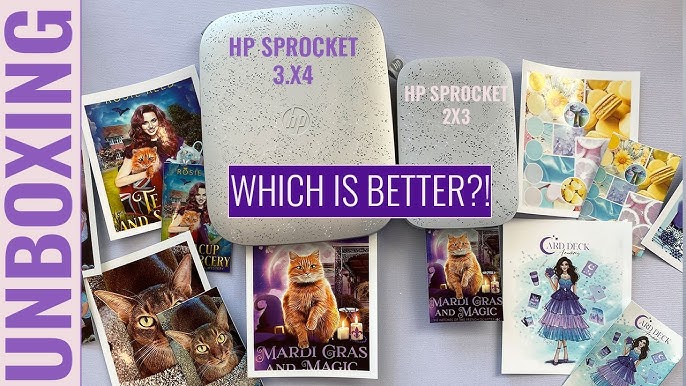
Choosing between the available Sprocket models depends on whether you prioritize portability or print size for your specific projects.
Evaluate the Sprocket 2×3 for Portability
This model produces borderless 2-by-3-inch prints ideal for stickers and journals. It features bolder colors and fits easily into small pockets.
* Best for bullet journaling and labeling.
* Offers full-bleed edge-to-edge printing.
* Most compact option for travel.
Consider the Sprocket 3×4 for Display
Printing larger 3.5-by-4.25-inch images with a white border, this model mimics traditional instant film aesthetics. It provides more cropping flexibility for photos.
* Suitable for guest books and gifts.
* Creates a classic Polaroid-style look.
* Less portable due to larger paper size.
Utilize the Sprocket Plus for Detail
Designed for educational and detailed work, this model handles larger formats that capture fine details effectively. It is the preferred choice for classroom visibility.
* Ideal for teacher presentations.
* Captures fine details in complex images.
* Supports larger project displays.
Maximize Value and Minimize Costs
Understanding the cost structure helps users budget effectively for their printing habits while getting the most out of each sheet.
Calculate Cost Per Print
With paper costing approximately $0.67 per sheet in standard packs, the Sprocket offers a competitive price point for adhesive photo prints. Bulk purchasing can lower this unit cost further.
* Buy paper in larger quantities for savings.
* Avoid premium filters that require subscriptions.
* Reprint favorites without additional ink costs.
Utilize Free App Features
The companion app offers extensive editing tools without extra charges. Using built-in features reduces the need for external editing software or paid upgrades.
* Access free filters and borders regularly.
* Use collage tools included at no cost.
* Update firmware for new free features.
Frequently Asked Questions About HP Sprocket Printer Ideas
Can I print directly from social media accounts?
Yes, the HP Sprocket app integrates with major social platforms allowing you to select and print photos directly from your feed. This streamlines the process of turning online memories into physical stickers.
How long does the battery last on a single charge?
A full charge typically supports printing one full pack of paper, ranging from 10 to 30 sheets depending on usage patterns. Using the auto-off feature helps conserve power between prints.
Are the prints waterproof and durable?
Yes, ZINK technology embeds color crystals in the paper, making prints water-resistant, tear-resistant, and smudge-proof. They adhere well to surfaces like water bottles and laptops.
Why does my printer stop after a few prints?
The device uses thermal printing which can cause overheating during continuous use. It requires a short cooldown period of a few minutes after printing four to five images consecutively.
Do I need special ink cartridges for this printer?
No, the HP Sprocket uses Zero Ink (ZINK) technology where color is embedded in the paper itself. You only need to replace the paper packs, eliminating ink cartridge costs entirely.
Is the printer compatible with tablets?
While compatible with some Android tablets, the app can be unstable on iPads and may crash with large libraries. Smartphones generally provide the most reliable printing experience.
Key Takeaways for Creative HP Sprocket Printer Ideas
The HP Sprocket transforms digital images into durable, adhesive keepsakes perfect for journaling, organizing, and gifting. By printing in small batches and using calibration cards, you ensure high-quality results while avoiding thermal issues.
Start your next project by gathering your favorite digital photos and planning a theme, whether for a travel log or a classroom reward system. Invest in bulk paper packs to reduce costs and begin sticking your memories into the real world today.