You just unboxed your new Fellowes laminator, lined up your important documents, and are ready to seal them under a clean plastic layer. Then you press the power button and nothing happens. This moment of confusion catches many first-time users off guard. Knowing how to turn on a Fellowes laminator properly takes more than flipping a switch. These machines use safety features and heating protocols that delay instant operation.
Fellowes laminators are built for reliable, professional results, but they also require correct warm-up time, proper settings, and occasional troubleshooting before they run. If your unit refuses to power up or heat, the cause is often a setup mistake rather than a broken machine. This guide walks you through every step from initial plug-in to successful lamination. You will learn what normal startup looks like, how to read the indicator lights, and what to do when the laminator simply will not turn on.
Power Up Your Fellowes Laminator Correctly

Before assuming something is wrong, confirm you are starting the laminator the right way. Unlike basic office devices, Fellowes laminators do not begin working the moment they are plugged in.
Plug Directly Into a Working Wall Outlet
Always use a wall outlet directly. Avoid power strips, surge protectors, or extension cords that may limit power delivery. Test the outlet first by plugging in another device you know works. A weak or interrupted power source is one of the most common reasons a Fellowes laminator appears unresponsive.
Locate and Flip the Main Power Switch
Most Fellowes models place the power switch on the back or side panel. It is usually labeled with “O” for off and “I” for on. Slide or press the switch to the “I” position to power the unit. Do not confuse this switch with the warm-up button. Some models separate the main power from the heating function.
Press the Warm-Up or Heat Button
After powering on, press the warm-up or heat button, often marked with a sun or flame icon. This activates the heating elements inside the machine. The ready light will typically glow red or amber, signaling that the laminator is warming up.
Read the Indicator Lights on Your Fellowes Laminator
The lights on your laminator communicate exactly what is happening. Learning to interpret them prevents unnecessary frustration and guesswork.
Solid Red or Amber Light Means Heating
A solid red or amber light means your Fellowes laminator is heating up. Depending on the model, this warm-up phase takes between 3 and 7 minutes. Do not insert any pouches during this stage. Wait until the ready light changes color before feeding anything through.
Green Ready Light Signals Operating Temperature
A solid green light means the laminator has reached its proper operating temperature and is ready to use. This is your signal to feed the first pouch in smoothly and steadily for clean results.
Flashing or Missing Lights Signal a Problem
If the light flashes repeatedly or does not illuminate at all, the machine may have a power fault, a tripped thermal fuse, or an internal error. Unplug the unit, wait 10 minutes, then try the startup process again. If the laminator still does not respond, move on to the troubleshooting section below.
Choose the Correct Heat Setting for Your Pouch
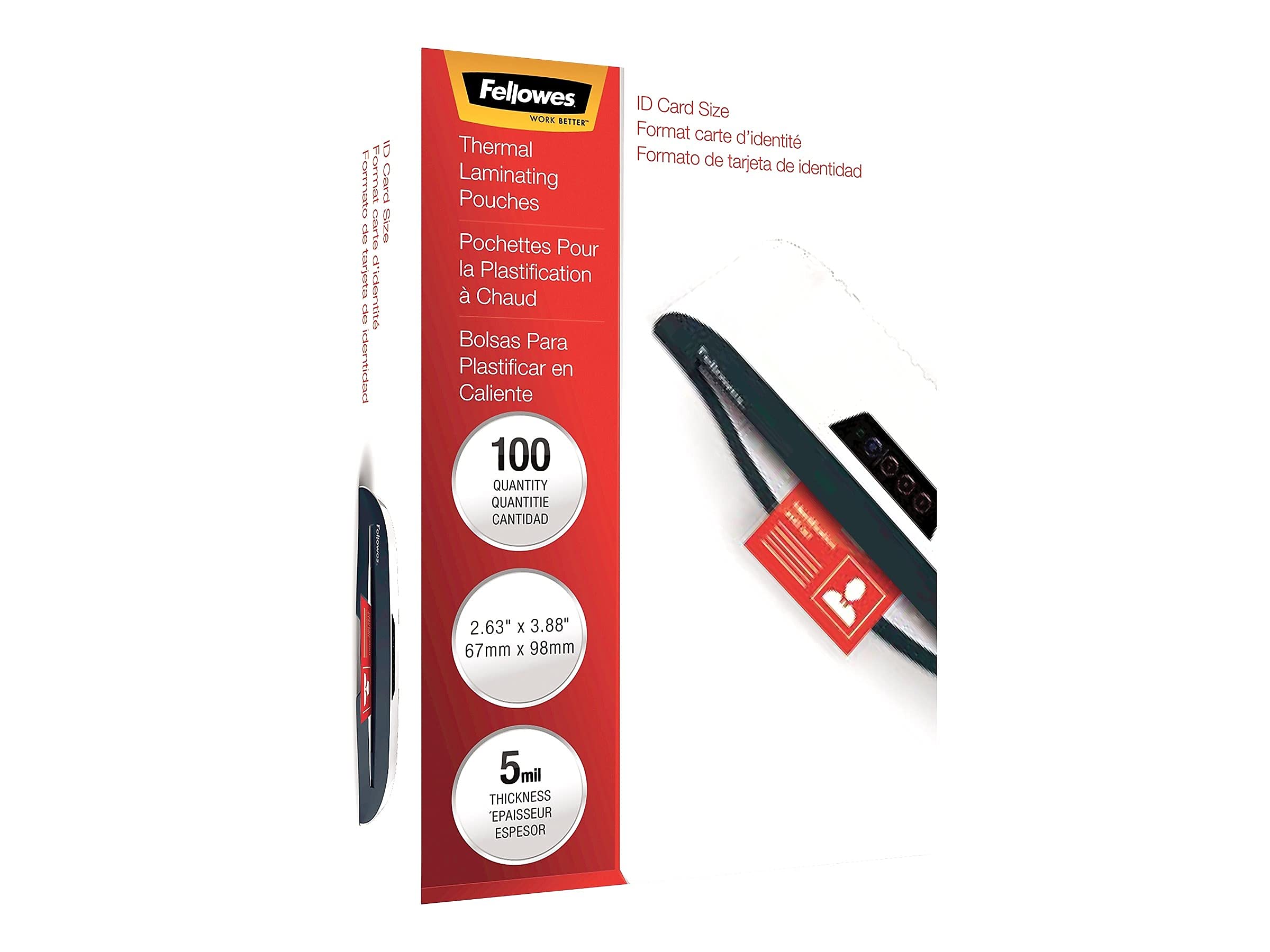
Some Fellowes laminators require manual heat adjustment based on pouch thickness. Using the wrong setting can prevent proper lamination even when the machine appears to be on.
Adjust the Temperature Control Dial
Rotate the temperature dial to match your pouch thickness, such as 3mil, 5mil, or 8mil. Start with a medium setting if you are unsure. The machine may fail to heat properly if the dial is set to “0” or the off position.
Use Auto-Sense on Newer Models
Newer Fellowes laminators automatically detect pouch thickness and adjust heat levels for you. Simply press the warm-up button and wait for the green ready light. No manual dialing is required on these models.
Feed Pouches the Right Way After Powering On
Once your Fellowes laminator is on and fully heated, correct feeding keeps the process smooth and jam-free.
Insert the Pouch Slowly and Straight
Tilted or rushed insertion often causes jams. Align the pouch with the feed slot and push it in gently. The internal rollers will pull the pouch through automatically once they engage.
Pause Briefly Between Pouches
Allow a few seconds between each pouch to prevent overheating, especially during continuous use. Feeding too quickly can trigger safety shutoffs and interrupt your session.
Troubleshoot When Your Fellowes Laminator Will Not Turn On

If your laminator still refuses to power up after following the startup steps, work through these targeted checks.
Verify the Power Cord Connection
Make sure the cord is fully seated in both the wall outlet and the back of the laminator. A loose connection breaks the power flow entirely. Inspect the cord for visible damage, fraying, or bent prongs.
Test the Circuit Breaker and Thermal Reset
If the unit tripped a household breaker, reset it and try again. Also check whether the laminator has a built-in thermal reset button, usually a small red button on the bottom or back panel. Press it firmly if present.
Cool Down After an Overheating Shutdown
Laminators shut off automatically when internal temperatures climb too high. If this happens, turn the unit off, unplug it, and let it cool for 30 to 60 minutes before restarting. This protects the heating elements from permanent damage.
Clean and Power Down Properly After Each Use
Proper shutdown and cleaning extend your laminator’s lifespan and ensure it powers on reliably next time.
Wipe the Roller Guards Clean
Use a lint-free cloth to remove any adhesive residue from misfed pouches. Buildup on the rollers can interfere with sensor operation and heating performance.
Turn Off and Unplug Once Cooled
Always power down using the main switch and unplug the unit after it has cooled. This prevents electrical surges and keeps the laminator safe during storage.
Prevent Startup Problems in Future Sessions
A few simple habits keep your Fellowes laminator ready to go whenever you need it.
Store the Laminator in a Dry Location
Moisture can damage internal electronics and cause startup failures. Keep the unit in a climate-controlled area away from humidity.
Use Only Compatible Thermal Pouches
Stick with Fellowes brand pouches or other high-quality thermal pouches. Cheap or incorrect pouches can melt unevenly and leave residue that damages internal components.
Run a Monthly Test Cycle
Even when unused, power on the laminator for about 5 minutes once a month. This keeps the internal components active and helps you catch issues early.
Frequently Asked Questions About Turning On a Fellowes Laminator
Why will my Fellowes laminator not turn on at all?
The most common cause is a loose power cord or a dead wall outlet. Test the outlet with another device and confirm the cord is fully seated. If power is confirmed, check for a tripped thermal reset button on the back or bottom of the unit.
How long does a Fellowes laminator take to warm up?
Most Fellowes laminators take between 3 and 7 minutes to reach operating temperature. Wait for the ready light to turn green before feeding your first pouch through the machine.
What does a flashing light mean on a Fellowes laminator?
A flashing light usually signals a power fault, overheating, or an internal error. Unplug the laminator, wait 10 minutes, then restart the warm-up process. Persistent flashing may indicate a deeper issue that needs service.
Can I use a power strip with my Fellowes laminator?
It is best to plug your Fellowes laminator directly into a wall outlet. Power strips and extension cords can limit power delivery and cause the laminator to behave unpredictably or fail to start.
Do all Fellowes laminators have a separate warm-up button?
No. Some models combine the power and warm-up functions into a single button, while others separate them. Check your specific model’s manual to confirm the correct startup sequence for your unit.
Key Takeaways for Powering On Your Fellowes Laminator
Learning how to turn on a Fellowes laminator involves more than pressing a button. It requires understanding the warm-up cycle, interpreting indicator lights, and choosing the correct heat setting for your pouches. Most startup problems come from skipped steps rather than broken machines. Follow the sequence outlined above to start every session smoothly.
For your next step, run a quick test lamination with a scrap sheet inside a pouch once the green ready light appears. This confirms your laminator is fully functional and gives you a feel for proper feeding speed before you laminate important documents.