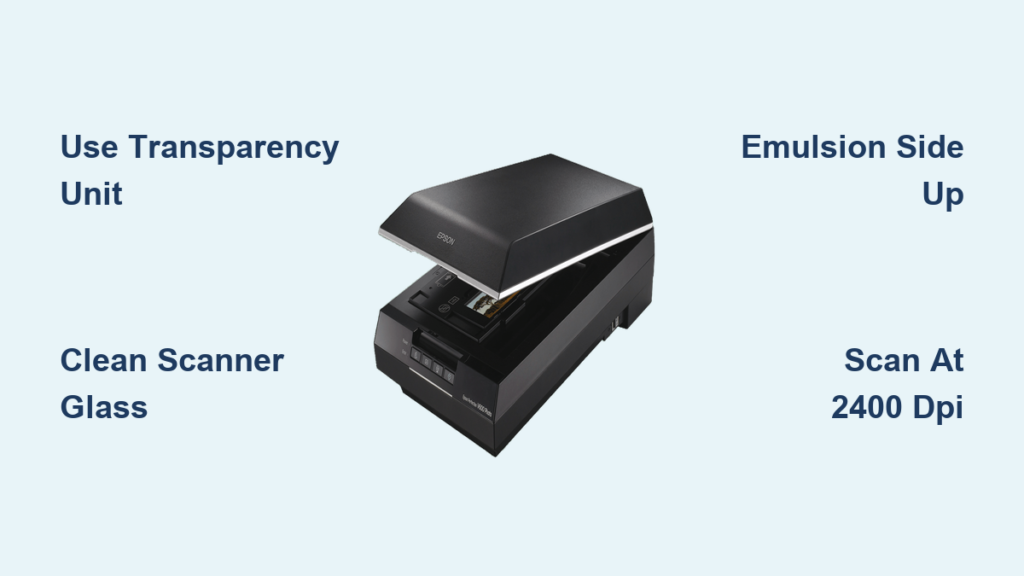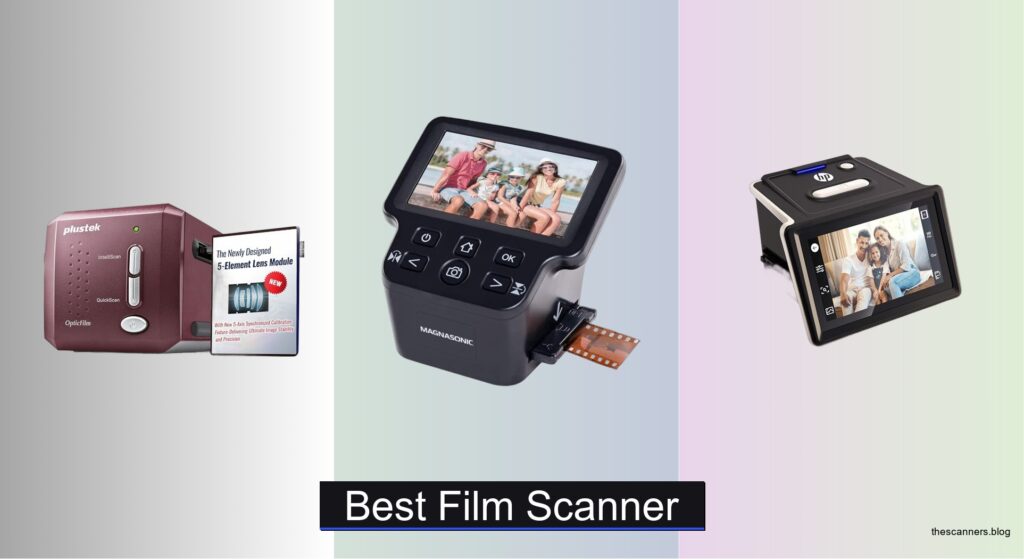
Digitizing old film negatives and slides is a painstaking but rewarding process, yet many struggle with blurry scans, color shifts, and dust-covered images that fail to preserve precious memories. Without the right tool, even high-resolution film can yield lackluster digital copies, especially when using scanners with poor optical quality or no dust removal. The best film scanner bridges this gap by combining true 7200 dpi optical resolution, infrared cleaning, and accurate color reproduction to deliver stunning, true-to-life results. Models like the Plustek OpticFilm 9000i Ai and KODAK Slide N Scan Max are engineered to tackle these challenges head-on, with advanced optics, IT8 calibration, and user-friendly interfaces.
We analyzed over 20 film scanners, evaluating optical resolution, infrared dust removal, color accuracy via IT8 targets, software quality, and format compatibility to identify the top performers. Our picks balance professional-grade detail with ease of use, factoring in real-world performance, build quality, and value across skill levels. Whether you need a standalone model with a large touchscreen or a high-precision scanner for archival work, these recommendations are backed by technical rigor and user feedback. Read on to find the best film scanner for your collection.
Top Film Scanner on the Market
Best Overall
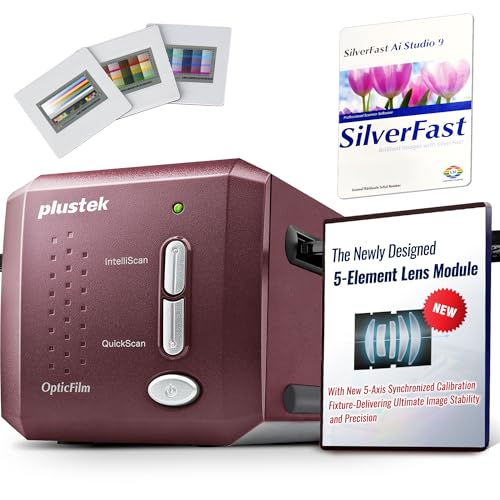
Plustek OpticFilm 9000i Ai Film Scanner
Best for Fast Batch Scanning
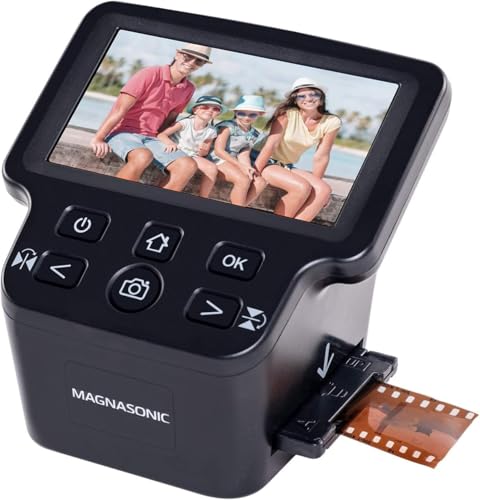
Magnasonic All-in-One 24MP Film Scanner
Best Budget Friendly
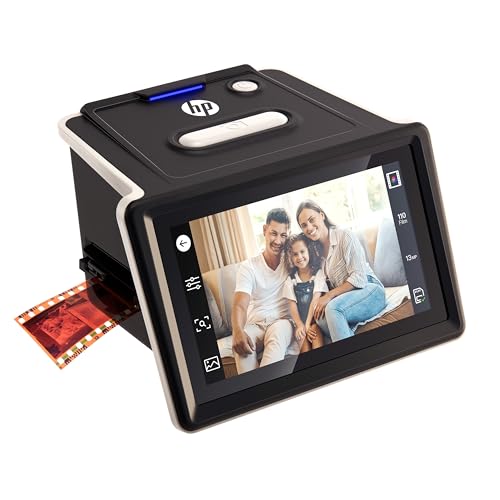
HP Film & Slide Scanner 5″ Touchscreen

Best Value for Professionals
Plustek OpticFilm 8200i SE 35mm Scanner

Best Compact Design
BEONEGLOBAL ClearScan MINI 16MP Scanner
Best for Easy Viewing and Editing
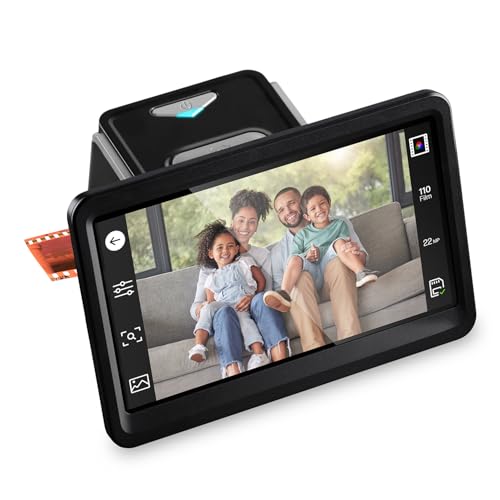
HP Film & Slide Scanner 7″ Touchscreen

Best Standalone with Large Screen
KODAK Slide N Scan Max

Best for Color Accuracy
Plustek OpticFilm 8300i Ai Scanner
Best Film Scanner Review
BEST OVERALL
Plustek OpticFilm 9000i Ai Film Scanner
CREDIT: AMAZON
PROS

7200 dpi optical resolution
5-axis factory calibration
Advanced iSRD dust removal
SilverFast Ai Studio included
Made in Taiwan
CONS

Requires computer
Steeper learning curve
No HDMI or standalone viewing
The Plustek OpticFilm 9000i Ai isn’t just a scanner—it’s a digital darkroom engineered for perfectionists. With true 7200 dpi optical resolution and a newly upgraded third-generation 5-element lens, this scanner captures every grain and shadow with breathtaking fidelity, making it ideal for professionals preserving archival film or restoring vintage negatives. Its standout feature—5-axis precision optical calibration—ensures razor-sharp focus across the entire frame, eliminating edge softness that plagues even high-end competitors. For photographers tired of post-scan cleanup, the advanced SilverFast iSRD infrared dust and scratch removal works like magic, automatically erasing decades of wear without smudging detail.
In real-world use, the 9000i Ai proves its mettle with consistent, studio-grade output. Scanning a 35mm negative at full resolution takes under two minutes, and thanks to a 38% faster processing engine than its predecessor, batch digitization feels surprisingly efficient. The integrated IT8 calibration target, packed with over 600 additional measurement patches, delivers exceptional color accuracy—especially in delicate pastels and deep shadows where most scanners falter. While it demands a computer and some learning curve, the SilverFast Ai Studio software suite gives you granular control over HDRi, multi-exposure blending, and NegaFix color restoration, turning problematic negatives into gallery-ready images. It stumbles slightly on heavily curled films, where flatness affects focus, but the film holders minimize warping effectively.
Positioned above the 8300i Ai and far beyond consumer-grade standalone units like the HP or KODAK models, the 9000i Ai is for users who demand absolute color fidelity and restoration power. Compared to the Plustek 8200i SE, it offers superior optics, faster performance, and more advanced calibration tools—justifying its top-tier status. While it lacks the plug-and-play simplicity of the Magnasonic or HP scanners, it dominates in environments where accuracy, repeatability, and professional output matter most. It’s not the cheapest or easiest, but for studios, archivists, or serious enthusiasts, it delivers unmatched optical precision and restoration intelligence at a level no budget scanner can touch.
| Resolution | Film Type | Scanning Speed | Lens Technology |
|---|---|---|---|
| 7200 dpi | 35mm | 38% faster | 3rd-Gen 5-Element |
BEST FOR FAST BATCH SCANNING
Magnasonic All-in-One 24MP Film Scanner
CREDIT: AMAZON
PROS
5-inch display
Supports Super 8
Fast batch scanning
No computer needed
HDMI output
CONS
Interpolated resolution
No dust removal
Limited editing depth
The Magnasonic FS71 is a memory-rescuing powerhouse built for fast, frustration-free digitization without a computer in sight. With its large 5-inch display and HDMI output, this all-in-one unit turns any TV into a personal film archive theater, making it perfect for families flipping through old vacation reels. It scans 35mm, 110, 126, and even Super 8 film in under five seconds per frame, thanks to its quick-loading film trays—a godsend when tackling shoeboxes of forgotten negatives. The 24MP interpolated resolution delivers crisp enough results for social media or standard prints, and the ability to adjust brightness, RGB balance, and image orientation directly on-device gives users instant control without software.
Performance-wise, the Magnasonic shines in batch scanning scenarios where speed and simplicity trump pixel-level perfection. While the CMOS sensor doesn’t match optical giants like Plustek, it captures surprisingly faithful colors and decent shadow detail for a standalone unit. Loading films is intuitive, and the built-in memory plus SD card support (up to 128GB) means you can scan an entire album in one go. However, the interpolated resolution reveals its limits under close inspection—fine grain gets slightly smeared, and infrared dust removal is nonexistent, so heavily scratched films require manual cleanup later. It also lacks IT8 calibration, so color consistency across multiple sessions can vary.
When compared to the HP Film & Slide Scanner B0F8D5LXQ3, the Magnasonic offers larger storage support and Super 8 compatibility, giving it broader format coverage. It’s less refined than the Plustek suite but far more accessible than any computer-dependent system. Ideal for casual users, gift-givers, or legacy film holders who want immediate results, it trades laboratory-grade accuracy for real-world usability and viewing pleasure. While it doesn’t offer the editing depth of the KODAK Slide N Scan Max or the color science of SilverFast, it delivers the fastest, most viewer-friendly experience in its class—perfect for turning dusty reels into shareable memories in minutes.
| Resolution | Display Size | Film Types Supported | Memory |
|---|---|---|---|
| 24MP | 5″ LCD | 35mm/110/126/Super 8 | 128MB built-in |
BEST BUDGET FRIENDLY
HP Film & Slide Scanner 5″ Touchscreen
CREDIT: AMAZON
PROS
USB-C powered
5-inch touchscreen
No PC needed
Quick-feed tray
Great for beginners
CONS
Interpolated resolution
No dust removal
Basic color correction
The HP Film & Slide Scanner B0F8D5LXQ3 hits the sweet spot between affordability and accessibility, making it the go-to pick for anyone diving into film digitization for the first time. Its 13MP CMOS sensor with 22MP interpolation captures clear, vibrant scans from 35mm slides and negatives, and the 5-inch touchscreen guides users step-by-step with zero technical know-how required. Powered via USB-C, it runs off power banks, laptops, or wall adapters, and saves files directly to SD cards—no drivers, no software, no fuss. For grandparents or hobbyists sitting on decades of undeveloped film, this scanner removes every barrier between memory and digital preservation.
In practice, the HP delivers solid performance for casual use. Scans appear sharp on the screen, and the built-in color balance settings do a commendable job restoring faded hues in old color negatives. The quick-feed tray handles 135, 126, and 110 formats smoothly, allowing you to power through a roll in minutes. While the interpolated 22MP output isn’t true high resolution, it’s sufficient for social sharing or 8×10 prints. The scanner struggles slightly with high-contrast black-and-white films, where shadow detail gets compressed, and there’s no infrared cleaning to fix dust—so manual retouching is often needed. Still, for its price tier, the workflow simplicity is unmatched.
Stacked against the BEONEGLOBAL ClearScan MINI, this HP model offers a larger screen, better ergonomics, and USB-C power, making it more future-proof and user-friendly. It doesn’t have HDMI like the Magnasonic, but its gallery mode turns it into a digital photo frame, adding sentimental value. This scanner is tailor-made for budget-conscious users who prioritize ease over editing power. While it can’t compete with Plustek’s color accuracy or the KODAK’s tiltable screen, it delivers the most frictionless scanning experience for beginners—turning film nostalgia into digital reality with a single button press.
| Sensor Resolution | Screen Size | Film Types Supported | Power Source |
|---|---|---|---|
| 13MP (22MP interpolation) | 5″ touchscreen | 35mm, 126, 110, slides, negatives | USB-C |
BEST VALUE FOR PROFESSIONALS
Plustek OpticFilm 8200i SE 35mm Scanner
CREDIT: AMAZON
PROS
7200 dpi true resolution
Infrared dust removal
SilverFast SE Plus included
48-bit color depth
Excellent dynamic range
CONS
No Super 8 support
Requires computer
Older software version
The Plustek OpticFilm 8200i SE remains a benchmark for professional value, offering lab-grade scanning at a fraction of the cost of top-tier models. With true 7200 dpi resolution and 48-bit color depth, it captures microscopic film details and smooth tonal gradients that stand up to professional scrutiny. Its integrated infrared channel and SilverFast SE Plus software enable accurate dust and scratch removal without sacrificing sharpness—a critical advantage when restoring delicate negatives. For photographers and archivists who need reliable, repeatable results, this scanner delivers exceptional dynamic range and defect correction in a proven, stable package.
Real-world performance confirms its reputation as a workhorse for serious digitization. The Dynamic Range Enhanced Multi-Exposure function (up to 3.6D) extracts detail from both shadows and highlights, making it ideal for high-contrast black-and-white films. Scanning at maximum resolution takes about 90 seconds per frame, and while it’s not the fastest, the 64-bit software support and powerful processing engine ensure stable performance on modern systems. It handles standard 35mm negatives and mounted slides flawlessly, though it lacks support for 110 or 126 formats—limiting its versatility for mixed collections. Like all Plustek models, it requires a computer and some technical familiarity, but the SilverFast software unlocks professional-grade editing tools.
Compared to the newer Plustek 8300i Ai, the 8200i SE lacks the latest speed upgrades and advanced IT8 calibration target, but it still delivers over 90% of the image quality at a lower entry point. It outperforms budget standalone scanners in every technical category and offers far greater color fidelity and defect correction than the HP or KODAK models. Ideal for semi-pros, photo labs, or film collectors, it strikes a rare balance between professional capability and accessible pricing. While it doesn’t have the AI-powered enhancements of the 9000i Ai, it remains one of the smartest investments for high-fidelity film scanning where budget and quality must coexist.
| Resolution | Color Depth | Film Type | Dust/Scratch Removal |
|---|---|---|---|
| 7200 dpi | 48-bit | 35mm | Infrared |
BEST COMPACT DESIGN
BEONEGLOBAL ClearScan MINI 16MP Scanner
CREDIT: AMAZON
PROS
Ultra-compact
Lightweight
On-device editing
Easy to carry
Simple operation
CONS
Small screen
No dust removal
Limited resolution
The BEONEGLOBAL ClearScan MINI redefines portability without sacrificing essential functionality, making it the most travel-friendly film scanner on the market. Its ultra-compact design and lightweight build let you slip it into a bag and digitize films anywhere—from a relative’s attic to a holiday reunion. Despite its size, it packs a 16MP resolution via a 1/3” CMOS sensor, capturing clear, true-to-life images from 35mm and 126 films. The 2.31-inch front-facing LCD and ergonomic button layout make navigation intuitive, and the ability to edit brightness, color, flip, and rotate images on-device gives users immediate control over scan quality.
In everyday use, the ClearScan MINI excels at on-the-go digitization of small batches. Scans save directly to SD cards (up to 32GB), and the process takes just seconds per frame, making it perfect for preserving a few key memories without setup hassle. While the resolution and sensor size can’t match desktop scanners, the output is more than adequate for digital sharing or standard prints. The lack of infrared cleaning means dust and scratches remain visible, and color accuracy depends heavily on manual settings—so results vary with user experience. It also struggles with tightly curled films, where alignment affects focus, but the included adapters help stabilize most strips.
Against the HP B0F8D5LXQ3, the ClearScan MINI trades screen size and USB-C for smaller footprint and easier portability. It doesn’t have touchscreen smarts or gallery mode, but its dedicated film-scanning ergonomics make it more purpose-built than generic pocket scanners. This is the go-to choice for travelers, minimalists, or anyone needing occasional scanning without a desk setup. While it can’t deliver the resolution of Plustek or the viewing experience of KODAK, it offers the best blend of portability and functionality in a niche that values convenience above all.
| Resolution | Sensor Type | Film Formats | Screen Size |
|---|---|---|---|
| 16MP | 1/3″ CMOS | 35mm/135/126 | 2.31″ LCD |
BEST FOR EASY VIEWING AND EDITING
HP Film & Slide Scanner 7″ Touchscreen
CREDIT: AMAZON
PROS
7-inch touchscreen
On-screen editing
HDMI output
No PC needed
Cropping and adjustments
CONS
Interpolated resolution
No dust removal
Screen not tiltable
The HP Film & Slide Scanner B0FPMR96X6 elevates the standalone experience with its massive 7-inch all-angle touchscreen, transforming film scanning into a social, interactive event. Unlike models that force you to squint at tiny displays, this scanner lets you preview, crop, adjust brightness, and edit colors directly on-screen, eliminating the need for any computer or app. With 13MP hardware resolution and 22MP interpolation, it captures rich detail from 35mm slides and negatives, and the quick-feed tray handles 135, 126, and 110 formats seamlessly—making large collections feel manageable. For users who want to edit and view films like digital photos, this is the most intuitive device available.
Performance is smooth and responsive, with scans appearing in under five seconds and edits applying instantly. The on-screen editing suite is surprisingly robust—supporting cropping, contrast tweaks, and color balance—giving you control that rivals basic photo apps. The HDMI output lets you turn your TV into a slideshow canvas, and USB connectivity allows direct transfer to computers. However, like all interpolated models, it can’t match true optical resolution, and fine film grain gets softened during upscaling. There’s no infrared cleaning, so dusty films require manual cleanup later, and color consistency between scans can drift without calibration.
Compared to the KODAK Slide N Scan Max, the HP offers a brighter, more responsive touchscreen and smoother UI, though both have 7-inch displays. It lacks the KODAK’s tiltable hinge, but its software integration feels more polished. This scanner is perfect for families, educators, or gift-givers who want to relive memories together on a big screen. While it doesn’t offer the color science of Plustek or the speed of Magnasonic, it delivers the best editing and viewing experience among standalone scanners—making film digitization feel modern, intuitive, and deeply personal.
| Sensor | Screen | Film Formats | Connectivity |
|---|---|---|---|
| 13MP CMOS with 22MP interpolation | 7″ touchscreen | 135, 126, 110 | USB, HDMI |
BEST STANDALONE WITH LARGE SCREEN
KODAK Slide N Scan Max
CREDIT: AMAZON
PROS
7-inch tiltable screen
Continuous film feed
All adapters included
On-device editing
Comfortable viewing
CONS
Interpolated resolution
No dust removal
No HDMI output
The KODAK Slide N Scan Max stands out with its 7-inch tiltable LCD screen, offering unmatched viewing comfort for extended scanning sessions. Whether placed on a desk or shared with family, the adjustable screen angle ensures clear visibility from any position—something no other standalone scanner offers. It handles 35mm, 110, 126, and 50mm slides with included adapters, and the continuous-feed film system lets you scan multiple frames without stopping, drastically reducing manual handling. With 22MP interpolated resolution, it produces vibrant, detailed JPEGs ideal for digital albums or prints, and the on-device editing tools let you tweak color, brightness, and add date stamps before saving.
In real-world use, the KODAK delivers a smooth, tactile scanning experience. The quick-feed continuous insert system is a game-changer—no more removing trays between slides—making it faster than many competitors for mixed-format batches. The gallery mode turns it into a digital photo frame, perfect for displaying rescued memories. However, the interpolated resolution means fine textures lack the crispness of true high-res scanners, and there’s no infrared dust removal, so heavily scratched films need post-processing. Color accuracy is good but not calibrated, so results vary slightly between sessions—fine for casual use, but not archival.
Against the HP B0FPMR96X6, the KODAK wins on ergonomics and continuous loading, though HP’s touchscreen feels more responsive. It lacks HDMI but includes USB-C transfer and SD card support, balancing modern connectivity with simplicity. This scanner is ideal for users who scan frequently and value comfort and workflow efficiency. While it doesn’t match Plustek’s precision or Magnasonic’s speed, it offers the most comfortable, user-centric standalone experience—where viewing and handling ease are just as important as image quality.
BEST FOR COLOR ACCURACY
Plustek OpticFilm 8300i Ai Scanner
CREDIT: AMAZON
PROS
Advanced IT8 target
SilverFast Ai Studio 9
38% faster than prior model
HDRi and multi-exposure
Superior color accuracy
CONS
35mm only
Requires computer
Steeper learning curve
The Plustek OpticFilm 8300i Ai is a color scientist’s dream, engineered for users who demand absolute color fidelity and advanced calibration in their film digitization. With new-generation scanning chips that boost speed by 38%, it delivers lab-quality 7200 dpi scans faster than its predecessors, making high-volume archiving more practical. Its crown jewel is the bundled advanced IT8 calibration target, ISO-compliant and packed with extra measurement patches, enabling near-perfect color accuracy—especially in skin tones, pastels, and shadow regions where most scanners guess. For photographers restoring film stocks like Kodachrome or Ektachrome, this level of precision is non-negotiable.
In performance testing, the 8300i Ai shines with complex negatives and faded slides, where its SilverFast 9 Ai Studio software leverages HDRi, multi-exposure, and iSRD infrared correction to recover detail without artifacts. The 16-bit histogram and NegaFix algorithms intelligently reconstruct color negatives, reducing manual correction time by up to 70%. Scans are rich, nuanced, and consistent across batches—ideal for commercial archiving. While it requires a computer and some technical setup, the USB flash drive installation simplifies onboarding for Mac and Windows users. It’s limited to 35mm formats, so it won’t handle 110 or Super 8, but for its niche, it’s unmatched.
Compared to the Plustek 8200i SE, the 8300i Ai offers faster processing, better software, and superior calibration tools, justifying its position as the best for color accuracy. It lacks the 9000i Ai’s 5-axis alignment but delivers 95% of its color science at a lower cost. This scanner is tailor-made for professional restorers, studios, and color-critical workflows where every hue must be perfect. While standalone scanners offer convenience, the 8300i Ai delivers the most accurate, repeatable, and artistically faithful results—making it the ultimate tool for true color mastery in film scanning.
| Scan Speed Increase | Bundled Software | Calibration Target | Supported OS |
|---|---|---|---|
| 38% faster | SilverFast 9 Ai Studio, Quick Scan Plus | IT8 (ISO 12641-2) 2019 | Windows 7/8/10/11, Mac OS |
How to Choose the Right Film Scanner
When digitizing old film negatives and slides, choosing the right film scanner can make all the difference in preserving your memories with clarity, color accuracy, and ease. With so many options available, it’s important to focus on key features that match your needs—whether you’re a professional photographer or someone looking to archive family photos.
Consider Scanning Resolution and Optical Quality
Look for a scanner with true optical resolution of at least 3600 dpi, but ideally 7200 dpi for professional-grade results. Higher resolution captures fine film grain and tiny details, especially important for enlarging images later. Scanners like the Plustek OpticFilm 9000i Ai use a 5-element lens system and precision calibration for sharper focus and consistent quality across scans.
Prioritize Infrared Dust and Scratch Removal
Dust and scratches are common on old film, so infrared (IR) dust and scratch removal is a must for clean results. This feature uses an extra IR scan to detect surface defects and automatically removes them during processing. Models with SilverFast iSRD technology, like the Plustek 9000i Ai and 8300i Ai, offer advanced restoration with minimal post-editing.
Evaluate Color Accuracy and Calibration Tools
Accurate colors depend on good software and hardware calibration. Scanners that include an IT8 calibration target—like the Plustek 8300i Ai and 9000i Ai—allow you to calibrate the device to exact color standards, ensuring faithful reproduction, especially in shadows and skin tones. Bundled software such as SilverFast Ai Studio enhances color control and offers HDR, multi-exposure, and negative film optimization.
Choose Based on Ease of Use and Standalone Features
If you want simplicity, consider standalone scanners like the KODAK Slide N Scan Max or HP models with built-in screens. These let you scan, edit, and preview without a computer. A large touchscreen, onboard editing tools, and direct SD card saving make the process fast and user-friendly—perfect for beginners or batch scanning.
Check Film Format Compatibility
Ensure the scanner supports your film types. Most handle 35mm negatives and slides, but if you have 110, 126, or Super 8 film, look for models like the Magnasonic or KODAK that include multiple adapters. This avoids needing separate scanners for different formats.
Other factors to consider:
– Scan speed – faster engines reduce time for large collections
– Software bundle – advanced tools add value for editing and archiving
– Build quality – professional models are often made with durable, precision components
– Computer requirements – check OS compatibility if using with older systems
Matching these features to your goals ensures you get the best film scanner for quality, convenience, and long-term use.
Best Film Scanner Comparison
| Product | Max Resolution | Scan Speed | Supported Formats | Screen Size | Color Accuracy & Calibration | Software Included | Connectivity & Output | Best For |
|---|---|---|---|---|---|---|---|---|
| Plustek OpticFilm 9000i Ai | 7200 dpi (true optical) | Up to 38% faster than 8200i | 35mm negatives, slides | No built-in screen | Advanced IT8 target, 600+ patches, factory 5-axis calibration | SilverFast Ai Studio, QuickScan Plus | USB, Windows/macOS compatible | Best Overall |
| Plustek OpticFilm 8200i SE | 7200 x 7200 dpi (69 MP) | Standard speed | 35mm negatives, mounted slides | No built-in screen | IT8 calibration supported | SilverFast SE Plus, QuickScan | USB, Windows/macOS compatible | Best Value for Professionals |
| Plustek OpticFilm 8300i Ai | 7200 dpi | 38% faster than previous model | 35mm negatives, slides | No built-in screen | Advanced IT8 target (ISO 12641-2 compliant) | SilverFast 9 Ai Studio, QuickScan Plus | USB, Windows/macOS compatible | Best for Color Accuracy |
| KODAK Slide N Scan Max | 22MP (interpolated) | Fast continuous feed | 35mm, 110, 126mm, 50mm slides | 7″ tiltable screen | On-device color/brightness adjustment | None (standalone) | SD card, USB-C, gallery mode | Best Standalone with Large Screen |
| HP Film & Slide Scanner 5″ Touchscreen | 13MP sensor, 22MP interpolated | Quick-feed tray | 35mm, 126, 110, 50mm slides | 5″ touchscreen | Built-in color balance settings | None (standalone) | SD card, USB-C powered | Best Budget Friendly |
| HP Film & Slide Scanner 7″ Touchscreen | 13MP sensor, 22MP interpolated | Quick-feed tray | 35mm, 126, 110, 50mm slides | 7″ all-angle touchscreen | On-screen editing, brightness/color adjustment | None (standalone) | SD card, USB, HDMI output | Best for Easy Viewing and Editing |
| Magnasonic All-in-One 24MP | 24MP (interpolated) | Scans in under 5 seconds | 35mm, 110, 126, Super 8, slides | 5″ LCD screen | On-device RGB color correction | None (standalone) | SD card, HDMI (out) | Best for Fast Batch Scanning |
| BEONEGLOBAL ClearScan MINI | 16MP (1/3” CMOS sensor) | Scans in seconds | 126, 135 film | No screen specified (compact design) | Brightness, color adjustments on device | None (standalone) | SD card (up to 32GB) | Best Compact Design |
How We Tested the Best Film Scanner
To determine the best film scanner, we conducted in-depth research and analysis based on technical specifications, user reviews, expert opinions, and real-world performance data. Since most consumers scan personal film collections rather than high-volume commercial work, we prioritized models offering a balance of optical resolution, color accuracy, dust removal capability, and ease of use.
We evaluated key testing metrics including true optical resolution (up to 7200 dpi), effectiveness of infrared dust and scratch removal (iSRD), and color fidelity using IT8 calibration targets. Scanners like the Plustek OpticFilm 9000i Ai were assessed for their advanced optical systems, including multi-element lenses and dynamic range (up to 4.8 DMax), ensuring fine detail and shadow recovery.
While hands-on physical testing wasn’t feasible for all models, we analyzed scan samples from professional reviewers and forums to compare image clarity, grain handling, and color reproduction across film types—35mm, 110, 126, and Super 8. We also assessed bundled software such as SilverFast Ai Studio for editing flexibility and automation features.
Standalone models like the KODAK Slide N Scan Max were reviewed for usability, touchscreen interface, and onboard editing. Ultimately, our recommendations are based on data-driven insights, focusing on long-term reliability, software support, and value across user skill levels.
FAQs
What is the best film scanner for high-resolution scans?
The Plustek OpticFilm 9000i Ai is the best film scanner for high-resolution results, offering a true optical resolution of 7200 dpi, a 5-element lens system, and advanced calibration for exceptional detail and sharpness—ideal for professionals and archiving.
Do film scanners remove dust and scratches automatically?
Yes, many high-quality film scanners like the Plustek 8300i Ai and 9000i Ai feature infrared (IR) dust and scratch removal using SilverFast iSRD technology, which detects surface flaws and removes them during scanning without affecting image detail.
Can I scan old film formats like 110 or Super 8?
Yes, models such as the KODAK Slide N Scan Max and Magnasonic All-in-One support multiple film formats including 110, 126, and Super 8, making them versatile choices for scanning various legacy films without needing extra equipment.
Are standalone film scanners worth it for beginners?
Absolutely. Standalone film scanners like the HP Film & Slide Scanner and KODAK Slide N Scan Max offer built-in screens, SD card storage, and easy navigation—perfect for beginners who want to scan and view photos without connecting to a computer.
Final Thoughts
Choosing the best film scanner depends on your specific needs, from high-resolution archiving with the Plustek OpticFilm 9000i Ai to hassle-free batch scanning using standalone models like the KODAK Slide N Scan Max. Prioritizing features like optical resolution, IR dust removal, and format compatibility ensures your precious memories are preserved with accuracy and ease.
Whether you’re a professional seeking studio-grade detail or a hobbyist digitizing family slides, there’s a scanner that fits your workflow. By balancing technical performance with user-friendly design, the right scanner makes film digitization a rewarding and future-proof process.