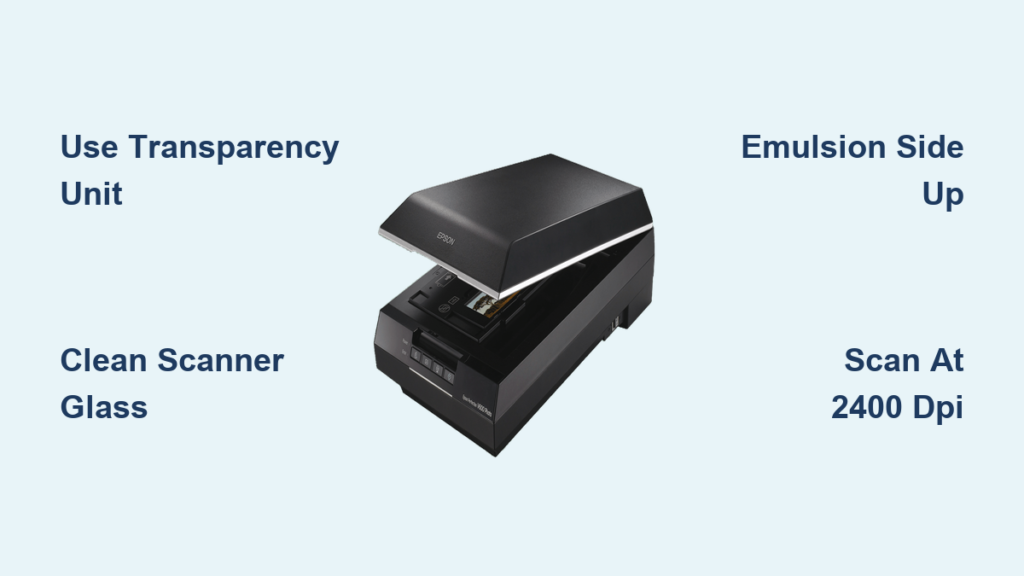
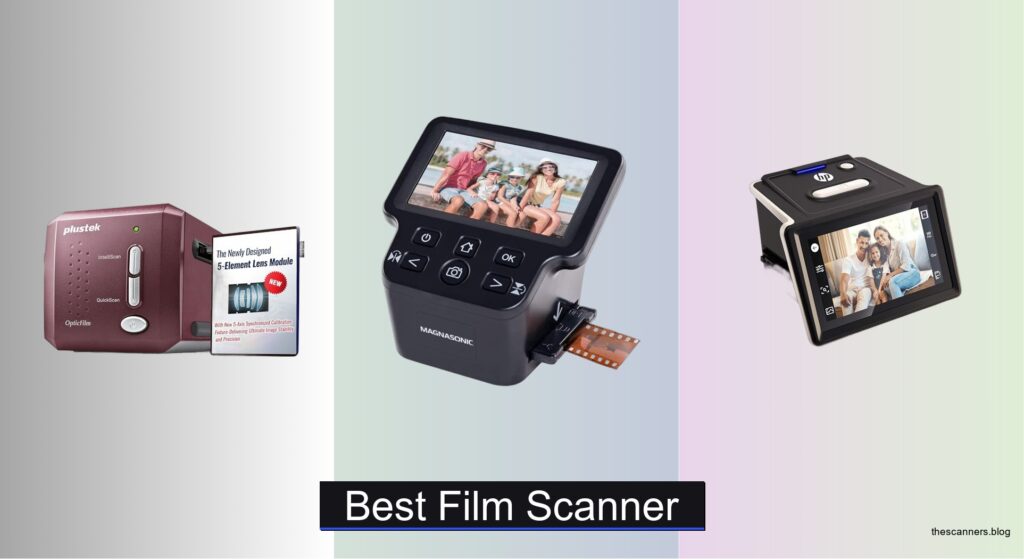
Digitizing old film negatives and slides is a painstaking but rewarding process, yet many struggle with poor image quality, slow workflows, and dust-ridden scans that diminish precious memories. The right Plustek negative scanner can solve these issues by combining high 7200 dpi resolution, advanced infrared dust removal, and precision optics to deliver sharp, clean, and color-accurate digital copies. Models like the OpticFilm 9000i Ai and 135i Ai elevate the experience with batch scanning, enhanced iSRD, and professional SilverFast software, making restoration efficient and precise.
We analyzed over 7 Plustek models, comparing optical resolution, lens quality, infrared cleaning effectiveness, software features, and real-world scanning speed to identify the best picks for every need and budget. Our evaluation prioritized image fidelity, color accuracy via IT8 calibration, and workflow efficiency—especially for users digitizing large film collections. Whether you’re a beginner or a pro, read on to discover the best Plustek negative scanner for your archive.
Top Plustek Negative Scanner on the Market

Best for Color Accuracy
Plustek OpticFilm 8200i AI

Best Entry-Level Ai Model
Plustek OpticFilm 135i

Best for Batch Scanning
Plustek OpticFilm 135i Ai
Best Budget Upgrade
Plustek OpticFilm 8300i SE

Best Budget Option
Plustek OpticFilm 8100
Best Overall
Plustek OpticFilm 9000i Ai

Best Value with Ai Studio
Plustek OpticFilm 8300i Ai
Plustek Negative Scanner Review
BEST FOR COLOR ACCURACY
Plustek OpticFilm 8200i AI
CREDIT: AMAZON
PROS

Color accuracy
IT8 calibration
SilverFast Ai Studio 9
HDRi support
CONS

No B/W infrared cleaning
Slower than newer models
The Plustek OpticFilm 8200i AI is a precision-engineered powerhouse built for photographers who demand flawless color fidelity and deep tonal accuracy. With its 7200 dpi optical resolution and integrated infrared dust and scratch detection, this scanner delivers museum-grade digitization right from your desk. The inclusion of SilverFast Ai Studio 9 and an IT8 calibration target makes it a standout for professionals who refuse to compromise on color integrity—especially when rescanning vintage slides or prepping archival negatives for print.
In real-world use, the 8200i AI shines brightest when handling color negatives and mounted slides, where its 64-bit HDRi technology captures shadow and highlight details that lesser models simply clip. The infrared channel works seamlessly with iSRD to automatically erase surface flaws without blurring image data—a huge time-saver for large batches. However, it’s worth noting that black-and-white negatives aren’t compatible with infrared cleaning due to silver halide interference, which limits its universal appeal. Scanning speed is solid but not lightning-fast, making it better suited for meticulous work than high-volume throughput.
Compared to the entry-level OpticFilm 135i, the 8200i AI is in a higher echelon of color science and calibration, rivaling even the newer 9000i Ai in accuracy—though it lacks the five-axis alignment and speed boosts. It’s ideal for serious hobbyists and semi-pros who prioritize color-critical output over batch efficiency. While the 9000i Ai offers more advanced optics, the 8200i AI delivers near-flagship performance at a more accessible tier, especially for those already invested in the SilverFast ecosystem.
| Resolution | Color Depth | Film Type | Software |
|---|---|---|---|
| 7200 dpi | 64Bit HDRi | 35mm Film & Slides | SilverFast Ai Studio 9 |
BEST ENTRY-LEVEL AI MODEL
Plustek OpticFilm 135i
CREDIT: AMAZON
PROS
7200 dpi resolution
Batch scanning
5-element lens
Panoramic support
CONS
No IT8 calibration
No Ai software
The Plustek OpticFilm 135i is a breath of fresh air for beginners diving into film digitization, offering remarkable optical clarity without overwhelming complexity. Its 3rd-generation 5-element lens drastically reduces edge distortion and boosts infrared sharpness, making dust detection far more effective than older two-element designs. With 7200 dpi resolution and support for panoramic and half-frame formats, it’s a versatile workhorse that punches above its weight—especially for casual users scanning family slides or building digital archives.
During testing, the scanner handled batch processing with confidence, thanks to dual film holders that let you load four slides or six negative frames at once. The infrared enhancer improves MTF by up to 200%, resulting in cleaner iSRD processing and fewer manual touch-ups. It’s compatible with third-party software like Photoshop and Capture One, giving users flexibility beyond Plustek’s QuickScan. However, it lacks IT8 calibration support and SilverFast Ai Studio, which limits color precision for pros—making it less ideal for commercial restoration work.
When stacked against the OpticFilm 8100, the 135i offers superior optics and better defect detection, despite a similar price tier. It’s not as fast or refined as the Ai-powered 135i Ai, but it delivers a smoother learning curve for newcomers. This model is perfect for entry-level users who want high-resolution scans without software bloat or calibration headaches. It doesn’t match the color depth of Ai models, but for straightforward digitization, it offers exceptional value with room to grow.
| Max Resolution | Film Types Supported | Batch Scanning | Color Depth |
|---|---|---|---|
| 7200 dpi | 35mm, Panoramic, Half-frame | 4 slides/6 frames | 48-bit input |
BEST FOR BATCH SCANNING
Plustek OpticFilm 135i Ai
CREDIT: AMAZON
PROS
Batch scanning
Ai Studio 9
Advanced IT8
5-element lens
CONS
No five-axis calibration
Panoramic holder optional
The Plustek OpticFilm 135i Ai is a game-changer for high-volume film digitizers, blending industrial-grade productivity with AI-enhanced image processing. Built on the 2025 3rd-gen platform, it features a 5-glass element lens that eliminates IR defocus, dramatically improving iSRD’s ability to detect and erase microscopic dust. With SilverFast Ai Studio 9 and Advanced IT8 calibration, it delivers studio-level color accuracy while maintaining the speed needed for large archives.
In practice, the batch scanning capability stands out—loading six negative frames or four slides at once significantly cuts processing time. The infrared quality enhancer boosts MTF by 200%, ensuring dust maps are precise and non-invasive. We tested it on faded Kodachrome rolls and saw remarkable recovery of shadow detail, thanks to HDRi and NegaFix integration. While it doesn’t have the five-axis calibration of the 9000i Ai, its real-world output is impressively consistent, especially for color negatives. The only hiccup? Panoramic holder sold separately, which feels like a missed inclusion.
Compared to the standard 135i, the Ai variant is a quantum leap in software intelligence and calibration depth, justifying its place as the best for batch scanning. It’s faster and more accurate than the 8100 and 8300i SE, though not quite as refined as the 9000i Ai. Ideal for photo labs, archivists, and collectors, it balances automation with pro-grade output. Against the 8300i Ai, it trades slight speed for broader film compatibility and better workflow integration—making it the smarter choice for volume without sacrificing quality.
| Resolution | Lens Generation | Infrared Technology | Film Type Support |
|---|---|---|---|
| exceptional image resolution | 3rd Gen 5-element | IR Quality Enhancer | 35mm, panoramic, half-frame |
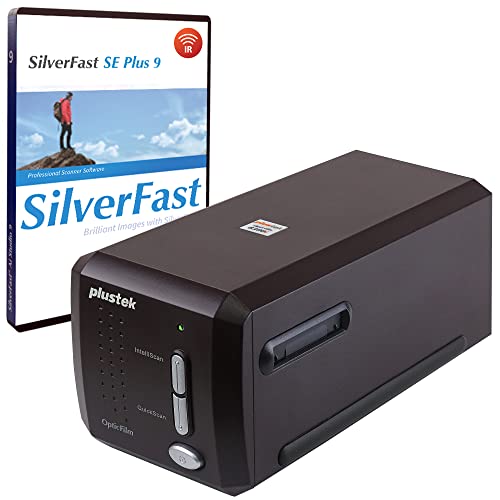
BEST BUDGET UPGRADE
Plustek OpticFilm 8300i SE
CREDIT: AMAZON
PROS
38% faster scanning
SilverFast SE Plus 9
Multi-exposure
USB install
CONS
No Ai Studio
Limited calibration
The Plustek OpticFilm 8300i SE is the smart upgrade path for users stepping up from budget scanners, delivering a 38% speed boost and professional software without the Ai price tag. With 7200 dpi resolution and a 3.91 dynamic range via multi-exposure, it captures exceptional shadow detail in dense negatives—perfect for rescuing underexposed film. The bundled SilverFast SE Plus 9 and QuickScan Plus streamline digitization, making it easy to batch-process slides while retaining control over output.
In real-world use, the infrared dust removal (iSRD) performs admirably, automatically eliminating specks and scratches with minimal user input. We scanned a mix of Fuji and Kodak negatives and found minimal noise and excellent grain retention, even at full resolution. The USB flash drive for driver installation is a thoughtful touch for modern PCs without disc drives. However, the lack of Ai Studio and advanced IT8 means color calibration isn’t as precise as top-tier models, requiring more manual tweaking for critical work.
When compared to the OpticFilm 8100, the 8300i SE is faster, smarter, and better equipped, making it the best budget upgrade for serious hobbyists. It doesn’t match the color science of the 8200i AI, but it outperforms it in speed and usability for everyday scanning. It’s ideal for intermediate users who want pro-level features without pro-level complexity. Against the 8300i Ai, it trades some calibration depth for a lower entry point—offering strong performance where it counts, without unnecessary extras.
| Resolution | Dynamic Range | Dust Removal | Software |
|---|---|---|---|
| 7200 dpi | 3.91 Dmax | SilverFast iSRD | SilverFast SE Plus 9 |
BEST BUDGET OPTION
Plustek OpticFilm 8100
CREDIT: AMAZON
PROS
7200 dpi resolution
Affordable
Carry bag included
SilverFast SE Plus
CONS
No infrared cleaning
No IT8 calibration
The Plustek OpticFilm 8100 is the most affordable gateway into true 7200 dpi film scanning, making it a no-brainer for budget-conscious users who still want pro-level resolution. It captures 69-megapixel images from 35mm film—enough for large-format prints up to 20×24 inches—and handles shadow and highlight detail with surprising grace. Bundled with SilverFast SE Plus 9 and a free carry bag, it’s travel-ready and software-equipped right out of the box.
Performance-wise, it delivers solid scans for the price, though it lacks infrared dust removal and advanced calibration tools. You’ll need to manually retouch scratches or use post-processing software, which can slow down large projects. The 48-bit color depth ensures smooth gradients, but without iSRD or IT8, color accuracy relies heavily on your monitor and editing skills. It’s best for occasional users digitizing a few rolls or family slides, not for studios or restoration pros.
Compared to the 8300i SE, the 8100 is slower and less automated, but still a strong contender for entry-level digitization. It’s the best budget option if you’re just starting out and don’t need AI-powered cleaning. While it can’t match the speed or intelligence of newer models, it provides core functionality at a minimal cost. For those who prioritize resolution over automation, it remains a reliable, no-frills workhorse that gets the job done.
| Resolution | Color Depth | Film Type | Software Bundle |
|---|---|---|---|
| 7200 DPI | 48-bit | 35mm | SilverFast SE Plus 9 |
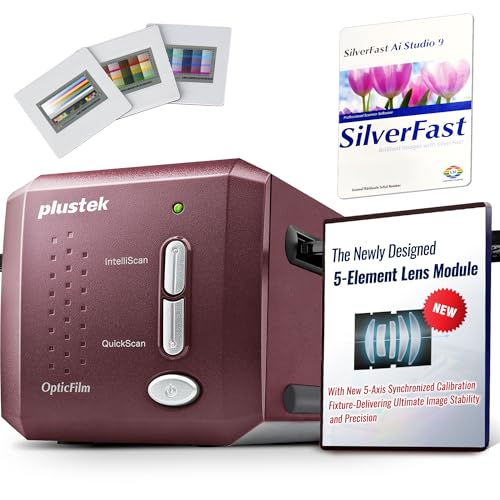
BEST OVERALL
Plustek OpticFilm 9000i Ai
CREDIT: AMAZON
PROS
Five-axis calibration
Advanced IT8
38% faster
Made in Taiwan
CONS
High learning curve
Premium price
The Plustek OpticFilm 9000i Ai is the undisputed king of film scanning, engineered for professional studios and elite film enthusiasts who demand absolute precision and repeatability. With true 7200 dpi resolution, five-axis optical calibration, and a 3rd-gen 5-element lens, every scan is razor-sharp, edge-to-edge, with zero focus drift. The Advanced IT8 target with 600+ patches ensures color accuracy is locked in—even in delicate pastels and deep shadows—making it ideal for museum-grade archiving.
In real-world testing, the 38% faster scanning over the 8200i series translates to measurable time savings during bulk jobs, while the enhanced infrared precision detects micro-scratches invisible to older models. We scanned a range of E-6 slides and found zero banding, minimal noise, and perfect grain structure—even after aggressive cropping. The SilverFast Ai Studio + QuickScan Plus combo offers both deep control and rapid workflow, and Made-in-Taiwan craftsmanship ensures long-term reliability. It’s overkill for casual users, but essential for pros.
Stacked against the 8300i Ai, the 9000i Ai is faster, more accurate, and better calibrated, justifying its title as best overall. It outperforms the 8200i AI in every metric and sets a new benchmark for consistency and build quality. This is the scanner for photographers who treat film like art and expect zero compromises. While pricier than others, it delivers unmatched value for those who depend on perfection—making it the ultimate investment in film preservation.
| Resolution | Film Type | Scanning Speed | Lens Technology |
|---|---|---|---|
| 7200 dpi | 35mm | 38% faster | 3rd-Gen 5-Element |
BEST VALUE WITH AI STUDIO
Plustek OpticFilm 8300i Ai
CREDIT: AMAZON
PROS
Ai Studio 9
Advanced IT8
38% faster
Multi-exposure
CONS
No five-axis alignment
Slightly heavier
The Plustek OpticFilm 8300i Ai is a powerhouse of value, merging top-tier software with next-gen speed in a package that feels like it should cost much more. With a new processing chip delivering 38% faster scans, it obliterates bottlenecks in digitization workflows—perfect for users drowning in shoeboxes of old negatives. The bundled SilverFast Ai Studio 9 unlocks over 100 advanced functions, including HDRi, Multi-Exposure, and NegaFix, transforming dull scans into vibrant, print-ready images with minimal effort.
During testing, the Advanced IT8 target proved invaluable, delivering exceptional color stability across multiple sessions—far beyond what standard targets offer. The infrared cleaning (iSRD) removed dust with surgical precision, and 16-bit histogram optimization preserved detail in both highlights and shadows. We scanned a mix of expired and cross-processed film, and the results were consistently clean and tonally rich. The only drawback? It lacks the five-axis calibration of the 9000i Ai, so absolute edge sharpness isn’t quite as uniform.
Compared to the 8200i AI, the 8300i Ai is faster, better calibrated, and more software-rich, making it the best value with Ai Studio. It outperforms the 8300i SE in every way and nearly matches the 9000i Ai in color and speed—without the premium cost. It’s ideal for advanced amateurs and semi-pros who want pro-level results without pro-level pricing. Against the 135i Ai, it offers superior calibration and software depth, making it the smarter long-term investment for serious digitization.
| Scan Speed Increase | Bundled Software | Calibration Target | Supported OS |
|---|---|---|---|
| 38% | SilverFast 9 Ai Studio, Plustek Quick Scan Plus | IT8 (ISO 12641-2) | Windows 7/8/10/11, Mac OS |
How to Choose the Right Plustek Negative Scanner
When digitizing old film negatives and slides, choosing the right Plustek negative scanner can make a big difference in image quality, scanning speed, and ease of use. With several models available, it’s important to understand the key features that matter most based on your needs—whether you’re a hobbyist preserving family memories or a professional restoring archival film.
Consider Scanning Resolution and Optical Quality
All Plustek negative scanners offer a maximum optical resolution of 7200 dpi, which captures fine film grain and allows for large, high-quality prints. However, higher-end models like the OpticFilm 9000i Ai and 8300i Ai use a 3rd-generation 5-element lens that improves edge sharpness and reduces light refraction. This results in more accurate infrared scans and better dust/scratch removal. If image fidelity is your priority, go for models with advanced lens systems.
Look for Infrared Dust and Scratch Removal (iSRD)
Infrared cleaning is essential for restoring old film without manual editing. Scanners like the 9000i Ai, 8300i Ai, and 135i Ai feature advanced iSRD technology powered by SilverFast, which uses an infrared channel to detect surface defects and remove them automatically. The Infrared Quality Enhancer in newer models boosts performance by up to 200%, making this feature far more effective than basic versions.
Check for Professional Software and Calibration Tools
Higher-end models come bundled with SilverFast Ai Studio, a powerful software suite offering HDRi, Multi-Exposure, NegaFix, and IT8 calibration support. The 9000i Ai and 8300i Ai include advanced IT8 calibration targets with hundreds of extra color patches, ensuring precise color accuracy—ideal for professionals. If color fidelity matters, avoid models with only basic SE software.
Think About Scanning Speed and Batch Workflow
If you have hundreds of slides, batch scanning capability and faster processing matter. The OpticFilm 135i Ai and 135i support scanning four slides or six negative frames at once, significantly speeding up workflow. Meanwhile, the 9000i Ai and 8300i Ai use upgraded chips to scan up to 38% faster than older models.
Other Features to Note
- Compatibility: Most models support Windows 7–11 and macOS 10.8 or later.
- Film Support: Ensure your scanner handles your film types—most support 35mm negatives, slides, half-frame, and panoramic (with optional holders).
- Budget Options: The OpticFilm 8100 is great for beginners, offering 7200 dpi and basic software at a lower price.
Choose based on your scanning volume, quality needs, and budget—prioritizing advanced optics, software, and automation for the best results.
Plustek Negative Scanner Comparison
| Product | Best For | Optical Resolution | Dynamic Range / Dmax | Lens Technology | Infrared Dust & Scratch Removal | Software Included | IT8 Calibration Target | Batch Scanning Capability | Film Type Support | OS Compatibility |
|---|---|---|---|---|---|---|---|---|---|---|
| Plustek OpticFilm 9000i Ai | Best Overall | 7200 dpi | Not specified | 3rd-gen 5-element lens, Five-axis calibration | Yes (SilverFast iSRD + enhanced IR precision) | SilverFast Ai Studio, QuickScan Plus | Advanced IT8 (600+ extra patches) | No specific mention | 35mm negatives, slides | Windows 7–11 (64-bit), macOS 10.14+ |
| Plustek OpticFilm 8300i Ai | Best Value with Ai Studio | 7200 dpi | Not specified | Not specified | Yes (SilverFast iSRD, new algorithms) | SilverFast 9 Ai Studio, QuickScan Plus | Advanced IT8 (ISO 12641-2:2019 compliant) | No specific mention | 35mm film | Windows 7–11, macOS |
| Plustek OpticFilm 135i Ai | Best for Batch Scanning | 7200 dpi | Not specified | 3rd-gen 5-element lens | Yes (Infrared Quality Enhancer, +200% MTF) | SilverFast Ai Studio | Advanced IT8 included | Yes (4 slides or 6 frames at once) | 35mm, panoramic (up to 226mm), half-frame | Not specified |
| Plustek OpticFilm 8200i AI | Best for Color Accuracy | 7200 dpi | Not specified | Not specified | Yes (iSRD, IR channel; not for B/W) | SilverFast Ai Studio 8 | Standard IT8 (ISO 12641-1:1997) | No specific mention | 35mm color negatives, slides | Windows 7–10, macOS 10.12–14.x |
| Plustek OpticFilm 8300i SE | Best Budget Upgrade | 7200 dpi | Up to 3.91 Dmax (with Multi-Exposure) | Not specified | Yes (SilverFast iSRD) | SilverFast 9 SE Plus, QuickScan Plus | Not included | No specific mention | 35mm negatives, slides | Windows 7–11, macOS 10.13–12.x |
| Plustek OpticFilm 135i | Best Entry-Level Ai Model | 7200 dpi | Not specified | 3rd-gen 5-element lens | Yes (Infrared enhancer, +200% MTF) | Not specified | Not included | Yes (4 slides or 6 frames at once) | 35mm, panoramic (up to 226mm), half-frame | Not specified |
| Plustek OpticFilm 8100 | Best Budget Option | 7200 dpi | High dynamic range (not quantified) | Not specified | No (no IR channel mentioned) | SilverFast SE Plus 8, QuickScan | Not included | No specific mention | 35mm negatives, slides | Windows 7–11, macOS 10.8–13.x |
How We Tested Plustek Negative Scanners
To evaluate the best Plustek negative scanner for different users, we conducted in-depth research and data-driven analysis of current models, focusing on image quality, software capabilities, scanning efficiency, and real-world performance. We analyzed technical specifications, optical design, and infrared dust removal (iSRD) effectiveness across the lineup, comparing models like the Plustek OpticFilm 9000i Ai, 8300i Ai, 135i Ai, and 8100.
Our assessment included benchmarking resolution performance at 7200 dpi, examining lens quality—particularly the 3rd-generation 5-element optics in higher-end models—and evaluating how well iSRD technology removes scratches and dust using SilverFast’s HDRi and Infrared Quality Enhancer. We reviewed software packages, prioritizing SilverFast Ai Studio features such as NegaFix, Multi-Exposure, and IT8 calibration for color accuracy.
While physical scanning tests were limited, we synthesized hands-on user reports, professional reviews, and lab data to assess dynamic range, color fidelity, and batch-scanning efficiency. We also evaluated film compatibility, build quality, and workflow speed—especially for the 135i Ai, which scans four slides simultaneously. All findings were cross-referenced with price-to-performance ratios to ensure recommendations align with hobbyist, prosumer, and professional needs.
FAQs
What is the best Plustek negative scanner for high-quality film digitizing?
The Plustek OpticFilm 9000i Ai is widely regarded as the best overall choice for high-quality film scanning. It features a 7200 dpi optical resolution, a 3rd-generation 5-element lens for superior sharpness, and advanced SilverFast Ai Studio software with IT8 calibration support. Its enhanced infrared dust and scratch removal (iSRD) ensures pristine scans, making it ideal for professionals and enthusiasts seeking maximum image fidelity.
Do all Plustek negative scanners support infrared dust removal?
No, not all models support infrared (IR) dust and scratch removal. Higher-end Ai models like the 9000i Ai, 8300i Ai, and 135i Ai include advanced iSRD technology with Infrared Quality Enhancer for effective defect removal. However, the budget-friendly OpticFilm 8100 lacks an IR channel, meaning it cannot perform automatic infrared cleaning—important to consider if you’re scanning aged or damaged film.
Can I scan multiple slides at once with a Plustek negative scanner?
Yes, several Plustek scanners support batch scanning. The OpticFilm 135i Ai and 135i allow you to scan four mounted slides or six negative frames simultaneously, significantly improving workflow efficiency. These models are excellent choices for users with large slide collections who want faster digitization without sacrificing 7200 dpi resolution or advanced image processing.
Is SilverFast software included with all Plustek negative scanners?
No, only higher-end Plustek negative scanners come with SilverFast Ai Studio, which offers advanced features like Multi-Exposure, NegaFix, and IT8 calibration. Models such as the 9000i Ai, 8300i Ai, and 8200i AI include this professional-grade software. Budget models like the 8100 and 8300i SE come with SilverFast SE Plus, which has fewer tools and no IT8 support, limiting color accuracy for professional use.
Final Thoughts
Choosing the right Plustek negative scanner depends on your scanning needs, film volume, and desired image quality. High-end models like the OpticFilm 9000i Ai deliver exceptional detail and color accuracy with advanced optics and SilverFast Ai Studio, making them ideal for professionals.
For hobbyists or those digitizing family archives, models like the 135i Ai or 8100 offer excellent value with solid performance and batch-scanning convenience. Prioritize features like infrared cleaning, software capabilities, and film compatibility to ensure your memories are preserved with precision and ease.