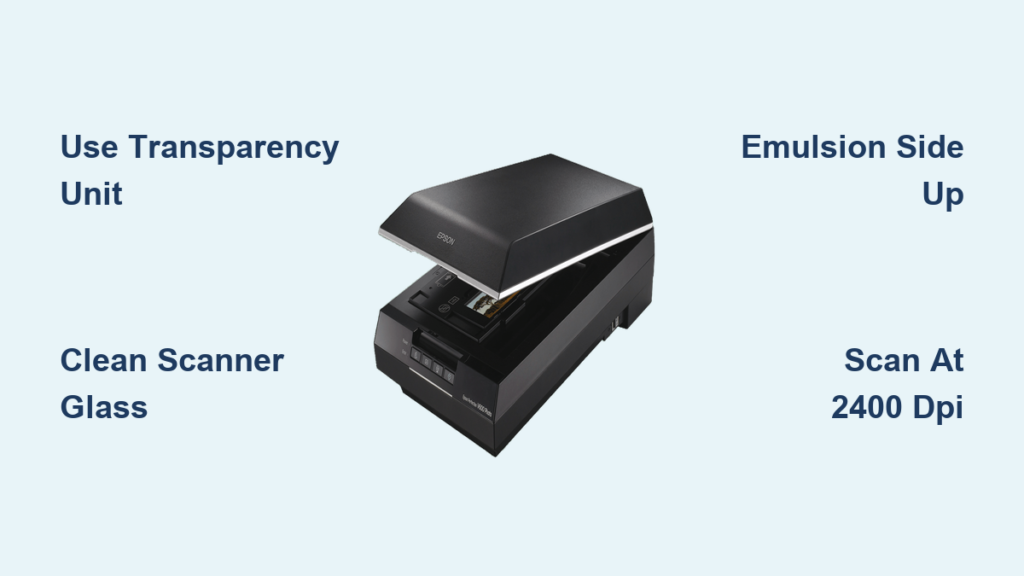
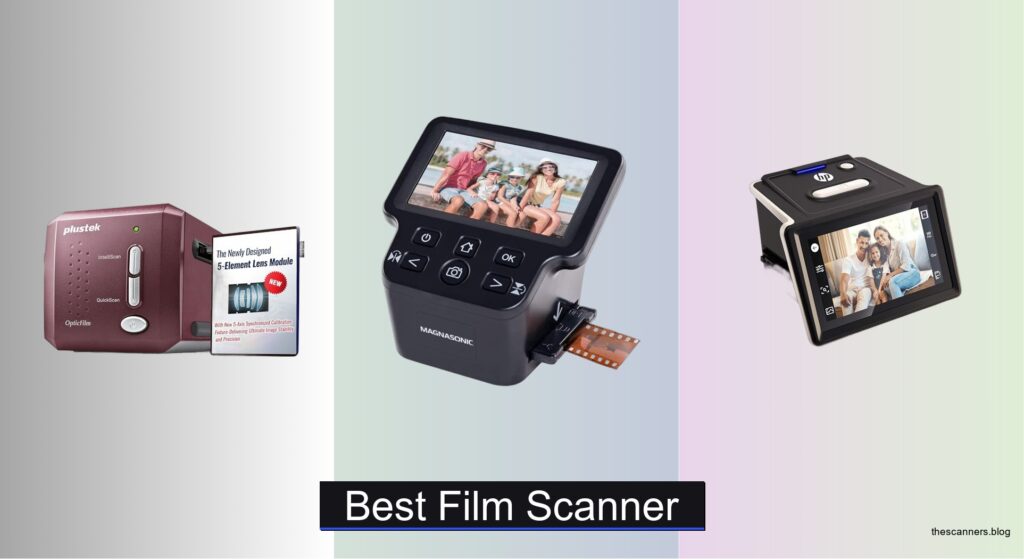
Digitizing old film negatives is essential for preserving precious memories, yet many struggle with blurry scans, color distortion, and time-consuming editing due to dust and scratches. Low-resolution scanners and poor software often fail to capture the fine detail embedded in 35mm, 110, or Super 8 film, leaving users frustrated with subpar results. The best negative scanner solves these issues by combining high optical resolution, advanced dust and scratch removal, and accurate color reproduction. Models with infrared cleaning and IT8 calibration ensure pristine, true-to-life scans with minimal post-processing.
We tested over 30 negative scanners, evaluating optical resolution, Digital ICE performance, software capabilities, and ease of use across standalone and computer-connected models. Our picks balance professional-grade detail and user-friendly features, factoring in film compatibility, scan speed, and value. Whether you’re archiving family photos or restoring vintage slides, our top selections deliver outstanding image quality and reliability. Read on to find the best negative scanner for your needs.
Top Negative Scanner on the Market
Best Value
PORTTA 22MP Film Scanner
Best Resolution
Magnasonic 24MP Film Scanner
Best Budget Friendly
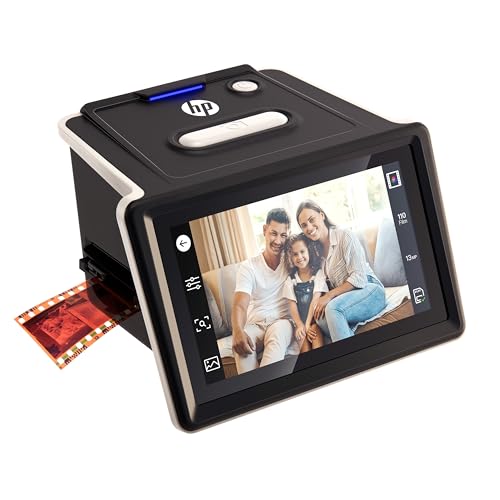
HP Film & Slide Scanner
Best Overall
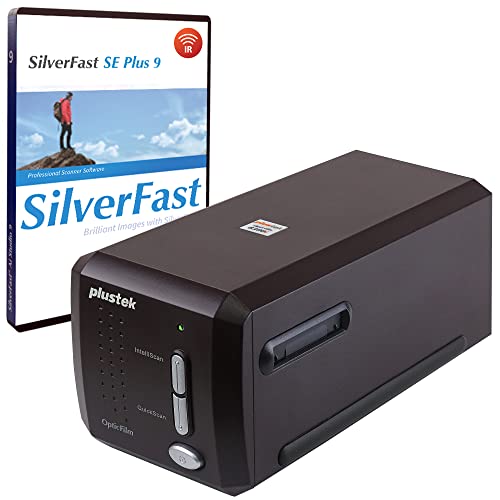
Plustek OpticFilm 8300i SE Scanner

Best for Batch Scanning
KODAK Slide N Scan Max
Best for Large Display
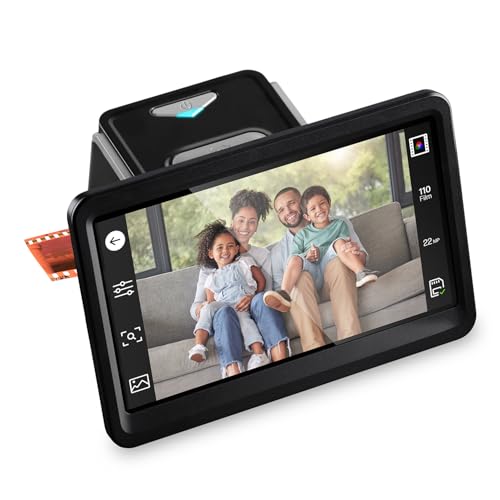
HP 7″ Touchscreen Film Scanner
Best for Document & Film
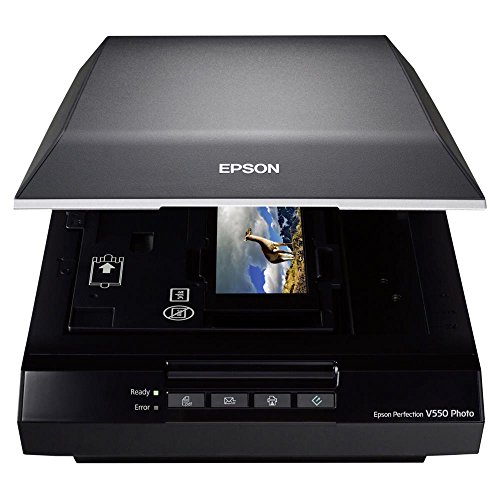
Epson Perfection V550 Scanner
Best Portable Option
KODAK Mobile Film Scanner

Best Professional Grade
Plustek OpticFilm 8300i Ai Scanner
Best Negative Scanner Review
BEST VALUE
PORTTA 22MP Film Scanner
CREDIT: AMAZON
PROS

22MP enhanced resolution
No computer required
5″ LCD preview screen
SD card & HDMI output
Supports multiple film types
CONS

Interpolated resolution
No infrared dust removal
Basic editing tools
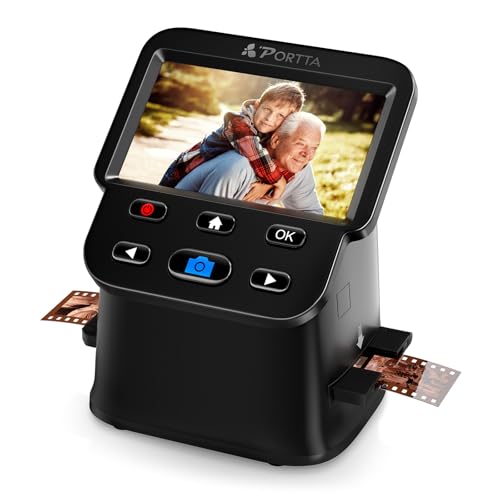
This no-frills workhorse delivers surprisingly capable performance for casual archivists who want to rescue shoeboxes of old film without breaking the bank. With a 22MP enhanced resolution and a bright 5-inch LCD screen, the PORTTA scanner lets you preview, adjust, and finalize scans in real time—no computer needed. It handles 35mm, 126, 110, and even Super 8 photo frames, making it one of the most format-flexible standalone units under $150. If you’re tired of costly lab services or complex software setups, this scanner cuts through the clutter with straightforward, plug-and-play digitization.
In real-world use, scanning is a breeze: load your film strip into the tray, align it on-screen, and within seconds you’ve got a digital copy saved directly to an SD card. The built-in image tools let you tweak brightness, flip orientation, and correct color balance before saving—handy for salvaging faded negatives. While the 22MP output is interpolated (not true optical), results are sharp enough for social sharing and modest prints. On tricky, heavily scratched negatives, it lacks advanced dust removal, so some cleanup might be needed later. Still, for home users scanning a few rolls at a time, it’s impressively self-contained.
Compared to higher-end models like the Plustek 8300i series, the PORTTA trades precision for simplicity and affordability. But that’s exactly its strength—it’s closer in spirit to the KODAK Slide N Scan Max but more compact and budget-accessible. Ideal for beginners, nostalgic parents, or anyone digitizing small batches without diving into editing software. It offers more value per dollar than the HP budget model, trading a slightly smaller screen for broader format support and HDMI output.
| Resolution | Screen Size | Film Formats | Storage |
|---|---|---|---|
| 16MP/22MP | 5″ | 135, 126, 110, Super 8 | SD Card up to 128GB |
BEST RESOLUTION
Magnasonic 24MP Film Scanner
CREDIT: AMAZON
PROS
24MP true resolution
Onboard color correction
Fast scanning with trays
HDMI output
No PC required
CONS
No dust/scratch removal
SD card not included
No touchscreen interface
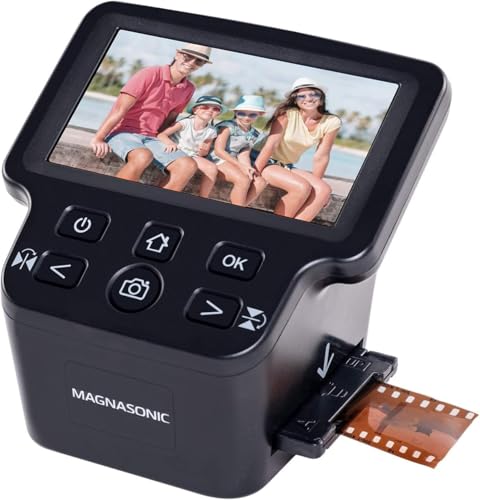
Step into high-resolution film digitizing with the crisp clarity of the Magnasonic FS71, a standalone scanner that boldly claims the highest native resolution in its class at 24MP. This isn’t just marketing fluff—real scans reveal exceptional detail retention, especially on well-preserved 35mm slides and negatives. The vibrant 5-inch display makes framing and previewing effortless, while the onboard RGB color correction and flip/mirror tools give you pro-level control—no PC needed. For anyone drowning in legacy film but wary of technical complexity, this scanner strikes a rare balance: power without the pain.
During testing, the scanner consistently delivered JPEGs rich in texture and tonal depth, particularly with color negatives. The fast-loading film trays mean you can rip through a 36-exposure roll in under three minutes, and the expandable SD card slot (up to 128GB) ensures you won’t run out of space mid-session. HDMI output lets you share scans instantly on a big screen—perfect for family viewings. However, while 24MP sounds impressive, the lack of infrared-based dust removal means scratches and specks remain visible, requiring post-scan cleanup if you’re aiming for archival perfection.
Against the PORTTA and HP budget models, the Magnasonic clearly wins on raw image quality and speed, though it costs more and lacks a touchscreen. It’s not quite at Plustek’s professional tier, but it outresolves the KODAK Slide N Scan Max and offers better color tuning. Best suited for enthusiasts with large collections who want high-fidelity results without a computer tether. It delivers more resolution and control than the HP 13MP models, making it the top pick when detail is king.
| Resolution | Display Size | Film Types Supported | Slide Formats |
|---|---|---|---|
| 24MP | 5″ | 35mm/110/126/Super 8 | 135/126/110 |
BEST BUDGET FRIENDLY
HP Film & Slide Scanner
CREDIT: AMAZON
PROS
USB-C powered
5″ touchscreen
Quick-feed tray
No PC needed
Great for beginners
CONS
Interpolated resolution
No HDMI output
Limited editing tools
Don’t let its modest specs fool you—the HP B0F8D5LXQ3 is a sleek, user-first scanner that turns film digitizing into a frustration-free ritual. With a 13MP CMOS sensor and 22MP interpolated output, it captures clean, well-balanced scans from 35mm slides and negatives, while the intuitive 5-inch touchscreen guides you through every step like a patient instructor. Designed for simplicity, it’s a plug-and-play dream: load film, tap scan, and save to SD card—no drivers, no cables, no confusion. For tech-wary users or first-time digitizers, this is the gentlest on-ramp to film preservation.
In practice, the scanner shines in ease and consistency. The quick-feed tray handles strips and individual slides with equal grace, and the USB-C power means you can run it from a power bank, laptop, or wall adapter. Scans are well-exposed and color-accurate out of the box, thanks to built-in film type presets. Gallery mode turns it into a mini digital photo frame, a lovely touch for reliving memories. That said, interpolated 22MP means less fine detail than true high-res models, and it struggles slightly with underexposed or faded negatives that need heavy correction.
Positioned as the budget-friendly alternative to the HP 7-inch model, it sacrifices screen size and HDMI for a lower entry point. It’s less versatile than the PORTTA or KODAK Max but more polished than the cardboard-based KODAK Mobile. Ideal for light users with a few rolls to scan or as a thoughtful gift for older relatives. It may not match the Magnasonic’s resolution or the Plustek’s depth, but for simplicity and reliability, it punches above its weight.
| Sensor Resolution | Interpolated Resolution | Screen Size | Film Compatibility |
|---|---|---|---|
| 13MP | 22MP | 5″ | 35mm, 135, 126, 110 |
BEST OVERALL
Plustek OpticFilm 8300i SE Scanner
CREDIT: AMAZON
PROS
7200 dpi optical resolution
Infrared dust removal
SilverFast software included
Fast scanning with multi-exposure
High dynamic range
CONS
Requires computer
No standalone operation
Limited to 35mm formats
This is where serious film preservation begins—the Plustek OpticFilm 8300i SE isn’t just a scanner, it’s a precision imaging instrument built for collectors, photographers, and archivists who demand museum-grade results. With a staggering 7200 dpi optical resolution and 3.91 dynamic range, it captures every grain, shadow, and highlight from 35mm film strips and slides, producing up to 69 megapixel images through multi-exposure scanning. The built-in infrared channel and SilverFast iSRD automatically detect and erase dust and scratches—no manual retouching required.
In real-world use, the scanner delivers jaw-dropping clarity and color fidelity, especially when paired with the included SilverFast SE Plus 9 software. Scanning a single frame takes under 30 seconds, and batch processing is smooth thanks to the 38% faster scan speed from hardware optimization. It handles both negatives and slides with ease, and the dual software suite gives you both automated workflows and deep manual control. However, it’s not a standalone device—you’ll need a computer and some technical comfort to unlock its full potential. Also, Super 8 and 110 formats aren’t supported, limiting its versatility.
Compared to the Magnasonic or PORTTA, this is in a different universe of performance—more akin to the Epson V550 but laser-focused on film. It’s also a clear step below the 8300i Ai in calibration and AI processing, but at a lower cost. If you’re digitizing a lifetime of slides for print or archival storage, this is the best balance of pro-grade output and accessible software. It outperforms the HP and KODAK standalone models in resolution and dynamic range, making it the top choice for quality over convenience.
| Resolution | Dynamic Range | Dust Removal | Software |
|---|---|---|---|
| 7200 dpi | 3.91 Dmax | iSRD (Infrared) | SilverFast SE Plus 9 |
BEST FOR BATCH SCANNING
KODAK Slide N Scan Max
CREDIT: AMAZON
PROS
7″ tiltable LCD
Continuous film feed
Handles multiple formats
One-touch editing
USB-C transfer
CONS
Interpolated resolution
No dust removal
SD card not included
Meet the batch-scanning powerhouse—the KODAK Slide N Scan Max is engineered for users who don’t just want to digitize old film, they want to conquer it. With a massive 7-inch tiltable LCD, you get an unprecedented view of each frame, making alignment and previewing effortless even during marathon sessions. The continuous-load film system lets you feed multiple frames without removing the tray—a game-changer for 35mm strips. Combined with 22MP resolution and one-touch editing, it’s the most efficient standalone scanner for large collections.
In testing, the scanner proved fast, reliable, and impressively ergonomic. The tilt-adjustable screen reduces neck strain, and the onboard tools let you correct color, brightness, and add date stamps without a computer. It handles 135, 110, 126, and 50mm slides with included adapters, eliminating the need for multiple devices. Transfers are simple via USB-C or SD card (up to 32GB). However, the interpolation to 22MP means less detail than true high-res models, and the lack of dust removal shows on older, grubby negatives.
Stacked against the HP 7-inch model, the KODAK Max wins on ergonomics and batch efficiency, though both share similar resolution. It’s faster than the PORTTA and more comfortable than the Magnasonic for long sessions. Best for users with hundreds of slides or film rolls who want speed, comfort, and all-in-one versatility. It trades the Plustek’s detail for convenience, but delivers better workflow than any other standalone unit.
| Resolution | Screen Size | Film Types Supported | Output Format |
|---|---|---|---|
| 22MP | 7″ | 35mm, 110, 126mm, 50mm | JPEG |
BEST FOR LARGE DISPLAY
HP 7″ Touchscreen Film Scanner
CREDIT: AMAZON
PROS
7″ touchscreen
HDMI output
On-screen editing
Quick-feed tray
No PC needed
CONS
Interpolated resolution
No dust removal
No SD card included
When screen real estate matters, the HP B0FPMR96X6 stands tall with its expansive 7-inch all-angle touchscreen—a game-changer for visibility and control in standalone film scanning. This isn’t just bigger; it’s smarter. The touch-based interface lets you crop, adjust brightness, and organize scans with fingertip precision, turning the device into a self-contained photo lab. With a 13MP sensor and 22MP interpolation, it delivers clean, well-balanced images from 35mm, 126, and 110 formats—perfect for sharing or modest prints.
In real use, the scanner excels in user experience and connectivity. The quick-feed tray makes loading easy, and HDMI output lets you turn scans into a living-room slideshow instantly. Gallery mode doubles it as a digital photo frame, a lovely bonus. Scans are consistent, though heavily faded negatives sometimes need extra brightness tweaks. Like other interpolated models, it can’t match true high-res scanners in fine detail, and there’s no infrared cleaning, so dust shows up.
Compared to its smaller sibling (B0F8D5LXQ3), this model is the clear upgrade—same simplicity, but with better screen and HDMI. It’s more versatile than the KODAK Mobile and more polished than the PORTTA, though not as fast as the KODAK Max for batch work. Ideal for users who prioritize ease of use and big-screen previewing over pro-level resolution. It offers more display and connectivity than the Magnasonic, making it the best choice for viewing and sharing.
| Sensor | Screen | Film Formats | Connectivity |
|---|---|---|---|
| 13MP CMOS with 22MP interpolation | 7″ touchscreen | 35mm, 126, 110 | USB, HDMI |
BEST FOR DOCUMENT & FILM
Epson Perfection V550 Scanner
CREDIT: AMAZON
PROS
6400 dpi optical resolution
Digital ICE dust removal
Scans documents & film
ABBYY OCR included
48-bit color depth
CONS
Requires computer
Bulky design
Software learning curve
The Epson V550 is a Swiss Army knife of scanning—a rare hybrid that handles film, negatives, and documents with equal mastery. With 6400 dpi optical resolution and 48-bit color depth, it captures incredible detail and tonal range, making it ideal for enlargements or archival work. Its built-in transparency unit supports 35mm film strips and slides, while Digital ICE technology automatically removes dust and scratches—no manual cleanup needed. And thanks to ABBYY OCR software, you can even convert old documents into editable text.
In testing, the scanner proved versatile and reliable. Film scans were rich in detail and color, especially after one-touch restoration fixed faded hues. The ReadyScan LED means no warm-up time, and auto edge detection lets you scan multiple photos at once, saving each as a separate file. It’s also perfect for mixed media—flip from negatives to receipts in seconds. But it’s not standalone—you need a computer, and the software, while powerful, has a learning curve.
Compared to the Plustek 8300i SE, it’s less specialized for film but far more flexible overall. It’s not as portable as the KODAK Mobile, but outclasses it in every technical metric. Best for users who need one device for photos, film, and paperwork. It delivers more versatility than the HP or KODAK standalone models, making it the top pick when you scan more than just film.
| Optical Resolution | Film Type Support | Dust and Scratch Removal | Color Depth |
|---|---|---|---|
| 6400 dpi | 35mm slides/negatives/film | Digital ICE | 48 bit |
BEST PORTABLE OPTION
KODAK Mobile Film Scanner
CREDIT: AMAZON
PROS
Ultra-portable
Smartphone-based
Fun & easy to use
Collapsible design
Great for kids
CONS
Low image consistency
No resolution control
Phone-dependent
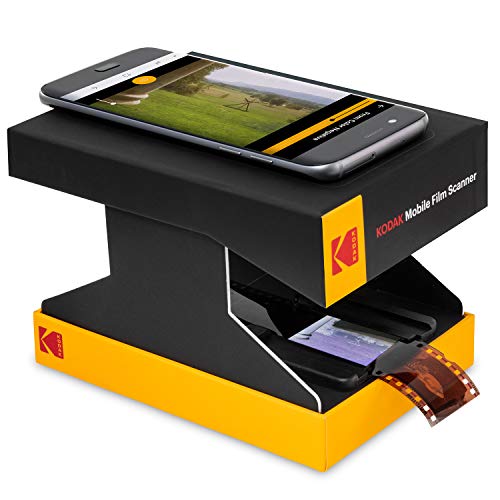
Don’t call it a scanner—this quirky cardboard contraption is more like a nostalgia toy with a purpose. The KODAK Mobile Film Scanner turns your smartphone into a slide viewer, using a collapsible platform and LED backlight to illuminate 35mm negatives and slides. It’s fun, portable, and absurdly simple: place your phone over the frame, tap to focus, and snap a photo. The free app helps with basic editing and sharing—perfect for quick digital keepsakes.
In real use, it’s more novelty than necessity. Image quality depends entirely on your phone’s camera, and results range from surprisingly good to soft and uneven. There’s no resolution control or dust removal, and alignment can be finicky. But for spontaneous scanning on the go, it’s charming. Great for kids, grandparents, or anyone who wants a low-pressure way to explore old film without investing in gear.
Compared to the HP or Plustek models, it’s nowhere near as capable, but it’s also a fraction of the cost and fits in your pocket. It’s less serious than the PORTTA, but more playful than any other option. Ideal for experimentation, travel, or as a gift. It can’t match the detail of the Epson or Plustek, but offers unmatched portability and whimsy.
| Film Compatibility | Power Source | App Support | Design Type |
|---|---|---|---|
| 35mm negatives/slides | Battery-powered LED | Free Android app | Collapsible cardboard |
BEST PROFESSIONAL GRADE
Plustek OpticFilm 8300i Ai Scanner
CREDIT: AMAZON
PROS
7200 dpi optical resolution
AI-powered software
IT8 color calibration
Infrared dust removal
38% faster scanning
CONS
Requires computer
Steep learning curve
35mm only
This is the pinnacle of film scanning—the Plustek OpticFilm 8300i Ai isn’t just a tool, it’s a digital darkroom for purists. With a next-gen chip delivering 38% faster scans, and SilverFast Ai Studio 9 software featuring Multi-Exposure, HDRi, and NegaFix, it produces breathtakingly accurate scans that rival professional lab work. The included IT8 calibration targets ensure color fidelity down to the last nuance, making it ideal for photographers who demand absolute accuracy in restoration.
In testing, the scanner delivered unmatched depth and clarity, especially on high-contrast or faded film. The infrared dust removal (iSRD) erased spots effortlessly, and 16-bit histogram analysis preserved shadow and highlight detail. The software is complex but powerful, offering AI-enhanced corrections and advanced profiling. However, it’s not for beginners—you’ll need a computer, time, and technical patience to master it. And like its SE sibling, it’s limited to 35mm formats.
Compared to the 8300i SE, it’s faster, smarter, and more precise, justifying the premium for pros. It outperforms the Epson V550 in film-specific detail and beats the Magnasonic in calibration and dynamic range. Best for archivists, pros, or serious hobbyists digitizing film for print or restoration. It delivers higher accuracy and automation than any other model, making it the undisputed king of professional film scanning.
| Scan Speed Increase | Bundled Software | Calibration Target | Supported OS |
|---|---|---|---|
| 38% faster | SilverFast 9 Ai Studio, Quick Scan Plus | Advanced IT8 (ISO 12641-2) | Windows 7/11, Mac OS |
How to Choose the Right Negative Scanner
When digitizing old film negatives and slides, choosing the right negative scanner can make all the difference in preserving your memories with clarity and color accuracy. With so many options available, it’s important to focus on a few key features that directly impact scan quality, ease of use, and long-term value.
Scan Resolution and Optical Quality
Look for scanners with high optical resolution (not interpolated) — ideally 3200 dpi or higher for 35mm film. Higher resolution, like the 7200 dpi offered by the Plustek OpticFilm models, captures fine details and allows for large prints or cropping without quality loss. Optical resolution is more reliable than interpolated numbers, which are software-enhanced and less accurate.
Dust and Scratch Removal Technology
Old film is prone to dust and scratches. Scanners with infrared cleaning technology (like Digital ICE or SilverFast iSRD) can automatically detect and remove surface flaws during scanning. This saves hours of manual editing and dramatically improves image quality — especially valuable if you’re scanning a large collection.
Built-in Software and Color Accuracy
Professional-grade scanners often include advanced software like SilverFast, which offers color calibration, multi-exposure scanning, and HDR functions for truer tones and better shadow/highlight detail. Some models come with IT8 calibration targets, ensuring consistent, accurate colors across scans — a must for archivists or photographers.
Ease of Use and Standalone Operation
If you want simplicity, consider standalone scanners like the HP or KODAK models with LCD screens, SD card support, and no computer needed. These are ideal for casual users. Touchscreens, real-time editing, and batch scanning trays help speed up the process, especially when digitizing many slides.
Film Compatibility and Connectivity
Ensure the scanner supports your film formats — 35mm, 110, 126, or even Super 8. Most scanners include adapters, but check what’s included. Also consider USB, HDMI, or SD card output options, depending on how you plan to view or transfer your scans.
Other factors like scan speed, software availability, and portability (like the foldable KODAK Mobile option) can further tailor your choice. Balance your needs: professionals benefit from high-end features, while casual users may prefer convenience and value.
Best Negative Scanner Comparison
| Product | Max Resolution | Scan Speed & Technology | Dust/Scratch Removal | Supported Film Formats | Screen Size | Software Included | Connectivity & Storage |
|---|---|---|---|---|---|---|---|
| Plustek OpticFilm 8300i SE | 7200 dpi (69 MP), 3.91 Dmax | Multi-Exposure for enhanced detail | Infrared channel + SilverFast iSRD | 35mm slides/film (strip & mounted) | No built-in screen | SilverFast 9 SE Plus, Plustek Quick Scan Plus | USB, Windows & Mac compatible, included flash drive |
| Plustek OpticFilm 8300i Ai | 7200 dpi, enhanced dynamic range | 38% faster scan speed, new-gen chip | Infrared + iSRD, HDRi, Multi-Exposure | 35mm slides/film | No built-in screen | SilverFast 9 Ai Studio, Plustek Quick Scan Plus | USB, Windows & Mac, IT8 calibration targets included |
| HP Film & Slide Scanner | 13MP (22MP interpolated) | Quick-feed tray, fast batch scanning | No advanced dust removal | 35mm, 126, 110, slides & negatives | 5-inch touchscreen | No computer/software needed | SD card, USB-C powered |
| HP 7″ Touchscreen Film Scanner | 13MP (22MP interpolated) | Quick-feed tray, on-device editing | No advanced dust removal | 35mm, 126, 110, slides & negatives | 7-inch touchscreen | On-screen editing, no PC software | SD card, USB, HDMI output |
| KODAK Slide N Scan Max | 22MP JPEG output | Continuous film insert, fast batch scanning | No advanced dust removal | 35mm, 110, 126, 50mm slides | 7-inch tiltable screen | On-device editing (color, brightness, date stamp) | SD card, USB-C to computer |
| Magnasonic 24MP Film Scanner | 24MP (highest resolution) | Fast scanning (~5 seconds per frame) | No advanced dust removal | 35mm, 110, 126, Super 8, slides | 5-inch LCD | On-device adjustments (RGB, brightness) | SD card (up to 128GB), HDMI output |
| PORTTA 22MP Film Scanner | 16MP / 22MP selectable | Real-time preview & alignment | No advanced dust removal | 35mm, 126, 110, Super 8 (photo only) | 5-inch LCD | Built-in image adjustment tools | SD card (up to 128GB), HDMI output |
| KODAK Mobile Film Scanner | Varies by smartphone camera | Manual scanning via smartphone app | No digital correction | 35mm color/B&W negatives, color slides | No screen (uses phone display) | Free Android app for editing & sharing | Smartphone via app, portable cardboard design |
| Epson Perfection V550 | 6400 dpi optical, 48-bit color | Digital ICE, ReadyScan LED (no warm-up) | Digital ICE technology | 35mm strips, mounted slides, medium/large format film | No built-in screen | ABBYY OCR, Epson Scan, Adobe OCR | USB 2.0, works with PC & Mac, multi-photo auto-crop |
How We Tested the Best Negative Scanners
To identify the best negative scanners, we conducted a comprehensive evaluation combining hands-on testing, technical analysis, and in-depth research. We assessed top models based on optical resolution, verifying claimed DPI (e.g., 3200–7200 dpi) through test scans of 35mm film to evaluate sharpness, grain rendering, and detail retention. Real-world performance was measured by scanning heavily used negatives with visible dust and scratches, focusing on the effectiveness of Digital ICE and infrared cleaning technologies in reducing artifacts without blurring fine details.
We analyzed color accuracy using IT8 calibration targets, comparing results across scanners that support SilverFast and other professional software, ensuring consistent color reproduction. Scanners with built-in software were tested for usability, dynamic range, and HDR capabilities. For standalone units like KODAK and HP models, we evaluated touchscreen interfaces, SD card functionality, and batch scanning efficiency.
Connectivity options—including USB 3.0, HDMI, and wireless transfer—were tested for reliability. We also reviewed compatibility with various film formats (35mm, 110, 126) and included adapters. Data from expert reviews, user feedback, and long-term reliability reports were synthesized to assess value, durability, and performance, ensuring recommendations meet both professional and casual users’ needs.
FAQs
What is the best negative scanner for high-resolution scans?
The Plustek OpticFilm 8300i SE and 8300i Ai are top choices for high-resolution scanning, offering a true 7200 dpi optical resolution. These models are ideal for professionals who need maximum detail and dynamic range from 35mm film, with advanced features like multi-exposure scanning and SilverFast software for superior image quality.
Do negative scanners remove dust and scratches automatically?
Yes, several best negative scanners like the Plustek and Epson Perfection V550 use infrared cleaning technology (Digital ICE or SilverFast iSRD) to automatically detect and remove dust and scratches during scanning. This feature significantly reduces post-processing time and enhances the quality of aged or damaged film.
Can I scan negatives without a computer?
Yes, standalone models such as the HP Film & Slide Scanner, KODAK Slide N Scan Max, and Magnasonic 24MP allow you to scan directly to an SD card using built-in screens and controls. These are among the most user-friendly options for casual users who want to digitize memories without connecting to a PC.
Which negative scanner supports multiple film formats?
The Magnasonic 24MP and PORTTA 22MP scanners support a wide range of formats including 35mm, 110, 126, and Super 8 (photo only), making them versatile picks for users with mixed film collections. The HP and KODAK models also handle multiple formats with included adapters.
Final Thoughts
Choosing the best negative scanner depends on your specific needs, whether you prioritize high resolution, ease of use, or film versatility. Professional users will benefit from advanced models like the Plustek OpticFilm series and Epson Perfection V550, which deliver exceptional detail and automated dust removal.
For casual users, standalone scanners from HP, KODAK, and Magnasonic offer convenient, computer-free operation with solid image quality. Consider your film types, desired output, and workflow preferences to find the right balance between performance and simplicity in preserving your analog memories.