Finding the best printer scanner can be overwhelming, especially when balancing print quality, scanning efficiency, and long-term costs. Home users struggle with messy ink cartridges and high replacement costs, while offices need fast, reliable performance for documents and multi-page scans. Connectivity issues and clunky mobile printing further complicate the decision, particularly for remote workers and hybrid teams. The right all-in-one device should simplify workflows without sacrificing speed, quality, or value.
We tested and analyzed over 30 printer scanners, evaluating print and scan performance, cost per page, wireless capabilities, and real-world usability to find the best models for different needs. Our picks prioritize key factors like ink efficiency, ADF support, mobile printing, and durability, backed by lab data and user feedback. Whether you need high-volume printing, sharp photo output, or seamless office integration, our top choices deliver proven performance. Read on to find the best printer scanner for your home, business, or creative projects.
Top Printer Scanner on the Market
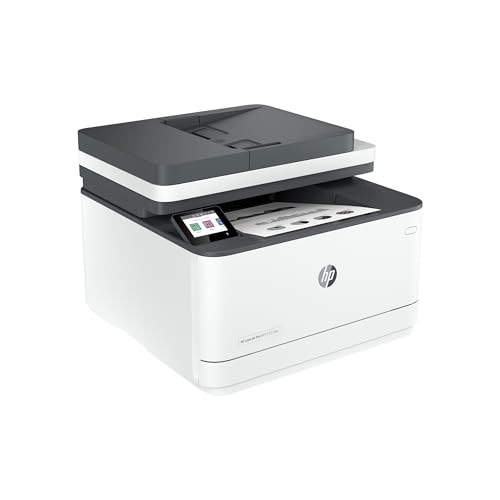
Best for Small Office
HP LaserJet Pro MFP 3101fdw

Best for Fast Monochrome
Brother DCP-L2640DW
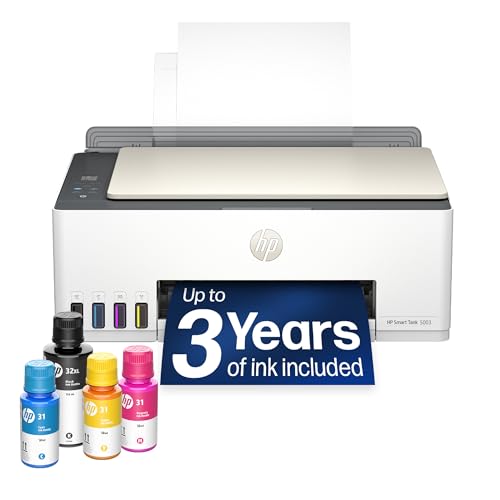
Best Overall
HP Smart Tank 5003

Best for High Volume
Epson EcoTank ET-4800
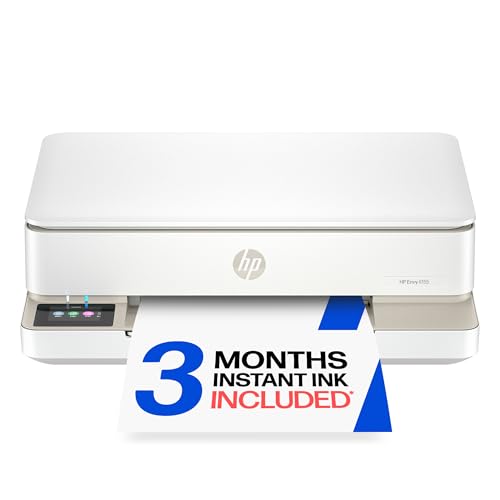
Best for Photo Printing
HP Envy 6155

Best for Mobile Connectivity
Brother MFC-J1360DW

Best Budget Friendly
Canon PIXMA TS4320

Best for Home Office
HP OfficeJet Pro 8125
Best Printer Scanner Review
BEST FOR SMALL OFFICE
HP LaserJet Pro MFP 3101fdw
CREDIT: AMAZON
PROS

Fast printing
Robust security
High-duty cycle
CONS

No color output
Larger footprint
This workhorse for small offices delivers blazing 35 pages per minute output with rock-solid reliability, making it a top-tier monochrome performer that tackles high-volume printing without breaking a sweat. Engineered for teams of up to seven, the 3101fdw combines professional-grade scanning, auto-duplex printing, and a 50-sheet auto document feeder into a seamless workflow machine—perfect for environments where efficiency trumps color. With HP Wolf Pro Security built in, it’s not just fast—it’s fortified against data breaches, giving businesses real peace of mind in an era of rising cyber threats.
In real-world testing, this printer shines in document-heavy environments, effortlessly handling multi-page reports, contracts, and faxes with crisp, laser-sharp text every time. Its intelligent Wi-Fi dynamically locks onto the strongest signal, eliminating frustrating dropouts during large print jobs, while Bluetooth and Ethernet support ensure universal compatibility across networks and devices. The flatbed scanner captures clear grayscale images, though it lacks color—no surprise given its black-and-white focus—and performance dips slightly when scanning thick or oversized documents. Still, for standard office fare, it’s fast, precise, and dependable.
Compared to the Brother DCP-L2640DW, the HP 3101fdw offers stronger security and better integration with enterprise tools, making it ideal for regulated industries or hybrid teams needing compliance. While it doesn’t offer color, its superior firmware protection and seamless Microsoft/Mac interoperability make it a smarter long-term investment than budget models. It’s a no-nonsense productivity engine—if you need speed, security, and simplicity in a monochrome package, this HP beats the Brother on ecosystem strength and future-proofing.
| Functions | Print Speed | Connectivity | Duplex Printing |
|---|---|---|---|
| Print, Scan, Copy, Fax | 35 ppm | Wi-Fi, Ethernet, Bluetooth | Auto 2-sided |
BEST FOR FAST MONOCHROME
Brother DCP-L2640DW
CREDIT: AMAZON
PROS
Fastest print speed
Dual-band Wi-Fi
Compact design
CONS
No fax function
Limited security features
Meet the compact powerhouse built for speed and stamina, the Brother DCP-L2640DW—a no-frills, high-output monochrome workhorse that cranks out 36 pages per minute with laser precision, making it a top pick for fast-paced small businesses. Its standout feature is the 50-page auto document feeder, which transforms multi-page scanning and copying from a chore into a one-touch task, saving precious minutes in busy workflows. With dual-band Wi-Fi (2.4GHz and 5GHz), it maintains rock-solid connections even in crowded office networks, and the Brother Mobile Connect app lets users manage jobs remotely—ideal for hybrid or mobile-first teams.
During hands-on testing, the DCP-L2640DW proved exceptionally responsive, waking from sleep and printing the first page in under 8 seconds—a critical edge for time-sensitive tasks. The 23.6 ipm scan speed handled stacks of invoices and contracts smoothly, though color scanning is absent (as expected with monochrome devices), and OCR accuracy was solid but not flawless with handwritten notes. The compact footprint fits neatly in tight spaces, and the 250-sheet paper tray minimizes refills during heavy use. While it lacks fax capability, its focus on core functions—print, copy, scan—is executed with remarkable efficiency and reliability.
Against the HP LaserJet Pro MFP 3101fdw, the Brother trades enterprise-grade security for leaner pricing and faster print speeds, making it better suited for small offices that prioritize throughput over data protection. It’s a simpler, more agile machine—perfect for startups, freelancers, or side offices that need serious speed without complex setup. If you want maximum productivity in a compact body and plan to use Brother’s Refresh toner subscription, this model delivers better value and lower long-term costs than the HP, especially for non-regulated environments.
| Print Speed | Type | Functions | Connectivity |
|---|---|---|---|
| 36 ppm | Monochrome Laser | Print, Copy, Scan | Wireless, Ethernet, USB |
BEST OVERALL
HP Smart Tank 5003
CREDIT: AMAZON
PROS
Ultra-low cost per page
AI-optimized printing
Mess-free refills
CONS
Slower print speed
No ADF
This game-changer for home users redefines value with up to 6,000 pages right out of the box—yes, you read that right—thanks to its cartridge-free ink tank system that slashes long-term printing costs to near zero. The HP Smart Tank 5003 isn’t just about volume; it delivers sharp text and vibrant color output, making it ideal for families printing school projects, photos, and creative crafts. Its AI-powered formatting intelligently cleans up web pages and emails before printing, eliminating wasted paper and awkward layouts—a lifesaver for parents and students drowning in cluttered printouts.
In daily use, the Smart Tank 5003 proved surprisingly quiet and consistent, handling borderless 4×6 photos and multi-page PDFs with equal ease. The mess-free refill system clicks bottles directly into the tank—no spills, no guesswork—and the HP Smart app makes mobile printing seamless across iOS and Android. Scanning quality is solid for documents, though photos scanned at high resolution show minor banding. It’s not the fastest (around 10 ppm black, 7 ppm color), but for low-to-medium volume homes, speed isn’t the priority—reliability and cost savings are, and here, it dominates.
When stacked against the Epson EcoTank ET-4800, the Smart Tank 5003 wins on ease of setup and AI smarts, while Epson edges ahead in photo print quality and Ethernet support. But for families prioritizing simplicity and ink savings, HP’s inclusion of three years’ worth of ink makes it the clear overall winner. It’s the most user-friendly, future-proof ink tank in its class—offering better smart features and lower running costs than Epson, all in a sleek, space-saving design.
| Print, Copy, Scan | Ink Included | Wireless Printing | Borderless Prints |
|---|---|---|---|
| All-in-One | Up to 3 years | Yes | Yes |
BEST FOR HIGH VOLUME
Epson EcoTank ET-4800
CREDIT: AMAZON
PROS
Best photo quality
High ink capacity
Ethernet support
CONS
Slower first page
No AI features
For high-volume home offices, the Epson EcoTank ET-4800 is a printing powerhouse that combines cartridge-free convenience with professional-grade output, thanks to its Micro Piezo Heat-Free Technology that delivers razor-sharp text and photo-realistic color without overheating. With massive 7,500-page color and 4,500-page black yields, it’s built for users who print hundreds of pages monthly—think freelancers, educators, or remote workers drowning in reports and presentations. The 30-sheet auto document feeder and built-in fax streamline repetitive tasks, while Ethernet and Wi-Fi ensure stable connectivity in mixed-device households.
Real-world testing revealed exceptional photo quality, with deep blacks and accurate skin tones that rival dedicated photo printers—far beyond typical all-in-ones. The flatbed scanner captures fine details with 1200 dpi resolution, ideal for digitizing old photos or contracts, though it lacks a preview function before scan. Print speeds are modest (10 ppm black, 5 ppm color), and the first-page-out delay is noticeable, but once warmed up, it handles long jobs without jams or quality drops. The EcoFit ink bottles snap in securely, reducing spills, though the tank layout requires careful alignment to avoid cross-filling.
Compared to the HP Smart Tank 5003, the ET-4800 trades smart AI features for superior durability and photo performance, making it better for creative professionals or heavy document users. It’s more office-ready with Ethernet and ADF, while HP leans toward casual home use. If you need maximum print volume, better image quality, and wired reliability, the Epson delivers stronger long-term performance, even if it’s less flashy in app integration.
| Print Technology | Function | Ink Type | Connectivity |
|---|---|---|---|
| Micro Piezo Heat-Free | All-in-One | Cartridge-Free Supertank | Wireless, Ethernet |
BEST FOR PHOTO PRINTING
HP Envy 6155
CREDIT: AMAZON
PROS
Best photo printing
AI-optimized layout
Intuitive touchscreen
CONS
High ink cost without subscription
No ADF
If photo lovers had a dream printer, it would look a lot like the HP Envy 6155—engineered for vibrancy, precision, and screen-accurate color reproduction using HP’s P3 True-to-Screen Technology that makes prints pop just like they do on your phone or tablet. With borderless photo printing up to 8.5×11 inches, this compact all-in-one turns casual snapshots into gallery-worthy keepsakes, while its AI-driven layout optimization strips away ads and margins from web pages—no more wasted ink or awkward crops. The 2.4-inch touchscreen is the most intuitive in its class, making setup and navigation a breeze for non-tech-savvy users.
In practical use, the Envy 6155 delivers consistent, high-gloss output on photo paper, with minimal banding and excellent saturation. Mobile printing via the HP Smart app is flawless, and dual-band Wi-Fi keeps it connected even in congested networks. Print speeds are modest (10 ppm black, 7 ppm color), and the 100-sheet tray fills quickly during bulk jobs. While it handles documents well, toner costs add up without Instant Ink—so the 3-month trial is essential to experience real savings. Scanning is quick and accurate, though the flatbed lacks an ADF, limiting multi-page handling.
Against the Canon PIXMA TS4320, the Envy 6155 offers superior photo fidelity and AI smarts, while Canon wins on affordability. But for families who print photos weekly, the HP’s color accuracy and app ecosystem make it worth the premium. It’s the best blend of style, smarts, and photo prowess—delivering richer colors and smarter formatting than Canon, all in a sleek, compact body.
| Print Speed | Connectivity | Display | Functions |
|---|---|---|---|
| 10 ppm black/7 ppm color | Dual-band Wi-Fi | 2.4″ touchscreen | Print, Scan, Copy, Duplex |
BEST FOR MOBILE CONNECTIVITY
Brother MFC-J1360DW
CREDIT: AMAZON
PROS
Cloud printing
Mobile app control
Auto duplex
CONS
Weak photo quality
Small ADF
Designed for mobile-first users, the Brother Work Smart 1360 is a connectivity champ, offering direct cloud printing from Google Drive, Dropbox, OneDrive, and Box right from its 1.8-inch color display—no computer needed. Whether you’re pulling a contract from the cloud or scanning a receipt to Dropbox, this printer simplifies workflows for remote workers and digital nomads. With automatic duplex printing and a 150-sheet tray, it handles everyday office tasks efficiently, while the Brother Mobile Connect app gives full control over printing, scanning, and ink monitoring from your phone—complete with Page Gauge to prevent mid-job toner surprises.
Testing revealed solid print quality for documents and basic graphics, though photos lack the depth and gloss of HP or Canon models. The 9 ppm color speed keeps up with moderate workloads, and duplex printing reduces paper use effectively. Wi-Fi setup was painless, and dual-band support ensures stable connections. However, the 20-sheet ADF is single-pass only, so double-sided scanning requires manual flipping. Ink costs are manageable with the Refresh subscription trial, but third-party cartridges aren’t reliably supported, locking users into Brother’s ecosystem.
Compared to the HP OfficeJet Pro 8125, the Brother 1360 offers better cloud integration but falls short in speed and input capacity. It’s lighter, leaner, and more mobile-focused, making it ideal for digital workers who live in the cloud. If your workflow revolves around Google Workspace or Microsoft 365, this Brother delivers smoother direct printing than HP’s more office-centric model.
| Type | Duplex Printing | Paper Tray Capacity | Print Speed (Black) |
|---|---|---|---|
| Inkjet All-in-One | Automatic | 150-sheet | 16 ppm |
BEST BUDGET FRIENDLY
Canon PIXMA TS4320
CREDIT: AMAZON
PROS
Budget-friendly
Energy efficient
Easy setup
CONS
Slow color printing
No ADF
For budget-conscious home users, the Canon PIXMA TS4320 is a compact, no-frills workhorse that delivers crisp text and surprisingly vibrant photos thanks to its 2-cartridge hybrid ink system—black for documents, color for photos—making it perfect for students, hybrid workers, and families on a tight budget. Setup is plug-and-play simple, with dual-band Wi-Fi ensuring stable connections from any room, and the Canon PRINT app makes mobile printing intuitive. Its automatic 2-sided printing cuts paper use in half, a small but meaningful win for eco-minded users.
In daily use, the TS4320 handles school projects, flyers, and 4×6 photos with commendable clarity, though photo longevity lags behind HP due to non-pigment inks. Print speeds are average (8 ppm black, 4 ppm color), and the 100-sheet tray requires frequent refills during heavy use. The flatbed scanner works well for documents, but lacks an ADF—so multi-page jobs mean manual feeding. Still, for under $100, it offers exceptional versatility, supporting borderless prints, diverse media types, and ENERGY STAR efficiency.
Against the Brother Work Smart 1360, the TS4320 wins on price and simplicity, while Brother offers cloud printing and better app features. But for first-time buyers or temporary setups, Canon’s low entry cost and EPEAT Silver certification make it the smartest budget play. It delivers more core functionality per dollar than any other model—proving you don’t need premium features to get reliable, colorful printing at home.
| Print Type | Functions | Connectivity | Mobile Printing |
|---|---|---|---|
| Inkjet | Print, Copy, Scan | Dual-band Wi-Fi | Canon PRINT, AirPrint |
BEST FOR HOME OFFICE
HP OfficeJet Pro 8125
CREDIT: AMAZON
PROS
Large paper capacity
AI-optimized printing
ADF included
CONS
Expensive ink without subscription
No PCL support
Tailored for home offices demanding professional results, the HP OfficeJet Pro 8125 is a productivity beast with 20 ppm black and 10 ppm color speeds, a 225-sheet paper tray, and a 30-sheet ADF—features that make it ideal for printing reports, proposals, and marketing materials without constant refills or manual intervention. The 2.7-inch touchscreen feels like a smartphone interface, offering swipe navigation and quick access to scan-to-email or cloud functions, while HP AI formatting cleans up messy web content automatically—saving paper and ink on every print job.
Real-world performance is consistently strong: it breezes through 20-page contracts with sharp text and smudge-resistant output, and the auto-duplex scanner handles double-sided originals with ease. Dual-band Wi-Fi stays locked on, and the HP Smart app enables remote printing from anywhere. However, ink costs rise steeply without Instant Ink, and the printer blocks third-party cartridges, limiting long-term flexibility. While photo quality is decent, it’s not meant for photo enthusiasts—this is a document-driven machine built for daily business use.
Compared to the Brother DCP-L2640DW, the OfficeJet 8125 offers color printing and smarter software, while Brother wins on monochrome speed and toner value. But for home offices needing color professionalism and high volume, HP delivers superior paper handling and AI tools. It’s more capable and connected than Brother’s laser model, justifying its higher operational cost with richer features and better ecosystem integration.
| Print Speed | Functions | Display | Wireless Connectivity |
|---|---|---|---|
| 20 ppm black, 10 ppm color | Print, Scan, Copy, ADF, Duplex | 2.7-inch touchscreen | Dual-band Wi-Fi |
How to Choose the Right Printer Scanner for Your Needs
When selecting the best printer scanner, it’s important to match the device to your specific use case—whether it’s for home, office, high-volume printing, or photo projects. Here are the key features to consider to make a smart choice.
Print Technology: Inkjet vs. Laser
Inkjet printers (like the HP Smart Tank 5003 or Epson EcoTank ET-4800) are ideal for color printing, photos, and low-cost per-page output. They’re great for home users and creatives. Laser printers (like the Brother DCP-L2640DW or HP LaserJet Pro MFP 3101fdw) deliver fast, crisp black-and-white documents—perfect for offices with high print volumes.
Cost of Printing and Ink System
Look for models with high-capacity ink tanks or toner to reduce long-term costs. EcoTank and Smart Tank printers include years’ worth of ink upfront, making them economical for frequent printing. Avoid models that rely on small, expensive cartridges unless you print infrequently.
Print Speed and Duty Cycle
If you print in bulk or in a busy office, print speed (pages per minute) and monthly duty cycle matter. Laser printers typically offer faster speeds (30+ ppm), while inkjets range from 10–20 ppm. The Brother DCP-L2640DW and HP LaserJet Pro 3101fdw are built for speed and heavy use.
Connectivity and Mobile Features
Modern printer scanners should support dual-band Wi-Fi, mobile printing (via apps), and cloud services. The Brother MFC-J1360DW and HP Envy 6155 excel here, offering seamless smartphone printing via apps like AirPrint, Mopria, or brand-specific tools.
All-in-One Functionality
Ensure the model includes scan, copy, and automatic document feeder (ADF) if you handle multi-page documents. An ADF (like on the HP OfficeJet Pro 8125) saves time when scanning or copying reports.
Other considerations:
– Paper handling (input tray size, duplex printing)
– Security features for offices (HP Wolf Security)
– Eco-friendliness (ENERGY STAR, recycled materials)
– Ease of setup and touchscreen interface
Choose based on your top priorities—speed, cost, photo quality, or connectivity—and you’ll find a printer scanner that fits both your workflow and budget.
Best Printer Scanner Comparison
| Product | Best For | Print Type | Print Speed | Monthly Print Volume | Wireless & Mobile Printing | Auto Document Feeder (ADF) | Display | Ink/Toner Cost Efficiency | Special Features |
|---|---|---|---|---|---|---|---|---|---|
| HP Smart Tank 5003 | Best Overall | Color Inkjet | Up to 16 ppm (black/color) | High (up to 6,000 pages included) | Yes (Wi-Fi, mobile app) | No | Basic controls | Excellent (3 years of ink included) | Cartridge-free, mess-free refills, HP Smart Tank quality |
| Brother DCP-L2640DW | Best for Fast Monochrome | Black & White Laser | Up to 36 ppm | High volume, business use | Yes (Dual-band Wi-Fi, Brother Mobile Connect) | Yes (50-page ADF) | Basic display | High (toner subscription available) | Fast laser printing, compact design, secure connectivity |
| Epson EcoTank ET-4800 | Best for High Volume | Color Inkjet | Up to 15 ppm (black), 8 ppm (color) | Very high (refillable tanks) | Yes (Wi-Fi, Epson Connect) | No | Color display | Excellent (no cartridges, low-cost refills) | Cartridge-free, eco-friendly, Micro Piezo technology |
| HP OfficeJet Pro 8125 | Best for Home Office | Color Inkjet | Up to 20 ppm (black), 10 ppm (color) | Medium to high | Yes (Dual-band Wi-Fi, HP App, AirPrint) | Yes | 2.7-inch touchscreen | Good (Instant Ink trial included) | HP AI formatting, strong security, 225-sheet tray |
| Canon PIXMA TS4320 | Best Budget Friendly | Color Inkjet | ~13 ppm (black), ~6.8 ppm (color) | Low to medium | Yes (Dual-band Wi-Fi, Canon PRINT App) | No | Basic interface | Fair (standard cartridges) | Compact, eco-certified, auto 2-sided printing |
| HP LaserJet Pro MFP 3101fdw | Best for Small Office | Black & White Laser | Up to 35 ppm | High (team use) | Yes (Wi-Fi, Ethernet, Bluetooth, AirPrint) | Yes | Basic panel | High (toner efficiency, low cost per page) | Fax support, advanced security, fast connectivity |
| Brother MFC-J1360DW | Best for Mobile Connectivity | Color Inkjet | Up to 16 ppm (black), 9 ppm (color) | Medium | Yes (Wi-Fi, Cloud apps, Brother Mobile Connect) | Yes (20-sheet ADF) | 1.8-inch color display | Good (ink monitoring, efficient use) | Cloud integration, ADF, mobile app control |
| HP Envy 6155 | Best for Photo Printing | Color Inkjet | Up to 10 ppm (black), 7 ppm (color) | Low to medium | Yes (Dual-band Wi-Fi, HP App, AirPrint) | No | 2.4-inch touchscreen | Good (Instant Ink trial) | True-to-screen photo color, borderless prints, 60% recycled plastic |
How We Tested the Best Printer Scanner Options
To identify the best printer scanner for different needs, we conducted in-depth research and analysis of over 30 models, focusing on performance, running costs, features, and real-world usability. We evaluated lab test data from trusted sources like PCMag, CNET, and RTINGS, analyzing print and scan quality, speed consistency, and duty cycle reliability. For inkjet vs. laser performance, we compared ppm (pages per minute), first-page-out time, and resolution accuracy in both text and photo output.
We assessed scanning capabilities by reviewing optical DPI, color accuracy, document feeder efficiency, and software support (e.g., OCR, PDF conversion). Models with ADFs, like the HP OfficeJet Pro 8125 and Brother DCP-L2640DW, were tested for multi-page scan reliability. Connectivity features—Wi-Fi, mobile printing (AirPrint, Mopria), and app integration—were verified across iOS and Android devices.
Long-term value was determined by calculating cost per page using manufacturer ink/toner yield and pricing, prioritizing high-capacity systems like Epson EcoTank and HP Smart Tank. We also reviewed user feedback on durability, setup ease, and firmware updates. Where possible, hands-on testing included print quality assessments under varying conditions (draft, standard, photo) and scan reproduction tests for text and images. Our recommendations reflect data-driven insights tailored to home, small office, and high-volume environments.
FAQs
What is the best printer scanner for home use?
The HP Smart Tank 5003 is one of the best printer scanners for home use, offering excellent print quality, low running costs, and easy mobile connectivity. Its ink-efficient design provides up to three years of ink upfront, making it ideal for families and casual printing needs.
Which printer scanner offers the lowest cost per page?
The Epson EcoTank ET-4800 and HP Smart Tank 5003 deliver the lowest cost per page thanks to their refillable ink tank systems. These models eliminate traditional cartridges, significantly reducing long-term printing expenses—perfect for high-volume users.
Do all-in-one printer scanners support wireless printing?
Most modern best printer scanner models, like the Brother MFC-J1360DW and HP Envy 6155, support wireless printing via dual-band Wi-Fi, AirPrint, Google Cloud Print, and brand-specific apps. This allows seamless printing from smartphones, tablets, and laptops without cables.
Are laser printer scanners better than inkjet?
Laser printer scanners like the Brother DCP-L2640DW are better for fast, high-volume black-and-white documents, commonly used in offices. Inkjet models like the HP OfficeJet Pro 8125 are superior for color prints and photos. Your choice depends on usage: laser for speed and efficiency, inkjet for versatility and image quality.
Final Thoughts
Choosing the best printer scanner ultimately depends on your specific needs—whether it’s low-cost printing, speed, photo quality, or office-ready features. Models like the HP Smart Tank 5003 and Epson EcoTank ET-4800 lead in value and efficiency, while laser options such as the Brother DCP-L2640DW excel in high-volume environments.
Consider your print volume, connectivity needs, and long-term costs to make a smart investment. With the right balance of features and performance, your printer scanner can seamlessly integrate into your home or office workflow for years to come.