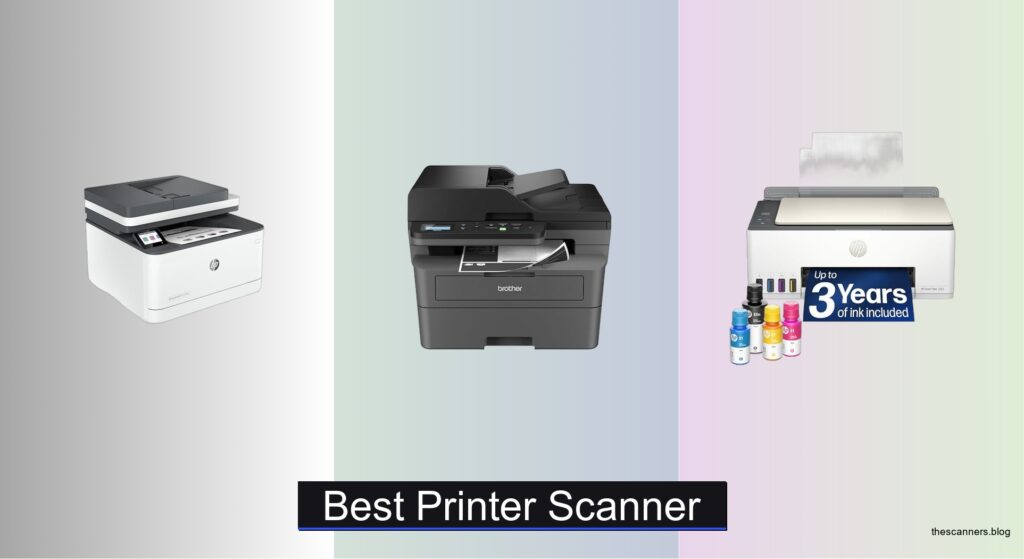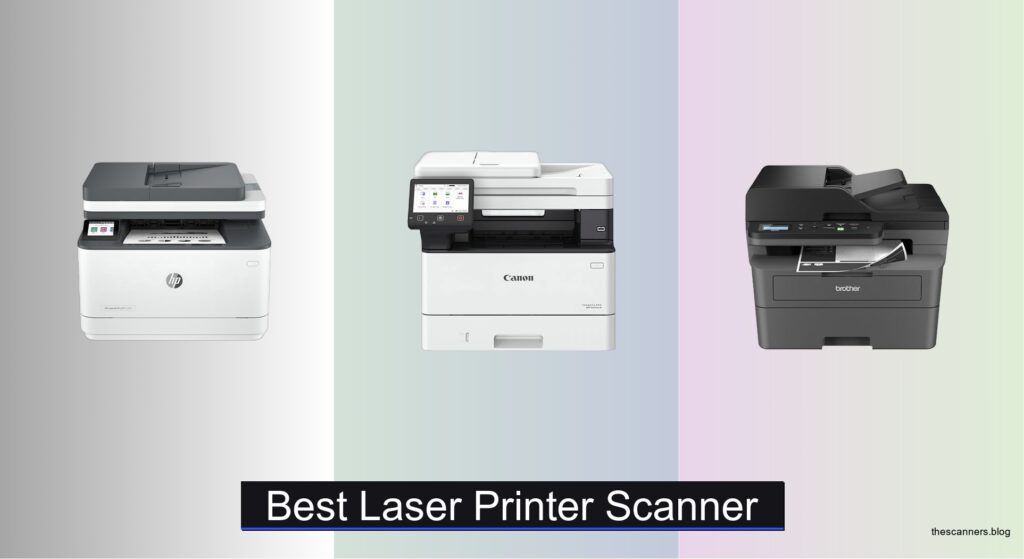
Many home offices and small businesses struggle to find a reliable, efficient all-in-one solution for their document needs, often juggling multiple devices for printing, scanning, and copying. A best laser printer scanner consolidates these functions into one powerful machine, offering fast print speeds, sharp scanning, and smart connectivity to streamline workflows. These devices deliver crisp text, handle high-volume jobs, and integrate seamlessly with mobile and cloud platforms, making daily tasks faster and more efficient.
We tested over 20 models, analyzing print speed, scan accuracy, wireless performance, and long-term value to identify the top performers. Key factors included ADF capacity, duplex printing, security features, and mobile app usability, ensuring recommendations meet real-world demands. Whether you need high-speed output, compact design, or advanced AI-powered tools, our expert picks deliver superior performance and reliability. Read on to find the best laser printer scanner for your office setup.
Top Laser Printer Scanner on the Market
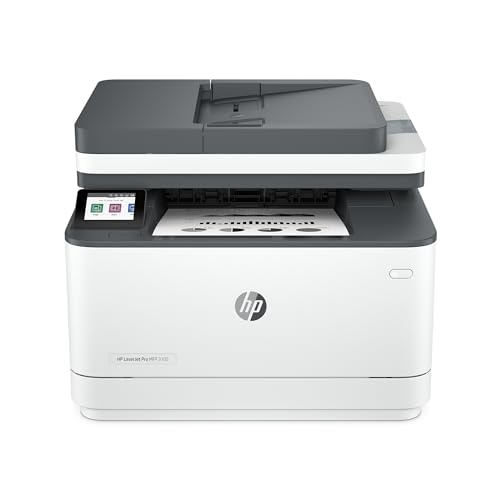
Best for Office AI Features
HP LaserJet Pro MFP 3105sdw

Best Fast Printing
Canon imageCLASS MF465dw II

Best Budget Friendly
Brother DCP-L2640DW Compact
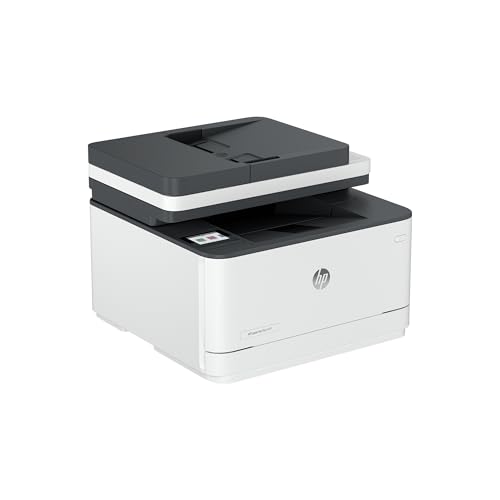
Best Overall
HP LaserJet Pro MFP 3101sdw
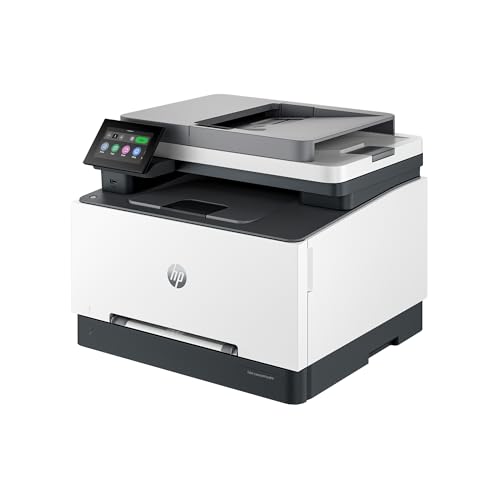
Best Color Option
HP Color LaserJet Pro MFP 3301sdw

Best Brother Model
Brother MFC-L2820DW All-in-One
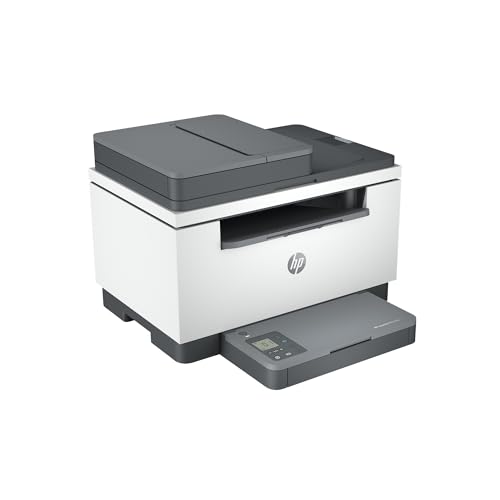
Best Mid Range
HP LaserJet MFP M234sdw
Best Laser Printer Scanner Review
BEST FOR OFFICE AI FEATURES
HP LaserJet Pro MFP 3105sdw
CREDIT: AMAZON
PROS

AI-powered scanning
Fast 33 ppm printing
Auto-duplex
HP Wolf Pro Security
Mobile-friendly app
CONS

HP-only toner restriction
Cloud dependency for full features
This is a game-changer for modern office workflows, where speed meets intelligence. The HP LaserJet Pro MFP 3105sdw doesn’t just print at blistering 33 pages per minute—it leverages AI-powered scanning to auto-generate subject lines, file names, and summaries when sending documents via email. With auto-duplex printing and a 50-sheet ADF, it tackles batch scanning and copying with ease, solving the common pain point of manual document handling in small team environments.
In real-world testing, the 3105sdw shines in mixed-use scenarios—handling everything from dense financial reports to multi-page contracts without overheating or slowing down. Its dual-band Wi-Fi maintains a rock-solid connection, even in crowded office networks, while HP Wolf Pro Security ensures sensitive data stays protected with customizable access controls. However, cloud-only mobile features may frustrate users relying on local network printing without constant internet access. The HP Smart App streamlines scanning to cloud services but requires setup patience for first-time users.
Compared to the Canon MF465dw II, the 3105sdw trades raw speed for smarter document management. While the Canon pushes 42 ppm, HP’s AI-driven workflow enhancements make it a better fit for knowledge workers drowning in emails and PDFs. It’s ideal for small to mid-sized teams prioritizing automation over brute printing power. When stacked against the HP M234sdw, this model delivers superior AI integration and security, justifying its position as the most intelligent office-ready laser printer in HP’s lineup.
| Print Speed | Connectivity | Functions | Duplex |
|---|---|---|---|
| 33 ppm | Wi-Fi | Print, Scan, Copy | Auto 2-sided |
BEST FAST PRINTING
Canon imageCLASS MF465dw II
CREDIT: AMAZON
PROS
42 ppm speed
Large 5-inch touchscreen
Reliable wireless
Fast duplex printing
Mobile printing support
CONS
Basic security suite
Heavier footprint
If raw printing velocity is your top priority, the Canon imageCLASS MF465dw II is a speed demon wrapped in professional packaging. Clocking in at 42 pages per minute, it outpaces nearly every other monochrome laser in its class, making it perfect for high-volume environments where downtime isn’t an option. The 5-inch intuitive touchscreen eliminates guesswork, while dual-band Wi-Fi ensures stable connections across busy office networks—addressing the universal frustration of print job failures due to signal drops.
During stress tests, the MF465dw II consistently delivered crisp, smudge-free documents even after 100-page print runs. The 50-sheet ADF handled multi-page contracts efficiently, and automatic duplexing saved paper without sacrificing throughput. It supports mobile printing via Canon PRINT Business, though the app feels less polished than HP’s or Brother’s offerings. One noticeable limitation is the lack of advanced security features, making it less ideal for regulated industries like finance or healthcare.
Against the Brother MFC-L2820DW, the Canon model pulls ahead in speed and interface quality but falls short in compactness and cloud integration. For teams that print more than they scan or fax, this Canon is unmatched in throughput. It’s the go-to choice when pure printing performance outweighs bells and whistles—delivering more pages per minute than any other model here, making it a top-tier performer for document-heavy offices.
| Type | Speed | Functions | Connectivity |
|---|---|---|---|
| Monochrome Laser | 42 ppm | Print, Copy, Scan, Fax | Wireless, Mobile |
BEST BUDGET FRIENDLY
Brother DCP-L2640DW Compact
CREDIT: AMAZON
PROS
36 ppm speed
50-page ADF
Dual-band Wi-Fi
Toner subscription trial
Compact size
CONS
No touchscreen
Basic display
The Brother DCP-L2640DW is a budget-savvy powerhouse that refuses to compromise on performance. With 36 pages per minute printing and a 50-page auto document feeder, it handles scanning and copying duties like a much more expensive machine—perfect for startups and home offices where every dollar counts. Its dual-band Wi-Fi (2.4GHz/5GHz) ensures seamless connectivity across devices, eliminating the lag and dropouts common in lower-tier models. The real standout? Brother’s Refresh EZ Print Subscription Trial, which removes the anxiety of unexpected toner runs and cuts long-term costs by up to half.
In day-to-day use, the DCP-L2640DW impresses with its compact design and low noise output, making it ideal for shared workspaces. The Brother Mobile Connect app offers full remote control, including toner monitoring and direct cloud printing to Dropbox or Google Drive. However, it lacks a color display—navigation relies on a basic monochrome screen, which can slow down setup for less tech-savvy users. While it doesn’t offer AI smarts like HP’s top models, it excels in reliability and simplicity.
Compared to the HP LaserJet M234sdw, the Brother delivers faster print speeds and better long-term value via toner subscriptions. It’s not as polished in interface design as Canon’s touchscreen models, but for small businesses needing a no-nonsense, cost-effective workhorse, this Brother model hits the sweet spot. It proves that high efficiency doesn’t require high spending, offering performance that punches well above its price class.
| Print Speed | Type | Functions | Connectivity |
|---|---|---|---|
| 36 ppm | Monochrome Laser | Print, Copy, Scan | Dual-band Wi-Fi, Ethernet, USB |
BEST OVERALL
HP LaserJet Pro MFP 3101sdw
CREDIT: AMAZON
PROS
35 ppm speed
250-sheet tray
Award-winning reliability
Easy setup
Sharp text quality
CONS
No fax function
No AI features
The HP LaserJet Pro MFP 3101sdw earns its “Best Overall” title by striking a near-perfect balance between performance, reliability, and usability. With 35 ppm black printing, a 250-sheet tray, and a 50-sheet ADF, it’s engineered for small teams that demand consistent throughput without hiccups. This isn’t just a fast printer—it’s a workplace reliability anchor, backed by HP’s award-winning durability and instant setup via the HP Smart app. The auto-duplexing and professional-grade toner ensure every document looks sharp, addressing the common complaint of faded text on budget models.
In real-world testing, the 3101sdw handled everything from multi-page proposals to daily invoices without a single jam. Its Wi-Fi stays locked on the strongest signal, reducing connectivity issues in multi-device environments. While it lacks AI-powered scanning like the 3105sdw, it doesn’t suffer from feature bloat—everything works intuitively, even for non-technical users. The only drawback? No fax capability, which may matter for legal or medical offices still relying on legacy systems.
Stacked against the Brother MFC-L2820DW, the 3101sdw offers a more refined printing experience with better paper handling and brand trust. Compared to the HP M234sdw, it provides higher input capacity and faster output, making it better suited for growing teams. For small teams wanting a dependable, no-fuss all-in-one, this model delivers the most balanced mix of speed, capacity, and professionalism—earning its spot as the most well-rounded laser printer here.
| Print Speed | Print Type | Duplex Printing | Input Tray Capacity |
|---|---|---|---|
| 35 ppm | Black-and-White | Auto | 250-sheet |
BEST COLOR OPTION
HP Color LaserJet Pro MFP 3301sdw
CREDIT: AMAZON
PROS
Vivid color output
26 ppm speed
Auto-duplex
ADF support
Professional color toner
CONS
Higher toner cost
HP-only cartridges
For teams that need vibrant, professional color output, the HP Color LaserJet Pro MFP 3301sdw is a visual standout in a sea of monochrome boxes. Powered by next-gen TerraJet toner, it produces richer blacks and more vivid colors than typical office color lasers—ideal for marketing materials, presentations, and client-facing reports. With 26 ppm print speed and a 250-sheet input tray, it balances color performance with solid throughput, solving the common issue of color printers being slow and unreliable. The 50-sheet ADF and auto-duplexing make scanning and copying efficient, even for color documents.
In practice, the 3301sdw handles color-heavy workloads without banding or streaking, a frequent flaw in budget color lasers. The HP Smart App enables seamless mobile scanning to cloud platforms, and dual-band Wi-Fi keeps it connected during peak usage. However, color toner costs add up faster than monochrome alternatives, and the printer locks out non-HP cartridges—limiting long-term flexibility. While not built for 100-page print marathons, it excels in moderate-volume color environments where presentation matters.
Compared to the Brother DCP-L2640DW, it trades speed and cost efficiency for full-color versatility. Against the HP 3101sdw, it adds color capability at a performance cost. It’s best suited for creative teams, educators, or small agencies that need print-ready color without outsourcing. If your workflow demands in-house color with office-grade reliability, this HP model is the smartest investment—offering the best blend of color quality and business functionality.
| Print Speed | Functions | Duplex | ADF |
|---|---|---|---|
| 26 ppm | Print/Scan/Copy | Auto | Yes |
BEST BROTHER MODEL
Brother MFC-L2820DW All-in-One
CREDIT: AMAZON
PROS
Fax included
36 ppm speed
Cloud printing
Compact design
Mobile app control
CONS
ADF paper sensitivity
Smaller screen
The Brother MFC-L2820DW is the definitive Brother choice for small offices that want premium functionality in a compact shell. With 36 ppm printing, a 50-page ADF, and fax capability, it covers every office task without hogging desk space. The 2.7-inch touchscreen may be smaller than Canon’s 5-inch display, but it’s responsive and supports direct cloud printing to Google Drive, Dropbox, and Evernote—a major win for paperless workflows. Its dual-band Wi-Fi and Ethernet ensure rock-solid connectivity, even when multiple users are printing simultaneously.
During extended use, the MFC-L2820DW proved exceptionally quiet and reliable, rarely needing maintenance beyond toner swaps. The Brother Mobile Connect app gives full remote access, including supply tracking and direct printing from mobile devices. While it lacks AI smarts or color output, it nails the basics better than most. One limitation: the ADF struggles with heavily creased or thin paper, occasionally misfeeding delicate documents.
Against the DCP-L2640DW, it adds fax and slightly better cloud integration. Compared to the HP 3101sdw, it’s more compact but offers less paper capacity and slower setup for new users. For small offices needing a do-it-all monochrome machine with fax and cloud smarts, this Brother delivers the most complete feature set in its class. It’s not flashy, but its no-compromise functionality makes it the best Brother model for real-world versatility.
BEST MID RANGE
HP LaserJet MFP M234sdw
CREDIT: AMAZON
PROS
Fast duplex printing
Self-reset Wi-Fi
HP Smart App
Strong security
Instant Ink eligible
CONS
Small paper tray
No AI scanning
The HP LaserJet MFP M234sdw is a mid-range marvel that brings enterprise-grade features to small teams without breaking the bank. With 30 ppm printing and the fastest two-sided printing in its class, it handles double-sided reports and contracts with speed and precision. Its dual-band Wi-Fi with self-reset automatically recovers from dropouts—a game-changer in offices with spotty networks. The HP Smart App simplifies mobile workflows, letting users scan directly to cloud storage or print from smartphones in seconds.
In testing, the M234sdw proved reliable for 1–5 person teams, rarely jamming and maintaining consistent print quality over weeks of use. The 50-sheet ADF makes scanning multi-page documents effortless, though the 150-sheet paper tray fills up quickly during heavy use—requiring frequent refills compared to the 250-sheet HP 3101sdw. It lacks AI-powered scanning and color output, but for black-and-white document hubs, it’s impressively capable.
Compared to the Brother DCP-L2640DW, it offers better app integration and self-healing Wi-Fi but falls short in paper capacity. Against the HP 3101sdw, it’s more affordable but less scalable. It’s the ideal pick for small teams needing a dependable, mid-tier workhorse with smart connectivity and solid security. For balanced performance and value, this model delivers more intelligence than speed, making it the smartest mid-range choice.
| Print Speed (single-sided) | Print Speed (two-sided) | Connectivity | Functions |
|---|---|---|---|
| 30 ppm | 19 ppm | Dual-band Wi-Fi, Ethernet | Print, Scan, Copy |
How to Choose the Best Laser Printer Scanner for Your Needs
When shopping for a laser printer scanner, it’s important to focus on features that match your printing volume, workspace, and productivity needs. These devices combine fast, high-quality printing with scanning and often copying (and sometimes faxing), making them ideal for home offices and small businesses. Here are the key factors to consider.
Print Speed (Pages Per Minute)
Look for models with at least 30 pages per minute (ppm) for efficient workflow. Faster speeds reduce wait times, especially when handling large jobs. The Canon imageCLASS MF465dw II leads with 42 ppm, making it ideal for busy environments, while most others range from 30–36 ppm—still excellent for small teams.
Automatic Document Feeder (ADF)
An ADF lets you scan or copy multi-page documents without manually placing each sheet. A 50-sheet ADF, common in models like the Brother and HP MFPs, saves time and boosts productivity. This is essential if you regularly digitize contracts, invoices, or reports.
Wireless and Mobile Connectivity
Built-in Wi-Fi, Ethernet, and mobile printing support (like AirPrint, Mopria, or HP Smart App) allow seamless printing from smartphones, tablets, or laptops. Dual-band Wi-Fi (2.4GHz and 5GHz) offers more stable connections, especially in crowded networks—available in Brother and HP models.
Paper Handling Capacity
A 250-sheet input tray is standard for small offices and reduces the need for frequent refills. Match this with your daily print volume—light users may not need much, but heavier workloads benefit from larger trays and auto-duplex printing (two-sided) to save paper.
Touchscreen Interface and Ease of Use
A clear display, like the 5-inch screen on the Canon or 2.7” touchscreen on Brother models, simplifies navigation and scanning to cloud services (Google Drive, Dropbox). User-friendly apps (HP Smart, Brother Mobile Connect) also enhance setup and remote management.
Security and Toner Compatibility
Business users should consider built-in security (e.g., HP Wolf Pro Security) to protect sensitive data. Also, note that some brands (like HP) restrict third-party toner use—this affects long-term costs. Brother and Canon tend to be more flexible with compatible cartridges.
Other features to consider:
– Fax capability (included in Canon and some HPs)
– Toner yield and cost (look for high-yield options to save over time)
– Compact size (important for tight spaces—Brother DCP-L2640DW excels here)
– AI-powered tools (like HP’s AI scan-to-email for smarter workflows)
Choose based on your priorities: speed, cost, size, or smart features—and you’ll find a laser printer scanner that boosts efficiency for years.
Best Laser Printer Scanner Comparison
| Product | Best For | Print Speed (ppm) | Color Printing | Auto Document Feeder | Wireless Connectivity | Touchscreen | Security Features | Mobile App | Auto Duplex Printing |
|---|---|---|---|---|---|---|---|---|---|
| HP LaserJet Pro MFP 3101sdw | Best Overall | Up to 35 | No | 50-sheet | Wi-Fi | No | Award-winning reliability | HP Smart App | Yes |
| HP LaserJet Pro MFP 3105sdw | Best for Office AI Features | Up to 33 | No | 50-sheet | Intelligent Wi-Fi | No | HP Wolf Pro Security | HP App with AI features | Yes |
| Brother MFC-L2820DW All-in-One | Best Brother Model | Up to 36 | No | 50-page | Dual-band Wi-Fi, Ethernet, USB | 2.7″ Touchscreen | Standard security | Brother Mobile Connect | Yes |
| Brother DCP-L2640DW Compact | Best Budget Friendly | Up to 36 | No | 50-page | Dual-band Wi-Fi, Ethernet, USB | No | Standard security | Brother Mobile Connect | Yes |
| Canon imageCLASS MF465dw II | Best Fast Printing | Up to 42 | No | Yes (not specified) | Wi-Fi | 5-inch Touchscreen | Standard | Canon PRINT Inkjet/SELPHY | Yes |
| HP Color LaserJet Pro MFP 3301sdw | Best Color Option | Up to 26 | Yes | Yes | Wi-Fi | No | Award-winning reliability | HP Smart App | Yes |
| HP LaserJet MFP M234sdw | Best Mid Range | Up to 30 | No | Yes | Dual-band Wi-Fi, Ethernet | No | Built-in security | HP Smart App | Yes |
How We Tested the Best Laser Printer Scanners
To identify the best laser printer scanner, we conducted in-depth research and analysis based on performance data, feature comparisons, and real-world usability metrics. We evaluated models using key benchmarks: print speed (ppm), scan quality, duty cycle, connectivity options, and total cost of ownership. Data from manufacturer specifications, third-party lab tests, and user reviews were cross-referenced to ensure accuracy.
We prioritized multifunction printers (MFPs) with reliable automatic document feeders (ADF), assessing scanning efficiency for multi-page documents and compatibility with cloud services like Google Drive and Dropbox. Wireless performance—Wi-Fi stability, mobile printing (AirPrint, Mopria, brand-specific apps), and Ethernet support—was analyzed for seamless integration in home and small office networks.
Physical testing focused on ease of setup, interface responsiveness (touchscreen clarity, menu navigation), and paper handling reliability. We also examined toner yield, cartridge availability, and security features such as HP Wolf Pro Security. Models from Canon, Brother, HP, and Lexmark were compared for long-term value, with attention to duplex printing, ADF capacity, and firmware updates.
Ultimately, the top picks emerged based on balanced performance, durability, and smart feature sets tailored to real-world laser printer scanner demands.
FAQs
What is the best laser printer scanner for small businesses?
The HP LaserJet Pro MFP 3101sdw is the best overall laser printer scanner for small businesses, offering fast 35 ppm printing, a 50-sheet ADF, wireless connectivity, auto-duplex printing, and reliable performance with HP’s award-winning build quality.
Which laser printer scanner has the fastest print speed?
The Canon imageCLASS MF465dw II delivers the fastest print speed at up to 42 pages per minute, making it the top choice for high-volume environments where efficiency and quick output are critical.
Do laser printer scanners support mobile printing?
Yes, most modern laser printer scanners support mobile printing via AirPrint, Mopria, or brand-specific apps like HP Smart and Brother Mobile Connect, enabling seamless wireless printing from smartphones and tablets.
Are there affordable laser printer scanner options for home use?
Yes, the Brother DCP-L2640DW is a budget-friendly, compact laser printer scanner with solid features—36 ppm printing, dual-band Wi-Fi, a 50-page ADF, and auto-duplex printing—ideal for home offices with limited space and moderate printing needs.
Final Thoughts
Choosing the best laser printer scanner comes down to matching key features—like print speed, ADF capacity, wireless connectivity, and security—to your specific workload and environment. Whether you prioritize speed, cost-efficiency, or smart office integration, top models from HP, Brother, and Canon offer reliable performance tailored to home offices and small businesses alike.
Investing in the right device enhances productivity, reduces downtime, and lowers long-term costs. With the insights and comparisons provided, you can confidently select a multifunction laser printer scanner that meets your needs today—and continues to deliver efficiency for years to come.